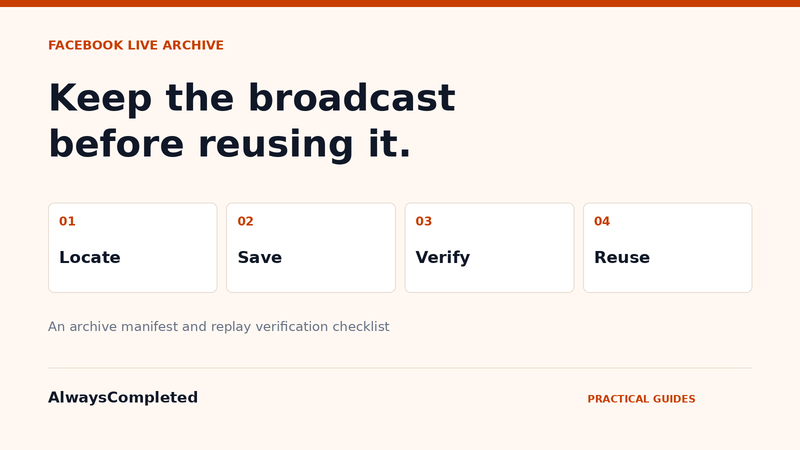
Facebook Live Replay Archive: Save, Verify and Reuse a Broadcast
To save a Facebook Live video reliably, obtain an authorised copy while it is available, open the resulting file and verify that it contains the broadcast you intended to preserve. Then record where the checked copy is stored and what reuse is permitted. A remembered link, a saved bookmark and an untested download are not equivalent to a usable archive.
Treat archiving as part of the broadcast plan. Give one person responsibility for the full replay, another person or review step responsibility for checking it, and a clear owner for any later clips. This is especially useful when the broadcast will support a future FAQ, product explanation or release story.
The download pack includes an archive manifest, playback checks and a fictional twenty-minute Q&A reuse plan. All timeline and clip examples are DEMO material. No account download, recording, permission approval or publication was performed. Meta's public guidance was checked on 26 November 2026.
1. Check which storage rule applies to the broadcast
Meta's Facebook Live storage announcement states that new broadcasts from 19 February 2025 can be replayed, downloaded or shared for 30 days before automatic removal. It separately describes the transition for older archived Lives: notification followed by a 90-day download or transfer period. Those are different situations; the old-archive notice is not a general 90-day retention promise for new broadcasts.
Record the actual broadcast date, the account's displayed deadline or notice, the date you checked it and the source of the information. If a deadline is not shown or the account state is unclear, mark that field unconfirmed and arrange the archive promptly. Do not replace a missing observation with a confident date copied from someone else's screenshot.
Choose an internal archive target well before the relevant removal deadline. The target is a team commitment, not a new platform retention rule. An early copy gives you time to discover that the file is incomplete, the export is still being prepared or the person assigned cannot access the necessary control.
For an older archive, follow the notice actually present in that account. Meta's original transition announcement included an option to postpone deletion of old Lives. Do not assume that option is currently offered to every account or that it extends the policy for a newly recorded broadcast.
2. Identify the exact source before downloading
Copy the broadcast URL and identify the Page or profile that owns it. Record the title, date, intended duration and the people or event shown. If a recurring programme uses the same title, add the episode or session reference so one week's replay cannot be mistaken for another.
Check that the account holder has authority to obtain and retain the video. For a team broadcast, identify who controls the account and who will store the archive. The person choosing clips should know where to ask about footage, music, slides, guests and other material included in the session.
Keep the full replay and promotional derivatives as separate objects. A short clip can be useful to viewers while omitting most of the original session. It should not be marked as the archived broadcast just because it remains accessible after the original replay is gone.
The manifest gives the source a stable internal reference, such as LIVE-DEMO-01. The reference is useful even when the public title changes. It is an internal planning label, not a Facebook identifier or evidence that a real broadcast exists.
3. Use an official route that is available to the owner
Meta's storage announcement describes individual downloads through the profile, Page or Meta Business Suite, as well as Activity Log and notification-based bulk download or cloud-transfer routes. Use the route actually offered for the relevant account and broadcast. Record the option used and the file or transfer result, rather than assuming a button position from an older walkthrough.
For a batch, record which broadcasts were requested and compare the returned files with that list. A completed export job can still require unpacking and matching files to sessions. If the export is not ready, keep its state pending and assign the next check; do not treat a request receipt as the finished archive.
If an expected official option is missing, record the account, broadcast and observed limitation for the owner to investigate. The public Help Center route may require sign-in. This documentary guide does not establish that your account exposes a particular download control, and it cannot recover a replay already removed from Facebook.
Do not erase the available source or reorganise the only copy while you are still checking the export. First establish that the archive contains the intended content and that someone else responsible for the work can locate it.
4. Verify the file rather than only the download notification
Open the downloaded or transferred file from its storage location. Check that it plays outside the original Facebook replay page. Record the filename, file size, duration shown by the player and the date of the check. An extension such as .mp4 is a useful clue about the file, not proof that its content is complete.
Use a short set of playback checkpoints:
| Check | What to inspect | What to record |
|---|---|---|
| Identity | Correct session, speaker and topic | Source reference matched to file |
| Opening | First meaningful content and any essential introduction | Start intact or specific omission |
| Middle | Seek to at least one substantive section | Video and audio continue correctly |
| Ending | Final answer or close of the session | Ending present or truncated |
| Sound and sync | Speech intelligible and plausibly aligned with picture | Specific defect, if any |
| Full review | Watch the complete retained programme before final acceptance | Reviewer, date and any unresolved defect |
Spot checks help detect obvious failures quickly; they do not replace a complete review when you are accepting the archive as the full broadcast. A twenty-minute file can still contain silence, a frozen section or the wrong session. Record the defect rather than simply ticking “twenty minutes.”
If a transfer produced a package rather than a single video, note which extracted file is the retained replay. Keep the relationship between the export package, the checked video and any later edit. Another team member should be able to follow that relationship without guessing from several files called “download.”
5. Store a checked master and a separate working copy
Choose an archive location the responsible people can access. Keep the checked full replay as the retained source and make a working copy for editing. This reduces the chance that a trimmed export replaces the only complete version while the team is preparing social clips.
Use descriptive names that identify the session and version. For example, DEMO_QA01_full-replay_checked_v01.mp4 and DEMO_QA01_clip-C02_v01.mp4 distinguish intended roles. These are teaching filenames; the pack contains no actual video. Use your project's established naming convention when one already exists.
Where the archive matters to future work, keep a second independent copy and verify that it can be opened. A second filename pointing to the same underlying file does not protect against losing that file. Record the locations and owners without placing private access credentials in the manifest.
The music release asset handoff template provides a broader version and delivery structure. Apply it to the actual archive and derivatives, while keeping the replay's source URL, deadline and playback evidence in this manifest.
6. Review permissions and context before reusing a segment
Identify the materials within the proposed excerpt: the speaker's contribution, guest appearance, background music, presentation slides, photographs and visible audience information where relevant. Record the basis for the intended reuse and the person responsible for resolving gaps. An archived file does not itself establish permission for every later use.
Specify the proposed destination and purpose. A full replay retained internally, a public educational clip and a paid promotional edit can raise different approval questions. If the scope is unclear, keep the candidate pending and ask the responsible owner before preparing it as approved campaign material.
Then check the meaning of the excerpt. A live answer may contain a condition in the next sentence or rely on a demonstration earlier in the session. Keep enough context for a new viewer to understand the claim. A concise clip should not turn “this worked in our demonstration” into “this always works.”
Review the final edit, not just the source timestamps. A title card, caption or cut can change what the viewer takes away. Record the approved output filename and the version that was reviewed so a later edit does not inherit approval silently.
7. Use the twenty-minute DEMO Q&A as a selection model
The fictional Cedar Merch Q&A explains how the shop prepares merchandise for a small event. Its twenty-minute plan has an introduction, a planning checklist, a packing demonstration, audience questions and a closing recap. It is an invented teaching outline; there is no recorded event or customer evidence behind it.
The first candidate answers “What information should a venue team provide before asking about shirts?” The proposed excerpt keeps the item, quantity, use and timing questions together. A second candidate shows the packing checklist with its limitation: the process illustrated is one team's example, not a universal shipping guarantee.
A third candidate addresses an answer that depends on current stock or delivery information. The reuse plan marks it hold for factual review, because the information could become stale. The best action may be to record a new current explanation instead of republishing the old answer.
These candidates are chosen by the viewer's question, not by slicing the programme into equal pieces. The downloadable table includes start/end timestamps, duration arithmetic, the answer, context that must remain and the next review owner. It also records sections to omit from standalone clips, such as housekeeping without a useful answer.
8. Give the viewer a durable next step
Decide what a viewer should do after the clip: read a current checklist, visit an updated FAQ or watch an authorised full replay hosted where the team intends to keep it. Check that destination before publication. A clip should not send people to a Facebook Live URL that the archive plan expects to disappear.
Meta's video publishing announcement describes the move toward sharing new videos as Reels. That announcement does not establish indefinite retention of the original Live replay. Treat the saved full file, a newly published Reel and the follow-up destination as separate items to verify.
For a more developed clip series, the existing guide to turning a video into useful Shorts explains the editorial principle of one complete viewer question per clip. Its YouTube publishing details belong to YouTube; use the current Facebook route for Facebook output.
If promotion is part of the plan, review the exact destination in AlwaysCompleted's Facebook services. A live session, a replay and a Reel are different targets. The broader livestream guide also separates platform, timing and service scope. Confirm any unclear requirement with technical support before ordering; a promotion service does not archive or recover a removed broadcast.
