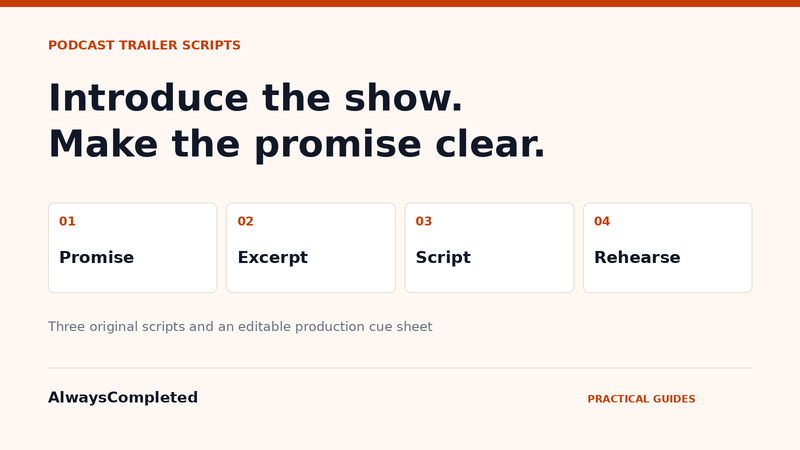
Podcast Trailer Script: Three Structures to Introduce Your Show
A podcast trailer needs to help a particular listener make one decision: whether to try the show, follow it before launch, or return for a new series. Choose that decision before writing the opening. Then introduce a recognisable problem, demonstrate the kind of conversation or story you offer, and give one next step that the listener can actually complete.
This guide includes three original scripts for the same fictional show, an editable cue sheet, and a review process for turning a written promise into a usable recording. The scripts are DEMO examples, not transcripts of an existing podcast. Their speaking times have not been measured. Record a rehearsal and enter the actual durations before planning the edit.
Choose the job of this trailer
Start with the situation in which someone will hear it. A person encountering your show for the first time needs different information from a regular listener waiting for the next season. A trailer shared before any episodes exist also needs a different destination from one promoting an available episode.
Apple's trailer guide distinguishes coming-soon, show and teaser trailers. It recommends keeping a show trailer within two minutes and giving listeners a clear next step. Treat that as editorial guidance, not proof that a particular length produces more followers.
Use this decision table to select your first draft. You can make several versions later, but each version should have an identifiable purpose.
| Listener situation | Trailer job | Useful evidence in the audio | Primary next step |
|---|---|---|---|
| The show has not launched | Explain the premise and make the upcoming release understandable | A host demonstration or an approved recorded moment | Follow the show, if its public page is already available |
| Episodes are available | Help a newcomer recognise the listening experience | A representative moment and one example of an episode's question | Play a named starting episode |
| An established show is returning | Explain what changes or develops in the new series | The new question, setting or problem | Return on a confirmed date or follow the show |
Avoid building your plan around an unavailable action. If the public show page is not live, “follow us now” has no usable route. You can prepare the trailer while the page is being set up, then hold distribution until the link works. Alternatively, use an existing website page with a clearly stated update option. The script and the destination should describe the same promise.
Write the listener promise before the biography
Fill in one sentence: “This show helps [specific listener] think through [specific recurring problem] by [what the episodes actually do].” A useful promise describes the experience. It does not guarantee a personal or business result.
For our fictional show, Small Room Studio, the promise is: “Conversations for independent musicians making recording decisions in rooms they also live in.” That establishes a listener, a setting and a practical subject without claiming that the show will transform anyone's career.
A weak opening would be: “Welcome to our amazing new podcast, where we talk to inspiring people about all things music.” It could describe thousands of shows. It gives the listener no concrete reason to continue.
An improved opening is: “Your desk is also your recording booth. Where do you put the microphone when the window, the fridge and the road all have something to say?” The situation is specific, the tone is conversational, and the question leads naturally into an episode. It is an original demonstration of the show's voice, not a borrowed quote.
Apple's guidance on presenting a podcast connects a show's description and tone with what listeners can expect. Apply that principle by using words your host would naturally say. If the normal episodes are patient and reflective, a frantic trailer full of dramatic effects could create the wrong expectation.
Write down the boundary of the promise as well. Small Room Studio discusses decisions and trade-offs; it does not offer a universally correct microphone placement or a guaranteed path to professional sound. Keeping that boundary clear makes the examples more credible and easier to record.
Select a moment that represents the show
An excerpt should make sense without the surrounding episode. Before choosing it, listen to the question that prompted the answer and the sentence immediately afterwards. A short edit must preserve the speaker's meaning, including an important qualification.
For a conversation, choose a moment with a clear observation or disagreement. For a narrative show, select a detail that establishes a situation and leaves a worthwhile question. For a practical solo show, demonstrate how the host examines a problem. “We have great conversations” is less informative than allowing the listener to hear the nature of one.
Record the source file, in and out points, speaker, permission status and the approved wording in your cue sheet. Keep the raw source reference separate from the final trailer timeline. Moving the excerpt earlier in the trailer does not change where it came from in the source recording.
If no episodes have been recorded, use a truthful host introduction or a short original demonstration. Do not manufacture a guest endorsement or stage a quotation as if it came from an interview. The DEMO scripts below use invented scenes openly so that you can study their structure without mistaking them for evidence about a real show.
Script one: a coming-soon introduction
Job: introduce the premise before the first full episode is available. Listener: a musician about to record at home. Route: the public show page, once confirmed. Replace the bracketed details before recording.
Your desk is also your recording booth. Where do you put the microphone when the window, the fridge and the road all have something to say?
I'm the host of Small Room Studio, a new podcast about recording decisions in the spaces we actually have.
In our first series, we'll work through choosing a recording corner, preparing a guest session and deciding when another take is useful. You'll hear the question, the options and what the person making the decision tried next.
Here's the kind of question we'll begin with: if moving the microphone changes the recording, what should you listen for before buying another one?
The first episode arrives on [confirmed release date]. Follow Small Room Studio on [available listening destination] so you can find it when it is published.
This version needs a real release date and an available follow destination before release. If the schedule is uncertain, remove the date instead of implying a commitment the team cannot keep. A confident delivery cannot repair an inaccurate date.
Script two: an evergreen show introduction
Job: help a new listener choose a starting episode. Listener: someone who wants practical discussion without a long equipment list. Route: one named, published episode.
A quiet room is useful. A realistic recording plan is useful too.
Small Room Studio is a podcast for independent musicians making recording decisions at home. Each conversation starts with one problem, then follows the choices behind a session.
In our demonstration, the problem is a vocal take recorded beside a noisy window. The first question is not which expensive microphone to buy. It is what changes when we move the setup and listen again.
Other episodes explore planning a guest session and knowing when an extra take adds something. The show makes room for the decisions that happen between an idea and a finished recording.
Start with [exact published episode title]. Open the episode link in these notes, listen to the opening problem, and decide whether this is a conversation you want to continue.
An evergreen trailer should remain useful after the next release. Avoid phrases such as “this Friday” or “our latest episode” unless someone owns the task of updating them. A named starter episode gives you a stable reference, although its link and availability still need periodic checking.
Script three: a new-series teaser
Job: tell returning listeners why the next series is distinct. Listener: someone familiar with the show. Route: a confirmed release or follow action. This is an original seasonal adaptation, not a claim about a platform's separate episode-type label.
You have heard us plan a recording for one person. What changes when three people need the same small room?
In the next Small Room Studio series, we're following the preparation for a collaborative session: agreeing who brings what, deciding which parts need to be recorded together, and leaving enough time to listen back.
Our starting question is simple: which decisions can happen before everyone arrives, and which decisions only make sense when you hear the group?
We will work through the plan, the disagreements and the changes. No perfect-room reveal, just a closer look at how a session takes shape.
The series begins on [confirmed date]. Follow Small Room Studio in [available destination], and look for [confirmed first-episode title] when it is released.
This draft makes a concrete distinction from earlier episodes. Before using an equivalent promise for your show, confirm that the material exists or that the announced production plan is reliable. A teaser should leave a question open, not conceal that the promised subject was never recorded.
Rehearse with a cue sheet
Read the full script aloud in the intended tone. Record the rehearsal, including the pauses you want to keep. Enter actual durations for each spoken block and source excerpt. A word-count estimate can help you prepare, but it cannot tell you how long this host will take to deliver this script.
The supplied cue sheet separates spoken wording, source audio, measured duration, edit notes and the next-step line. Use a new version when you make a substantial change. If the total exceeds your editorial target, first remove repetition and secondary requests. Speeding up the performance can make the destination difficult to understand.
Listen once without looking at the page. Can you identify the show, the kind of listener it serves and the next action? Then read along and check names, dates and qualifiers. These are different reviews: one tests comprehension, while the other tests accuracy.
Keep the call to action audible. Music should not obscure an unfamiliar show name or a destination. If a long address is necessary, put the exact clickable link in the notes and use a concise spoken instruction. Test whether that instruction still works when the trailer is shared outside its original player.
Publish the right object and check the route
The title “Trailer” alone is not a substitute for the appropriate publishing setting. Spotify's current trailer instructions distinguish shows hosted with Spotify from those hosted elsewhere. For a Spotify-hosted show, the documented web flow includes selecting Trailer under Episode type. An externally hosted show can select an existing episode as its trailer through the documented settings route. Check the current instructions for your host and account before publishing.
After publication, open the public show and trailer links as a listener. Confirm that the selected recording plays, the title and description identify its purpose, and the promised destination opens. Test the specific follow or starting-episode route on the devices you expect listeners to use. Record the device and app, time checked, result and any remaining issue. This guide does not claim an account-specific upload or playback test has already happened.
If you are comparing additional promotion, the podcast service guide explains why episode coverage and counting units matter. Verify whether a current listing accepts the show, a trailer or a particular episode before ordering. A trailer script, a paid download count and a returning listener are different things. Use technical support information when the listing does not settle the required destination or scope.
Download and adapt the scripts
Copy the version that matches the listener's situation. Replace all bracketed fields, document the source and permission for any real excerpt, and finish the rehearsal and public-link checks before distributing it.
The useful result is a trailer whose words, recording and destination agree. Keep the approved script, measured cue sheet and public URL together so that the next editor can see exactly what must change when the show's schedule or starting episode changes.
