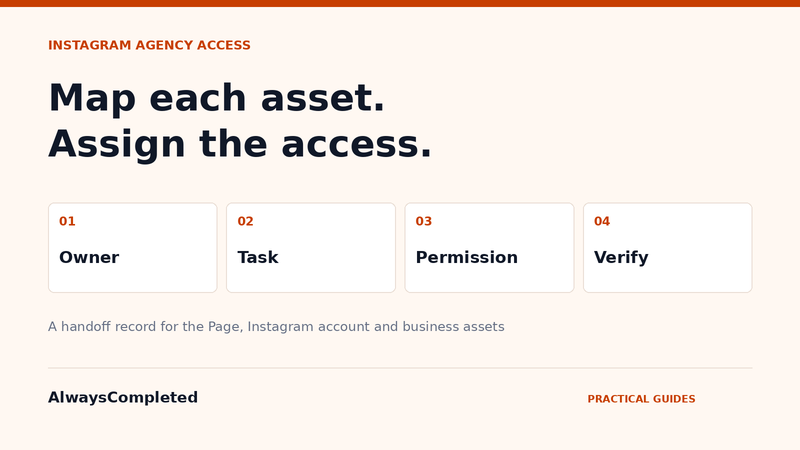
Instagram Agency Access: Map the Page, Account and Business Assets
An agency access problem is easier to solve when the team can name the asset, its owner and the task that is missing. “We have admin access” can refer to a Page, an Instagram asset, an ad account or a business portfolio. Those statements do not necessarily describe the same authority.
Use the editable asset map and access matrix before handing over a native Instagram campaign. It identifies the required tasks and the evidence still needed without requesting passwords or granting broad access by default.
Map the identities before inviting anyone
Record the Instagram account, connected Facebook Page where used, business portfolio and advertising account. For each, preserve an identifiable reference, the observed owner and the relationship to the campaign. Do not infer ownership from the person who happens to have access today.
Meta's Business Suite course distinguishes portfolio access from assignment to specific assets and tasks. Its workflow asks the owner to select the tools a person needs. That is a useful model for the handoff: asset and task first, access choice second.
Check the intended Instagram–Page connection through the account owner. The Instagram connection reference describes that relationship as a separate setup concern. If the team cannot establish the correct connection, leave it unresolved instead of attaching whichever Page is easiest to select.
Separate ownership, access and authority to grant access
An agency may be allowed to work on an asset without owning it. A person may perform a task without being able to invite another person or change portfolio permissions. A screenshot showing one accessible asset cannot prove authority over all related assets.
Write three questions for each row: who owns it, who currently has access, and who can authorize the required change? When those answers differ, preserve the difference. It avoids asking the wrong colleague to fix a permission they cannot control.
Use “observed owner” when the evidence is incomplete. If a former agency or another portfolio appears in the relationship, ask the current business owner to resolve the ownership question through the appropriate official process. Do not attempt to bypass it by sharing another person's login.
Define the work in task language
Meta's Instagram business-asset documentation distinguishes tasks including content, messages, community activity, advertising and analysis. The names in a particular interface can vary, but the underlying work should be explicit in the brief.
| Required work | Documentation task reference | Evidence the handoff should establish |
|---|---|---|
| Publish or manage content | CONTENT |
The authorized person can work on the intended Instagram asset |
| Answer messages | MESSAGES |
The correct inbox is available to the assigned responder |
| Moderate comments | COMMUNITY_ACTIVITY |
Community-management scope is assigned to the right person |
| Manage native ads | ADVERTISE |
The necessary advertising assets and tasks are confirmed |
| Review performance | ANALYZE |
The analyst can see the agreed reporting scope |
Do not give an analyst content-management rights merely because it is convenient. Do not assume that analytical access allows ad creation. The matrix should connect each permission request to a real deliverable and remove requests that have no task behind them.
This guide uses the documentation to explain the asset model. It does not ask the reader to run API permission changes or copy access tokens into a worksheet.
DEMO: three handoff failures
The following are fictional cases, not observations from a customer account.
Wrong connection. Northline Brand's intended Instagram account is not linked to the Page the agency was given. The agency can see a Page, but the campaign identity is still unresolved. The owner verifies the correct assets and relationship before anyone creates an ad under the wrong identity.
Wrong task. A freelance analyst can review performance but cannot manage advertising. If the agreed job is reporting, no correction is needed. If the scope now includes campaign setup, the owner reviews the new task and grants only the necessary access through the documented controls.
Wrong authority assumption. A colleague has broad control of an individual asset but cannot manage portfolio-level invitations. The handoff identifies the actual portfolio administrator. Repeatedly asking the colleague to retry does not change the authority boundary.
Each case needs a different owner and correction. A general “give full access” request hides those distinctions and can create unnecessary exposure without solving the real issue.
Verify the handoff through an authorized task
After the owner assigns access, ask the intended recipient to verify the agreed task in the correct asset. Use a reversible, non-publishing check where appropriate: confirm that the intended account and reporting area are visible, or that the required configuration area can be reached. Do not publish a test ad or spend money merely to prove access unless that action has been separately authorized.
Record the invitation state, acceptance state, task verification and date separately. An invitation sent is not access accepted. Access accepted is not proof that the right asset was assigned. A successful task check should name the asset and scope it demonstrated.
Use redacted evidence references in the shared matrix. Do not include passwords, recovery codes, tokens, personal message content or payment details. The reviewer needs to understand the relationship, not possess every credential involved.
Review access when the work changes
Set a review date for the end of the campaign or a material scope change. This is an operational reminder, not a claim that the platform will automatically expire the permission. Record which owner will remove or reduce access and how completion will be verified.
When an agency adds a subcontractor, do not assume the original agreement authorizes that person. The business owner should review the recipient and required task. Similarly, removing a person from one place may not describe every asset relationship; inspect the actual scope that was granted.
Preserve the completed access record with the campaign handoff so a later team can see who was responsible and what remained unresolved. Avoid keeping unnecessary sensitive screenshots in broad project archives.
Distinguish native campaign access from URL-based services
Many tasks begin with a public content or profile URL. If you are comparing Instagram promotion services, read the selected description and ask technical support which input is required. A normal URL-based order should not automatically become a request for the customer's password or portfolio access.
Native Meta advertising work may require a different authorized asset setup, but that scope must be explicit. The finished map helps the business provide the access needed for the agreed work while preserving ownership and a clear removal plan.
Documentation reviewed 26 November 2026. Examples are fictional; no customer account or campaign was tested for this guide.
