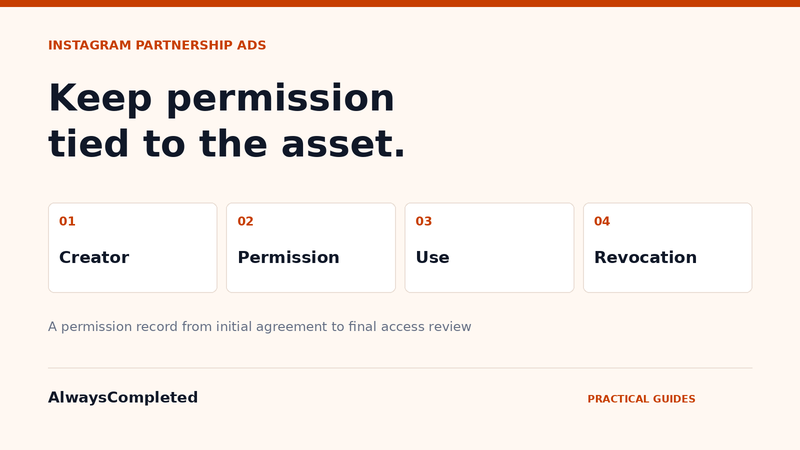
Instagram Partnership Ads: Track Permission From Grant to Revocation
Manage an Instagram partnership ad permission as a record with an owner, an exact scope and an observed state. Before an ad is launched, verify both the creator's agreement and the technical access needed for that particular use. At the end of the work, check the remaining permissions and affected ads rather than assuming that the campaign calendar closes access automatically.
Meta distinguishes permission for specific content from broader account-level permission. The first applies to an individual item, while the broader route can support an ongoing partnership. The creator or partner can revoke permission. Choose the scope deliberately and retain evidence of what was actually granted. About partnership ad permissions.
The downloads contain an original permission register and state-transition worksheet for two fictional DEMO partnerships. No accounts, codes or ads were operated. Public Meta guidance was reviewed on 26 November 2026; example states are teaching material rather than observations of a real creator's account.
- Download the permission register with two DEMO partnerships
- Download the state-transition and closeout worksheet
Identify the parties and the content before discussing access
Record the creator or partner whose handle will appear, the advertiser requesting use and the person operating the campaign. Keep an agency operator separate from the brand when they are different parties. Similar display names are insufficient evidence that the correct accounts are involved.
For content-specific work, retain the exact post or Reel reference and the approved creative version. A description such as “the November collaboration” may refer to several uploads, edits and accounts. The person checking permission should be able to identify the same object as the person building the ad.
Write the intended use in plain language: which content, which advertising activity, which markets or period if agreed, and who can approve a change. This is an operational summary of the agreement, not a substitute for the agreement itself.
Do not add permission merely because someone asks for the broadest available access. First establish what the planned work requires. A one-Reel promotion and a continuing arrangement to create ads from a handle deserve different scope discussions.
Keep technical access and commercial agreement on separate rows
Meta's advertiser guidance explains that platform permission supplies technical access, while separate agreements can define matters such as scope, duration and compensation. Check both before using the content. A usable permission does not establish all the business terms between the parties. Permission guidance for advertisers.
The register therefore has two states: agreement status and observed technical permission. A signed agreement with a pending platform request is not a completed access handoff. An active technical permission with an unresolved change in scope is not automatic approval for the new use.
Give each state its own evidence reference and reviewer. The commercial owner confirms the agreed use. The authorized account owner verifies the permission in the platform. A campaign operator can then compare the proposed ad with both records.
Avoid storing a usable partnership code in a widely shared publication checklist. Keep sensitive access material in the team's appropriate private location and put only a reference in the working register. The example downloads use invented labels, not operational codes.
Record the permission type as it appears in the actual workflow
Instagram's creator guidance uses content-level and account-level terminology. The advertiser guidance reviewed here also uses profile-level wording for broader access. Store the exact native label and its demonstrated scope in your record, rather than assuming that a team nickname fully describes it.
For a content-level permission, attach the precise item reference. For broader access, describe the permitted handle/content relationship and the intended campaign set. Do not compress a broad permission into “approved Reel” just because the first ad happens to use one Reel.
Content-level permissions can be provided through the applicable content controls or a partnership ad code. Meta's current content-level guide also states that archiving Instagram content does not remove the advertiser's code access. Archiving is therefore not sufficient evidence of revocation. Manage content-level permissions.
The record should show how the permission was granted, who granted it, when it was last checked and which affected ads are known. “We received a message saying approved” is useful context, but it should not be silently relabelled as an observed active platform state.
Make the launch review specific to one proposed use
Before each launch or material scope change, compare the proposed ad with the register. Check the actual creator and advertiser, exact content, permitted use, current technical state and agreement period. Resolve a mismatch before the operator publishes.
An old screenshot can show that access existed at one time. It cannot prove that the permission remains active today. Record the time of the latest check and the person who can verify changes. For a continuing partnership, choose review points that match the team's workflow rather than inventing an automatic platform expiry.
Also identify changes to the creative or destination. A technical permission may remain available while the proposed marketing promise changes substantially. The responsible commercial owner should determine whether that revision still fits the agreement.
Keep spending authorization separate. Permission to use a creator's content does not decide the advertiser's budget. A complete handoff can confirm access while leaving the launch and spending approval pending.
Two worked permission records
DEMO A: one Reel with content-specific access
A fictional creator, Mira, agrees that a fictional workshop business may promote one demonstration Reel. The record names the Reel reference, the agreement period and the business's advertising operator. Technical access is still pending in the example.
The correct next action is to verify the actual grant for that item. The operator should not expand the request to the creator's broader handle merely to avoid completing the content handoff. If the business later wants to promote a different Reel, that is a new scope check.
Near the end of the fictional period, the creator archives the original post. The register records the archive event but does not mark ad access revoked. The review owner must inspect the relevant permission and affected ads, then record the actual closeout actions and observed states.
DEMO B: a continuing series with broader access
A fictional studio works with a creator on a series. The parties choose a broader permission route after defining the intended scope. The register records the actual permission type separately from the list of approved campaign concepts.
One concept changes from a studio tour to a product endorsement. The technical permission is not treated as evidence that the commercial change has been approved. The proposal returns to the agreement owner, while the operator retains the existing ad and content references.
At closeout, the team checks whether broader access remains needed, which ads are still active and who will verify removal or any approved continuation. The review date is a task deadline. It is not represented as a native automatic expiry setting.
Treat revocation and active-ad review as explicit work
Meta documents controls for removing account-level access and for content-level permissions, and distinguishes active-ad controls from code controls in its removal guidance. Inspect the relevant scope and the effect shown by the current interface. Do not assume that changing one control resolves every affected ad or access path. Stop an advertiser from running partnership ads.
First inventory the relevant creator, advertiser, items and known ads. Then record the requested outcome: stop a particular use, remove content access or end the broader relationship. The authorized owner can use the appropriate control and retain the result.
After the action, verify the state that matters. If the task is to stop a running ad, retain evidence about that ad. If the task is to remove broader access, retain the permission evidence and review the affected campaigns. An archive event or an expired agreement date alone does not complete either check.
If the observed result is unclear, keep the record open and use the platform's available assistance. Do not claim that an ad stopped until the relevant evidence supports it. This is especially important when several operators or advertising accounts are involved.
Close the register without erasing its history
Keep the original grant reference, later scope changes, review observations and closeout evidence. Add new entries rather than rewriting yesterday's “active” observation as if it had always been revoked. The history explains what was permitted at each decision point.
A useful closeout note names the objects reviewed, the actions taken, the actual observed result and any approved continuation. It also names the person responsible for a remaining question. That leaves the creator and advertiser with the same operational understanding.
For the earlier choice between Collab posts, tags and disclosure labels, see the Instagram collaboration guide. Those publishing mechanisms remain separate from this permission register.
When comparing an AlwaysCompleted offer, use the current Instagram service descriptions to confirm the accepted object and delivered activity. A catalogue order does not itself grant or revoke Meta partnership permissions or replace the parties' agreement. Give technical support a clear content and service scope when you need clarification.
