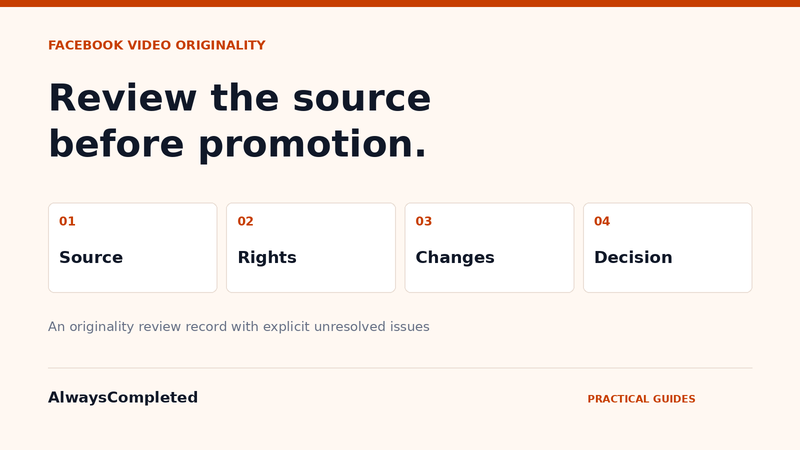
Facebook Video Originality Audit Before Promotion
Before promoting a Facebook video, identify what your team created and what the viewer gains from that contribution. A new export, added caption or branded border can change a file without adding a meaningful new idea. An originality audit should examine the actual production and explanation, then preserve evidence that supports the team's account of the work.
Keep three questions separate: who created each component, what permission supports the proposed use, and how the finished video relates to Facebook's originality guidance. A permission record does not by itself answer the platform-originality question. A creative contribution does not settle every permission question either.
This guide includes an evidence ledger and six original DEMO scenarios. They are editorial exercises, not platform decisions, infringement findings or tested ways to secure recommendations or monetisation. Meta's public guidance was checked on 26 November 2026. No private account, appeal, Content Protection tool or publication outcome was tested.
1. Start with the exact video and its components
Identify the file and version being reviewed. Record its intended Page, purpose and viewer question. Then list the components: footage, voice, music, images, graphics, captions and any third-party excerpt. Give each one a source and the person responsible for explaining how it was obtained or made.
Do not rely on the final export alone when the history is unclear. Ask for the underlying project record, source recordings, script or other evidence relevant to the actual production. A polished video can still arrive without enough information to establish who made a central section.
Record uncertainty in the component row. “Supplier says original; production evidence requested” is more informative than either assuming originality or declaring infringement. The next action is to obtain the missing facts from the responsible person, with a specific deadline and owner.
For a team-produced video, identify roles accurately. The presenter, camera operator, editor and person who wrote the analysis may be different. The ledger should describe those contributions without implying that the person who exported the file created everything in it.
2. Read the current originality rule in its platform scope
Meta's March 2026 originality update distinguishes content filmed or produced directly by the creator or Page/Profile owner from reused material with little added value. For selective third-party material, it emphasises an on-screen creator contributing new information, analysis or substantial narrative improvement. It identifies minor alterations and reactions that add no meaningful contribution as unoriginal.
Use that guidance to ask a concrete question: what is our contribution in this exact video, and where can a reviewer see it? The answer should identify production, explanation or analysis. “We changed the speed and added our colours” describes editing operations; it does not explain a new audience benefit.
Keep the assessment narrow. This worksheet helps an editor identify a concern before promotion. It does not issue Facebook's decision or establish eligibility for every distribution or monetisation feature. No percentage of changed pixels, number of cuts or length of commentary in this guide guarantees an outcome.
Recheck the primary guidance when the intended video or platform rules change. If the team is relying on a particular current policy statement, keep its URL and review date with the ledger rather than repeating a remembered rule from an old tutorial.
3. Describe the contribution in terms a viewer can recognise
Write one sentence beginning with the specific thing the viewer can understand or observe because of your work. For example, “Our presenter compares two ways to brief a photographer and shows the missing crop requirement in an original diagram” identifies an explanatory contribution. It is stronger than “we reacted to an EPK video.”
Point to the relevant segment. Does the presenter actually explain the difference, or does the description promise an analysis that never appears? Do the graphics support the answer, or merely decorate a borrowed clip? The review should examine the finished sequence, not just the intention in the creative brief.
For a demonstration, record what was actually demonstrated and its limits. Do not turn a fictional example or an unmeasured observation into a test claim. If the video uses a planned teaching scenario, label it accordingly and keep the statement consistent in the title, spoken explanation and captions.
If the contribution is weak, revise the creative brief around a useful question. The solution may be new footage, a substantive explanation, an original comparison or a clearer narrative. More cosmetic edits to the same borrowed material may leave the central problem unchanged.
4. Review permissions as a separate evidence task
For each component, identify the basis for its intended use and the scope that has actually been confirmed. Keep the record specific to the destination and activity. Permission for one use should not be silently expanded to another because the file is already in the team's folder.
Do not treat a licence, credit line or creator tag as an originality score. Conversely, do not treat an original spoken analysis as proof that every embedded photograph, track or clip can be used. Resolve an unclear permission with the responsible party before marking the component ready.
The ledger is an operational evidence record. It does not decide a disputed ownership claim or provide a legal classification of an excerpt. Where the facts are unresolved, the useful result is a precise question, the evidence needed and the person who can obtain it.
Keep sensitive agreements in their appropriate controlled location. The production ledger can hold the reference, scope and responsible owner without copying private terms into a public campaign package. The public video credit and the internal permission record serve different purposes.
5. Use six DEMO scenarios to test the review
The following fictional scenarios illustrate different editorial decisions. None describes an actual Facebook enforcement result or a real creator's work. The downloadable version expands each into “what was added, evidence needed and what remains unclear.”
| DEMO scenario | Contribution question | Editorial next step |
|---|---|---|
| 1. Team films a workshop walkthrough | Is the source production and complete explanation documented? | Retain production evidence and check the exact final version |
| 2. Licensed venue clip gets a branded opening | Is there meaningful contribution beyond the supplied recording? | Revise the concept if the work remains mainly a repost |
| 3. Presenter silently reacts beside borrowed clips | Does the on-screen presence explain anything new? | Replace passive reaction with a substantive, supported contribution |
| 4. Presenter analyses an example using an original diagram | Is the analysis specific, visible and supported? | Verify the explanation, source context and component permissions |
| 5. Team edits its own longer demonstration | Does the shorter version preserve the answer and qualifications? | Review the new cut and document its relationship to the original |
| 6. Supplier delivers a claimed-original compilation | Can the source and production roles actually be established? | Hold for evidence; do not infer creation from the supplier's label |
An original shoot still needs an accurate finished explanation
In DEMO 1, the fictional team films how it prepares a press-photo brief. Its own production is relevant evidence, but the editor still checks whether the finished video accurately describes what happened. A title claiming a successful client campaign would not be supported merely because the footage belongs to the team.
Keep production facts and outcome claims separate. A video can explain a process without claiming that the process produced a measured result. The ledger should identify the sources for both if the finished piece makes both kinds of statement.
Permission and cosmetic editing answer different questions
DEMO 2 assumes permission for a supplied venue clip solely to explore the editorial distinction. Adding a logo sequence and captions does not, by itself, explain what new contribution the Page makes. The next step is to revise the idea or choose different material, while still verifying the real permission scope before use.
DEMO 3 asks a related but distinct question: whether the presenter contributes anything beyond a visible reaction. An on-screen face is not automatically an analysis. The review examines the explanation actually delivered, not whether the editor can point to a reaction window.
Substantive analysis needs evidence and context
DEMO 4 proposes an on-screen presenter comparing two press-photo briefs with an original diagram. The valuable contribution is the explanation of why a particular crop request is missing and how that changes the production plan. The diagram, script and source references would support that account of the work.
That does not guarantee a platform classification. The editor still checks whether the borrowed example is used within the confirmed scope and whether the analysis fairly represents it. A misleading excerpt does not become accurate because the surrounding presentation is original.
Re-editing and supplier handoffs need different records
DEMO 5 starts with the team's own longer demonstration. The review traces the new cut to the original and checks that it remains a complete answer. It does not assume that removing a qualification is acceptable because the source was originally produced by the same team.
DEMO 6 begins with uncertainty about a supplier's compilation. The correct status is pending evidence. Ask who created the footage, which components came from elsewhere and what records support the claim. Do not describe the supplier as an infringer or the video as approved without those facts.
6. Make the review decision specific to the next action
Use working decisions such as READY_FOR_EDITORIAL_APPROVAL, REVISE_CONTRIBUTION, HOLD_FOR_SOURCE_EVIDENCE and HOLD_FOR_PERMISSION_REVIEW. These are team labels, not Facebook statuses. Record why the chosen state applies and what would change it.
Avoid a single green checkbox called “original.” A video may have a clear creative contribution while one component's intended use remains unresolved. Another may have complete source records but still need a stronger explanation. The decision should expose the actual blocker rather than flattening every concern into a pass or fail.
Review the final file again after a meaningful edit. The version approved before a new borrowed segment was added should not automatically cover the new export. Keep the approved file, reviewer, date, contribution summary and remaining limits together.
Use the music release asset handoff template for the wider package and version history. The originality ledger adds the component-level explanation and evidence needed for this review; it does not replace the project's general asset organisation.
7. Handle a platform decision using the actual notice
If Facebook issues an originality decision, preserve the exact notice, affected content and date. Compare it with the specific file and evidence record. Meta's March 2026 announcement says creators can appeal originality decisions; use the route actually available to the account and address the stated issue with accurate evidence.
An appeal record should describe who made the content, where the substantive contribution appears and what supporting material exists. Do not fabricate production files, rewrite an unclear history as certain or treat a pending appeal as a successful reversal. This guide has not inspected a notice or submitted an appeal.
Meta's Content Protection announcement describes a tool in the Professional Dashboard for eligible creators and explains access checks. The March 2026 update also describes access/application and further testing. Availability is therefore something to inspect, not a feature to promise every Page. A match-management tool is separate from this pre-publication contribution review.
8. Promote the reviewed object with a clear scope
Once the responsible people approve the actual file and intended use, verify the published destination before planning promotion. Keep any outstanding permission or platform decision visible. An order should not be used to hide an unresolved content question or presented as a way to secure a favourable originality decision.
AlwaysCompleted's Facebook promotion guide distinguishes service destinations and metrics. It does not certify originality, provide native Meta Content Protection access or guarantee recommendation or monetisation eligibility. Ask technical support about the exact listing's scope, and keep the content review separate from the activity the service describes.
