A Useful Location Page: Build a Brief from Real Branch Details
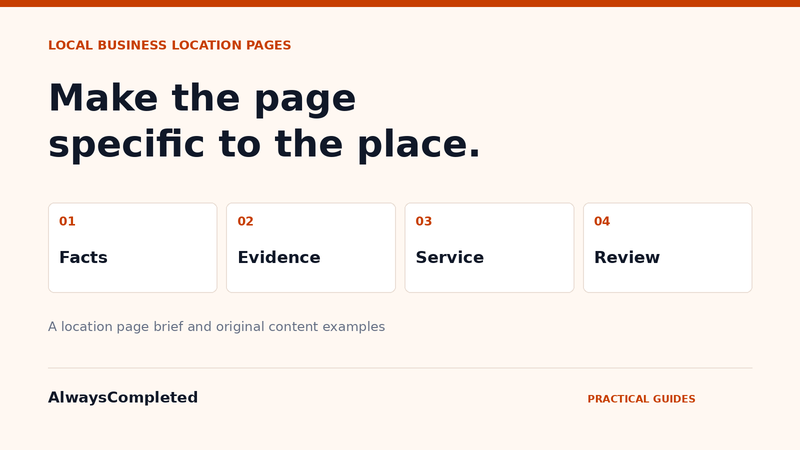
A useful location page helps a customer choose the right branch and complete a real visit or booking. Build its brief from facts that the branch can verify: services available there, how appointments work, the correct entrance, access conditions, customer-facing hours and a reliable contact route.
Start with those decisions before writing promotional copy. If changing the place name leaves the page equally accurate for every branch, the brief probably needs more operational detail. Shared service information can remain shared, but the visitor should understand why this particular location is relevant.
The downloads contain an original manager interview and a content matrix comparing two DEMO branches. The branches, services and access details are fictional teaching examples, not claims about real premises. No manager was interviewed, location inspected or customer journey tested. Actual evidence and approval fields are NOT_RUN. Sources were reviewed on 26 November 2026.
1. Decide what the separate page helps someone do
Write one sentence explaining the page's independent purpose. “Help a customer decide whether this branch handles their repair and how to reach its service desk” is a useful starting point. “Rank for another place name” does not identify a visitor's task.
BrightLocal's location-page guide argues that each page should justify its URL with specific, useful information. Apply that editorial principle by collecting evidence for a real location. Do not turn a suggested amount of unique wording into a technical Google threshold or a guaranteed ranking formula.
Two real branches can share a brand and some services while needing separate pages because their booking routes, facilities or available work differ. Conversely, several place names in a service area do not prove that the business has several offices. Describe coverage honestly rather than inventing premises.
If the existing location page already answers the task, improve it instead of creating another competing URL. Keep the established address stable unless there is a justified migration plan. A better brief should preserve useful navigation and published links, not create needless renaming work.
2. Interview the person who knows the branch
Speak with the manager or another person responsible for daily operations. Ask what customers misunderstand, which services they must book and what happens when they arrive. The interview is a fact-finding step, not a request for a polished sales pitch.
The provided form asks about the actual services at this branch, exclusions, appointment rules, customer-facing hours, entrance, transport, access, team responsibilities and contact ownership. Each answer needs a source and a date. A statement without a responsible reviewer stays unconfirmed.
Be precise about exceptions. “We offer repairs” may hide the fact that one branch accepts routine work while another handles a specialist service by appointment. “Open Saturday” may refer to a staffed shop, a collection window or pre-booked sessions. Write what the customer can actually do.
Ask for a change owner for every unstable fact. The person who confirms a holiday schedule may differ from the person who owns the booking system. This makes later updates practical: the editor can ask the right person instead of circulating the whole page for a vague approval.
Do not manufacture team biographies, credentials, local history or customer testimonials to make the page feel unique. If a detail is unavailable, leave it out or assign a verification task. The page can be useful through clear operational information without a decorative origin story.
3. Use two branches to test whether the brief is specific
The fictional Riverside branch in the matrix handles routine bicycle checks and walk-in repair intake. The fictional Station branch specializes in wheel-building consultations by appointment. These differences affect the customer's choice before any sentence is rewritten.
Riverside's DEMO arrival route is a ground-floor service desk through a courtyard entrance. Station's DEMO consultation room is upstairs, with no lift assumed in the scenario. Those are teaching assumptions only. For real premises, describe verified access features precisely and do not infer that a whole building is accessible from one doorway detail.
The booking actions also differ. Riverside directs a customer to its repair-intake information, while Station directs them to the specific consultation booking route. Sending both to a generic homepage would discard a useful distinction the brief has already established.
The matrix deliberately separates the proposed fact from the evidence that would be required. A fictional manager note is not proof. In an actual project, replace that placeholder with the responsible person's confirmation, an appropriate current operational record or a direct observation.
Use this comparison as an editing test: could a customer select the wrong branch after reading the page? If so, move the service difference, appointment requirement or access detail earlier. The most useful fact should not be buried beneath several paragraphs of generic brand language.
4. Answer visit and booking questions in a practical order
Lead with the branch identity and the service decision. Then explain the required action: book a consultation, check intake availability, call the branch or read the arrival instructions. Choose the primary action from the real customer journey rather than using the same button everywhere.
Place current customer-facing hours beside the relevant visit information. If the business operates only by appointment, distinguish appointment availability from ordinary opening hours. Google's representation guidelines have specific hours guidance, including businesses that should not provide regular hours; do not populate profile fields mechanically from a website template.
Give the actual entrance information, especially when the postal address is not enough to find the door. A courtyard, floor or unit instruction can prevent a wasted visit. Confirm any transport or parking description before publication, and avoid implying that a nearby space is reserved or free without evidence.
Describe access in concrete terms: the entrance used, steps or lift where verified, and how someone can ask about a specific need. Avoid an unsupported blanket label such as “fully accessible.” The customer may need information about the route inside as well as the doorway.
Keep the contact path connected to the branch. A central team can handle enquiries if that is the real process, but explain how the visitor selects the location. Test that a booking or form submission carries the correct branch reference to the person who receives it.
5. Build the page from evidence, photographs and owners
Use one matrix row per customer question. Record the verified fact, its source, the useful photograph, the update owner and the intended page section. This makes missing information visible before design and copywriting create the impression of completeness.
Choose photographs that help the task: the correct entrance, the service desk or a distinctive facility. A photograph of another branch should not imply that it depicts this one. If a shared brand image is used for context, describe it accurately and do not use it as evidence of a local feature.
Record permission and the currentness of images. A recognizable staff photograph needs appropriate approval; an old interior may show a layout that no longer exists. For the DEMO branches, no photographs are supplied or claimed. The matrix specifies what a real team would need to capture.
Separate draft copy from confirmed facts. An editor may simplify a sentence without changing the underlying meaning, but changing “appointment required” to “drop in anytime” would be a factual change. Give the branch reviewer the final customer-facing wording, not only the original interview notes.
6. Align the website and Business Profile
Google's guidelines require the business name, address or service area and other public details to reflect the real business. Use the approved branch record to compare the website and profile, then investigate differences rather than assuming the newest screen is automatically correct. Source: representing your business.
A service-area page should explain genuine coverage without claiming a customer-facing office that does not exist. Google's service-area guidance distinguishes businesses that visit customers from those that also receive them at an address. Keep the page's invitation to visit consistent with that reality.
The citation cleanup queue can track conflicting external listings after the approved facts are established. Record each discrepancy and its owner. An edit submitted to a directory remains a submitted edit until the public result is checked.
Do not treat matching business information as evidence of a particular search position. Consistency helps customers understand the business and gives the team a dependable record; rankings, enquiries and visits require their own observations.
7. Write clear titles and useful navigation
Use a title that identifies the branch and what the page offers. Google's SEO Starter Guide recommends clear, concise titles that accurately describe the page, and explains the usefulness of logical organization and links. It does not promise that Google will display your exact title text in every result.
For the DEMO, “Riverside Branch — Cycle Checks and Repair Intake” and “Station Branch — Wheel-Building Consultations” describe genuinely different propositions within the fictional scenario. They are examples of the decision, not titles for real businesses or a requirement to include every service keyword.
Make the page reachable from a location chooser and relevant service pages. Use descriptive link text so customers know which branch they are selecting. If a service is unavailable at the current branch, link to the appropriate real option with a clear explanation instead of leaving the visitor to start again.
Keep reusable brand information concise and link to a shared service explanation when it is useful. Repeating a necessary safety or booking instruction can help customers; padding every page with the same long introduction usually makes the local decisions harder to find.
8. Review the complete customer journey
Ask the branch manager to review the final facts and ask another person to follow the page as a visitor. Can they choose the correct service, understand access, identify the relevant hours and complete the intended contact or booking action? Record the device, date and observed result.
The landing-page readiness checklist provides a separate route for testing the actual campaign link, form and confirmation. This location brief supplies the branch facts that make those technical checks meaningful. A working form sent to the wrong branch still needs correction.
Finish by assigning an update owner and triggers such as changed hours, relocated entrance, altered services or a new booking process. Then compare any proposed Business Profile-related service against its stated scope. Citation work does not supply missing branch facts or guarantee visits; technical support can clarify the exact deliverables before an order.
