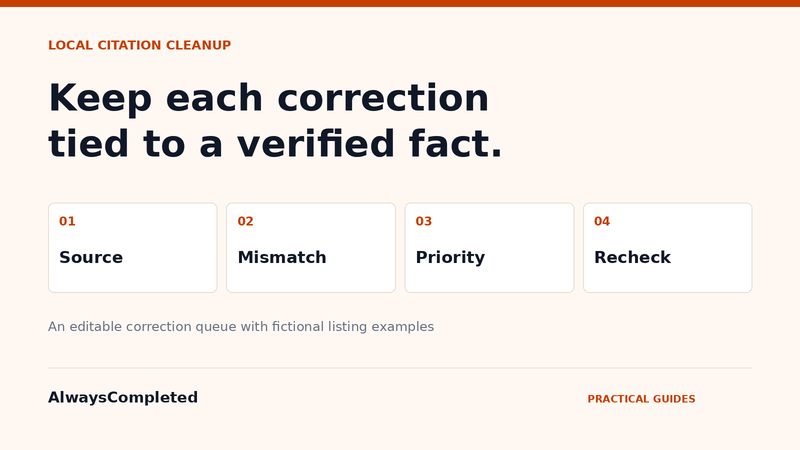
Local Citation Cleanup: Turn Inconsistent Listings into a Correction Queue
A local citation cleanup checklist should lead to specific, verified corrections. Start with the business facts that are approved for public use, find the existing listings, and record each meaningful discrepancy with its own next action. A submitted edit stays a submitted edit until the public listing shows the intended change.
This approach is useful after a move, a phone change, a new website or an agency handover. It also works for routine maintenance when several branches have accumulated slightly different directory records. The aim is to help customers reach the right business and give the team a dependable correction history. A larger count of directory submissions does not show whether those problems were fixed.
The downloadable workbook contains a blank queue and six clearly labelled DEMO rows. The accompanying field guide explains how to use it. The businesses, directory URLs, observations and dates in the examples are fictional; no directory account or customer listing was changed.
Establish which facts are current and public
Before editing a listing, identify the correct business and location. Keep the public business name, branch reference, appropriate address or service area, public phone, website destination and opening hours in an approved record. Include the date the facts became effective. An old address may have been accurate when it was first submitted.
Google's Business Profile guidelines require accurate representation of the real business, its location or service area, and its recognized name. They also distinguish situations such as branches, departments and individual practitioners. Use the relevant rules for the actual business rather than treating every similar name as the same entity. Google's business representation guidelines
Mark information that is intended for public display. An internal contact number or an address used only for administration should not enter a directory merely because it appears in the company's records. For a service-area business, check the platform's applicable location-display requirements. Do not expose a private address to make all spreadsheet cells look identical.
Assign an owner who can confirm disputed facts. For a multi-location business, that may be a branch manager for hours and a central owner for the brand name. Keep the approved value separate from the observed value: overwriting the old entry with the desired one destroys the evidence of what needed correction.
The existing Google Business Profile services guide explains the approved business-data sheet and the difference between submissions, live listings and corrections. Use that agreed record as the input to this cleanup queue. The queue adds the operational detail: where a particular field is wrong and what has actually happened since it was found.
Find the listings that already exist
Begin with the current name, public phone, branch location and website. Then check relevant former names, old public phone numbers and previous locations. Those searches can reveal records that a search using only today's branding would miss. Keep private information out of public discovery queries.
Save the exact listing URL, not just the directory homepage. A homepage cannot show which branch was inspected or which field needs changing. Record the visible business identity and observation date before deciding whether the page belongs in the queue.
BrightLocal's Citation Tracker is one example of a tool that finds listings and audits core name, address and phone fields. Its field-level approach is useful here: a report can point to a possible mismatch, while the working queue records the proposed action and verification. This article's workbook is an original tracker, not a BrightLocal export or a copy of its interface. What is Citation Tracker?
You can also perform a small audit manually. Work from a bounded list of known destinations, check the entries customers are most likely to use, and expand when the evidence warrants it. There is no need to invent a universal directory list for every trade and location.
During discovery, separate three outcomes:
- Existing and identifiable: the listing clearly belongs to the business or branch.
- Possible match: similar name or address, but identity still needs investigation.
- Not found in this check: no matching entry was located using the recorded method.
“Not found” is not proof that no listing exists. Before creating a new record, use the directory's own search and current claim or edit process to check for an existing one. A new submission can complicate the work if the original entry was simply difficult to find.
Classify the field discrepancy before assigning work
Name, address and phone are often shortened to NAP, but useful cleanup also includes a branch URL, hours and the correct location identity. Judge the actual customer consequence. A wrong telephone number can route an enquiry elsewhere; a harmless presentation difference may need no change.
| Type of finding | Question to resolve | Typical next action |
|---|---|---|
| Wrong contact or destination | Could the customer reach the wrong place? | Confirm the approved value and prioritize the correction |
| Outdated hours or location | Does the listing describe a superseded arrangement? | Record the effective date and request the appropriate update |
| Possible duplicate | Is this truly the same business/location? | Preserve both URLs and investigate before merging or removing |
| Formatting difference | Does the underlying information still identify the same place? | Record the assessment; leave a harmless equivalent alone |
| Unclear identity or ownership | Do we know which entity this record represents? | Assign an investigation owner before making a public edit |
Do not convert punctuation into an unsupported SEO emergency. In a fictional example, “Maple Street” and “Maple St” may identify the same approved street. That differs from a missing suite, a wrong street number or a former branch location. Check the whole address and the context before deciding the difference is harmless.
Likewise, a tracking phone number is not automatically a mistake just because it differs from the main line. Establish whether it is intentional, correctly routed and suitable for that platform under the business's approved setup. Keep the reason in the record. Never replace a value solely to make two strings match.
Treat suspected duplicates as an investigation
Two records with a similar name may be a duplicate, a legitimate branch, a department, an individual practitioner or an older location. The right action depends on which is true. Google's guidance explicitly recognizes circumstances where departments and practitioners can have separate profiles; a duplicate-cleanup rule should not erase those distinctions. Business Profile location and entity rules
Capture both URLs and the fields that suggest a conflict. Then ask the business owner which location history, phone and website destination each represents. Record the answer and any remaining uncertainty. If the publisher must resolve the issue, keep the request reference and the exact proposed action.
Use Unresolved duplicate while that question remains open. It is a useful status, not an embarrassment to hide. Do not mark the row corrected because a removal request was sent, and do not create another listing to work around uncertain ownership.
Publisher processes differ. A merge, a move, a closure and a deletion can have different consequences. Follow the current process for the actual directory and preserve the evidence needed to review it. This worksheet records the decision; it does not authorize a particular destructive action or guarantee that a publisher will accept it.
Prioritize by the problem a customer would encounter
Write the impact in a sentence. “This phone reaches the former operator” gives the owner a stronger reason to act than “NAP score is red.” “The website link opens the other branch's booking page” identifies a concrete journey to repair.
Start with clearly verified problems that can misdirect an enquiry or a visit. Then address less urgent errors and investigate ambiguous records. Consider both likely customer use and confidence in the diagnosis. An uncertain duplicate may deserve prompt investigation even when it is not yet safe to request a merge.
Avoid an invented numeric score when a short priority label and reason will do. The workbook uses High, Normal and No correction needed as working priorities. They are operational labels, not a ranking formula. A business can adapt them to its actual response needs.
Keep each field that requires a different action on its own row. One listing could have a correct phone, incorrect hours and an unresolved address question. A single “listing fixed” checkbox would conceal that distinction. Use a stable record ID so sorting by priority does not break references in support requests or team notes.
Keep requested changes separate from confirmed changes
The queue has an observed value, approved replacement, owner, submission date, request reference, status and live evidence. These fields tell different parts of the story. A confirmation email can prove a request was received; it does not necessarily prove the public value changed.
Use a small set of explicit states:
- Needs review: identity or the correct value is not yet settled.
- Ready to submit: the proposed edit and responsible owner are clear.
- Submitted: a correction request was sent and has a reference or dated record.
- Waiting on publisher: the next action depends on the directory's process.
- Confirmed live: the intended public field was observed and the evidence recorded.
- No correction needed or Unresolved duplicate: the assessment explains why an edit is unnecessary or not yet resolved.
These are the workbook's states. Preserve a publisher's actual status in the request notes if its wording differs. Do not change an internal state to “Confirmed live” simply because a dashboard says “approved.” Open the public listing and inspect the field that was meant to change.
For a confirmation, record the exact URL, date, observed value and a useful evidence note or permitted screenshot reference. Verify the branch destination by opening it. If the submitted correction appears on one surface but another still shows the old value, record the discrepancy and its scope rather than choosing whichever view looks successful.
Walk through the six DEMO records
The workbook's fictional Larch Repair Works examples cover two branches. Reserved .example URLs identify invented directories and business pages. They are not live evidence or recommended directory destinations.
- Wrong phone: the old public number differs from the approved branch line. The row is ready to submit; no actual request or call is implied.
- Wrong branch URL: the East listing points to a fictional West branch page. A correction is shown as submitted, but live verification is still pending in the scenario.
- Outdated hours: the listed Monday–Friday hours conflict with the approved Tuesday–Saturday schedule. The publisher is still considering the fictional request.
- Harmless formatting: “Maple Street” and “Maple St” identify the same fictional approved location. The assessment records no correction needed.
- Unresolved duplicate: two directory URLs appear to describe the same branch, but the history and publisher response remain unresolved. Neither has been deleted.
- Former location corrected: a fictional observation confirms the new public location value. Its evidence cell explicitly says DEMO, illustrating what a completed record would contain without pretending it happened.
The last example shows how to document completion, while the others preserve unfinished work. In a real queue, replace every teaching row with actual observations; do not use the fictional dates or URLs as an audit baseline.
Recheck the entries with the largest consequences
Assign the next review to the person who can act. A row waiting on a publisher needs a follow-up date based on the actual process, not a guaranteed correction deadline invented by the spreadsheet. A confirmed phone or location update may deserve another check after a known upstream data change.
Keep the original observation when reopening a row. If a field reverts, append the new observation and investigate where the old value may still be maintained. Do not erase the earlier successful check: the history explains why the issue was reopened and prevents the team from repeating an unproductive request without context.
Report useful outcomes: which high-impact fields are confirmed, which requests remain open, which suspected duplicates are unresolved and what the next owner will do. Count submissions and confirmed changes separately. If one listing required three field corrections, state whether your count refers to fields or listings.
Any search visibility, referral traffic, enquiries or visits require their own evidence and reporting period. A completed correction does not prove a Maps position improved. If you are also reviewing website work, the website SEO services guide explains how to separate link, content and other deliverables from outcome claims.
Before commissioning citation work, share the queue and ask whether the selected service covers corrections to existing records, new submissions or both. Confirm the location-level scope and what counts as completion. Then use the live evidence, not the submitted-row total, to judge which customer-facing problems have actually been resolved.
