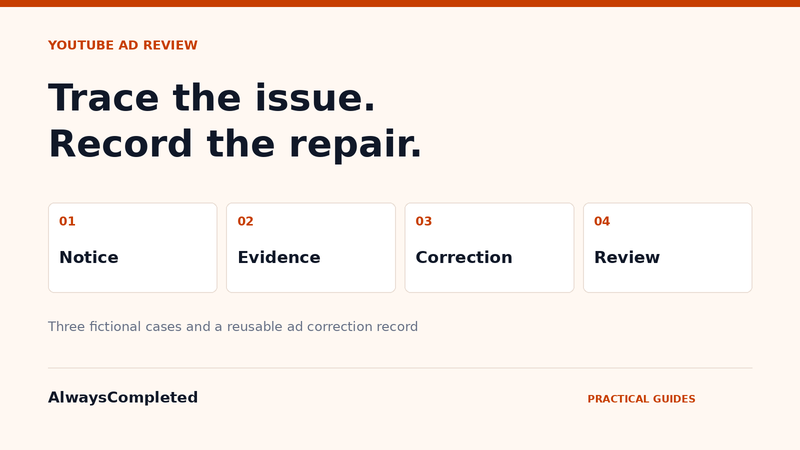
YouTube Video Ad Disapproved: Build a Fix-and-Review Record
When a YouTube video ad is disapproved, capture the exact policy label and identify the object it applies to before changing anything. The relevant object may be the video, another ad asset, the ad text or the destination. A useful correction record connects the stated reason to an observed problem, a specific change and the next review step.
Google's guidance explains how to find policy details, correct an ad or destination and track an appeal. Use the notice in the advertising account as the starting point. An email subject or a general “not running” description is too broad to establish the cause. Fix a disapproved ad or appeal a policy decision.
The downloadable record includes three fictional DEMO cases: an unavailable video, unclear advertiser identity and a broken destination. No actual ad was reviewed or appealed for this article. Public documentation was checked on 26 November 2026; the examples illustrate a method, not successful moderation outcomes.
Capture the notice while the affected version still exists
Save the policy label exactly as it appears in the account, together with the account reference, ad identifier, affected asset, observation time and current status. Use internal references rather than exposing account details in a public document. Attach a screenshot or export when you can obtain one through authorized access.
Then distinguish observation from interpretation. “The final URL returns an error on the tested phone” is an observation. “This is why Google rejected the ad” remains a hypothesis until it matches the policy notice and the evidence. Keeping those sentences separate helps a reviewer correct the right object.
Record the creative version before replacing it. A designer may export a new video while the campaign still points to an older upload. Without the original URL and version reference, everyone can inspect a different file and still believe they are discussing the same ad.
If several ads are affected, group them only when they share the same evidenced issue. One landing page problem may affect multiple ads, while an identity issue may belong to one particular cut. A single “all fixed” status is not useful when the corrective work differs.
Locate the failure in the video, identity or destination
Google's video requirements identify availability, acceptable format, clear advertiser identification and video quality as relevant areas. The video itself must identify the advertised entity, product or service with an appropriate name or logo. Check the policy corresponding to the selected format rather than applying one duration rule to every video ad. Video ad requirements.
Use the notice to choose a narrow investigation:
| Evidence area | Practical check | Person who can usually resolve it |
|---|---|---|
| Video availability | Open the exact linked upload in the intended viewing context; record restrictions or errors | Channel or content owner |
| File and format | Compare the linked asset with the selected ad format and current requirements | Editor and campaign operator |
| Advertiser identity | Check whether the video clearly identifies the intended business, product or service | Creative owner |
| Destination | Open the exact final URL, including its path and redirects | Website owner |
| Review state | Read the current notice and any appeal history for the affected object | Authorized advertising operator |
Do not delete a working public video as an exploratory first step. First establish whether its settings, the ad reference or a separate asset needs correction. If a replacement upload is necessary, document the mapping from the old object to the new one so other campaign references can be checked deliberately.
Test the exact destination that the ad submits
Copy the final URL from the ad configuration, not from the website homepage. A missing character, a retired path or an unexpected redirect can make a campaign fail while the homepage still loads normally.
Record the tested device, time and result. If the page behaves differently across relevant markets or devices, preserve those separate observations. A single successful test is useful evidence, but it does not prove that every crawler or user can access the destination under every condition.
Ask the website owner to confirm the intended canonical destination for the campaign and any required tracking parameters. Keep the visitor promise consistent while repairing a technical defect. Swapping the ad to an unrelated functioning page may remove one error while creating a misleading journey.
After a correction, repeat the original failing test. If the evidence was a broken product path, test that path again. Merely opening a newly chosen page does not establish that the old failure was repaired or that the ad now points to the replacement.
Choose correction or appeal for an explicit reason
A correction addresses a verified problem. An appeal challenges a decision or asks for review after relevant changes. The record should state which applies, why, what evidence supports it and which object is included. Follow the route currently available in the account and the linked Google instructions.
Keep your explanation concrete. “We replaced the missing product path with the approved live product URL and verified the final destination” is easier to assess than “Everything is compliant now.” If you believe the notice is mistaken, identify the exact requirement and the evidence that addresses it.
Avoid changing several unrelated elements while a review is pending. Otherwise, a later status change becomes difficult to interpret and the reviewer may inspect a version different from the one described in the request. If an urgent change is necessary, add a new record entry with the reason and affected version.
Do not repeatedly submit the same unresolved case. Google's instructions describe appeal limits and duplicate handling; read those current conditions before deciding on the next action. An unavailable route or an unresolved decision may require Google Ads support rather than another identical submission.
Three fictional cases and the decisions they support
DEMO 1: the campaign points to an unavailable upload
A fictional course team has two video exports. The operator links the first upload, while the producer checks a second public copy. The case record exposes the mismatch: the tested URL is not the submitted URL.
The next action is to inspect the actual submitted object and establish which approved upload should be used. The producer supplies the correct reference; the operator updates the affected configuration if appropriate and records the review route. The case remains pending until a real account status is observed. A successful check of the second upload is not retroactive proof about the first one.
DEMO 2: the creative does not identify the advertiser clearly
A fictional product demonstration shows hands using an item, but the approved cut omits the product and business identity. The team records the relevant notice and compares the video itself with the requirement.
The creative owner proposes a readable identity treatment that accurately represents the advertised product. The operator then checks that the campaign uses the revised upload. Adding a business name only to an internal filename would not change what the viewer sees. The example makes no claim that a specific overlay guarantees approval.
DEMO 3: the final URL leads to a retired path
A fictional service business updates its website after the video is approved internally. The ad still points to the retired enquiry path. The homepage works, which initially hides the problem during an informal check.
The website owner supplies the intended live enquiry URL and confirms that it fulfils the video's offer. The operator updates the actual ad destination and retains a before-and-after test reference. The review result is still unknown. The case demonstrates a testable correction, not evidence that every other policy issue is resolved.
Read the result at the same scope as the request
Record the review state and outcome as separate observations. A completed review does not necessarily mean that every affected ad can serve. Google provides appeal history and results in Policy manager, including outcomes that can apply to only part of a request. Use the actual affected objects when closing the case.
Before marking an issue resolved, compare the account's current state with the submitted change and the intended object. If another restriction remains, open a separate issue or retain the existing case with a clear explanation. Do not convert a successful policy change into a claim about delivery, views or sales.
A YouTube copyright claim is also a separate state from an advertising disapproval. Investigate the notice in its own system and preserve the relevant evidence. Clearing one kind of issue should not be described as clearing every advertising or rights requirement.
Hand off a complete case
The minimum useful handoff includes the policy text, affected reference, observed evidence, responsible owner, proposed or completed change, review route and latest status. Add the date of the next check and the evidence needed to close the issue. Someone who did not attend the original conversation should be able to follow it.
When the object is ready for the intended promotion method, compare the current YouTube service descriptions with the accepted URL and the stated unit of delivery. For an existing AlwaysCompleted order, give technical support its order ID and the relevant object problem. AlwaysCompleted's own service clarification does not establish Google Ads approval.
For later analysis, keep the correction record alongside the separate YouTube promotion report. That preserves the difference between repairing launch conditions and evaluating what the eventual campaign achieved.
