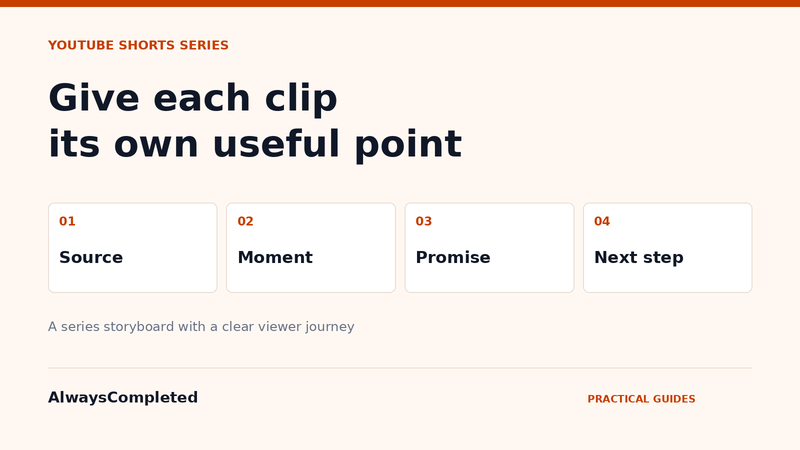
Turn One YouTube Video into a Shorts Series with a Clear Next Step
To turn a YouTube video into a useful Shorts series, identify several questions the source genuinely answers, give each clip a fresh opening and complete answer, and connect it to an appropriate next video. The unit of planning is a viewer's question, not a fixed slice of the original timeline.
YouTube currently documents both a desktop Clips and Shorts tool and a mobile Edit into a Short workflow. These can help with production. They do not decide whether a fragment makes sense to somebody encountering your channel for the first time.
The example below turns a fictional product review into five distinct Shorts. Its product, dimensions, demonstrations and outcomes are invented for teaching; they are not claims about a real item. The downloadable pack includes complete sample scripts, an editable series map and a publication checklist.
Audit the source before choosing clips
Watch the original with a transcript or timestamp notes. Mark moments where a question receives a visible or clearly explained answer: an adjustment, comparison, limitation, measurement or decision. A sentence with strong delivery is not enough if its evidence appears five minutes earlier.
For each candidate, write four things: the question, the answer, the proof available in the footage and the missing context. If you cannot complete the answer field without “watch the full video,” the candidate needs more editing or a different boundary.
Check the source's status before production. YouTube's copyright guidance says to ensure you have rights to the material you upload and permission or an applicable exception for someone else's work. Record the rights position for footage, music, graphics and any supplied product images. A source already on your channel is not by itself a complete rights record for every element in it.
Then apply an editorial gate: can the answer survive a shorter cut without losing a qualification? In a review, “stable in this setup” should not become “impossible to knock over.” If a demonstration depends on a particular phone case, cable or surface, retain that condition in the Short.
Build a series from different questions
Imagine a nine-minute review of a fictional folding phone stand. The review covers packing size, cable clearance, adjustment, landscape use and the conditions under which the reviewer would choose it. Five Shorts can answer five different buying questions without repeating the same “is it worth it?” teaser.
| Short | Fresh opening | Standalone answer in the fictional example | Useful continuation |
|---|---|---|---|
| 1: charging clearance | “This stand clears the cable—until you lower it.” | The straight connector fits at the middle setting; the lowest setting presses against it in the demonstrated setup. | Full review for the other adjustments and tested setup |
| 2: adjustment | “One hand or two? Watch the hinge.” | The sample's firm hinge needs a second hand on the base for controlled adjustment. | Full review for how the stand is used at a desk |
| 3: packed size | “Here is the folded size beside the thing you already carry.” | The invented sample measures 110 × 65 × 18 mm; viewers must check their own storage space. | Full review for the trade-off between packed size and use |
| 4: landscape setup | “Landscape works here, but the side button needs checking.” | The shown phone works after repositioning; its case and button position matter. | Full review for the exact setup and other limitations |
| 5: choosing it | “I would choose this for a desk, with one condition.” | The example suits a relatively fixed setup; its two-handed adjustment is a drawback for frequent changes. | Full review for the demonstrations supporting the judgment |
These are alternative entry points. Somebody who sees Short 4 first should understand it without watching Shorts 1–3. Numbering can help organize your files, but “Part 4” alone is a weak explanation of why a new viewer should watch.
The example also avoids five interchangeable verdicts. Each clip contributes different evidence. If two candidates answer the same question with the same demonstration, combine them or keep the clearer one.
Write the opening after selecting the answer
An excerpt often begins with “and the other thing…” because the original speaker has already introduced the product. Rewrite that opening around the immediate task. Name the object or problem before using “this,” “it” or “the second one.”
For the cable-clearance Short, the original fragment might begin, “As I said earlier, this part is the issue.” The new opening is, “This stand clears the cable—until you lower it.” It establishes the subject and the condition the demonstration will resolve.
Use this editing sequence:
- Open with the specific question or observation.
- Show the relevant demonstration at a readable scale.
- State the answer and its limit.
- Offer the next video only if it supplies useful additional context.
A complete sample script is: “This stand clears the cable—until you lower it. At the middle setting, this straight connector has room underneath the phone. At the lowest setting, the connector presses against the base. That is this cable and phone combination, not a fit guarantee for every charger. Check your connector before choosing the lowest position. The full review shows the other adjustments; use the related video.”
That is fictional review copy, not a product test. In a real edit, replace the observation with what your footage actually demonstrates. Keep the qualification even if removing it would make the opening sound more dramatic.
Choose the production route that fits the edit
Desktop Clips and Shorts
The current Studio guide describes opening an existing video from Content, choosing Clips and Shorts, creating a Short, selecting a transcript segment or timestamps, previewing and creating a draft. AI suggestions and outlines have country and language restrictions, so do not build your workflow around an option you have not confirmed in the account. The official tool guide also describes caption controls where available.
Review the generated crop and captions. In the fictional stand review, a centered crop on the presenter's face could remove the connector clearance—the evidence the clip is supposed to show. A transcript selection can also begin after a crucial qualification. Treat automated suggestions as candidates for editing.
Mobile Edit into a Short
The mobile workflow lets you select up to 60 seconds from an eligible public long-form video you uploaded. YouTube says private or unlisted sources and videos with third-party copyright claims cannot use this feature, and the source must allow sampling. These are conditions of that specific Edit into a Short tool, not a statement that all Shorts have a 60-second maximum.
YouTube separately supports square or vertical Shorts up to three minutes under its current classification rules. Choose the length needed for the answer and the production route you use. A 30-second target in this planning exercise is an editorial constraint, not an algorithm requirement.
Edit from the original files
Use the original media in your editing software when the Short needs a new opening, a tighter demonstration, a different crop or additional authorized footage. Keep the source timecodes in the series map so another editor can find the evidence and verify the qualification.
Preview the final file on a phone. Check the object, numbers and captions at normal viewing size. Leave room for the actual player controls you observe, and inspect the published result again; an editing canvas does not establish that the live player leaves every label visible.
Make the continuation specific and functional
The call to action should describe what the next video adds. “See the full review for the other adjustments and setup” gives a reason to continue after the cable question has already been answered. “You will not believe what happens next” creates a promise the destination may not fulfill.
YouTube allows a Related Video from your channel to appear in the Shorts player. Manual addition requires advanced feature access; the selected video must be public or unlisted and follow the relevant guidelines. After upload, open the Short in Studio, choose the related video and save. The current help page says viewers see a clickable link below the channel handle.
The desktop clipping guide says it automatically adds the source as related content, except when the Short is private, unlisted or Made for Kids. Verify the actual published association instead of assuming it was carried over. If you upload a separately edited file, confirm the link manually.
Do not rely on a pasted URL in a Shorts description as the same mechanism. YouTube's link-sharing guide says URLs in Shorts descriptions and comments are non-clickable, while Related Video links are clickable.
Test the continuation in the real player and record the destination title and video ID. The right thumbnail with the wrong product edition is still the wrong destination. If the required feature is unavailable, revise the spoken instruction to match the route that actually works; do not publish “tap below” with no corresponding link.
Publish a series without making every clip dependent on the others
Build the review destination first, or make it available before publishing a Short whose call to action depends on it. Leave every clip useful on its own. Use distinct titles that name the question, with consistent product identification where needed.
Choose a schedule your team can review. For example, publish one clip, inspect its final presentation and related destination, then release the next approved clip at your chosen interval. This is an operational sequence, not a prescribed posting frequency. YouTube's Shorts discovery guidance explicitly says there is no minimum posting cadence required for good performance.
Maintain a single series record: source timecode, fresh opening, demonstration, retained qualification, destination and publication status. If the full review later becomes unavailable or outdated, the record identifies which Shorts need their continuation checked.
Review the clips and the destination separately
Record the metric's exact name, video scope, period and snapshot date. Current YouTube documentation distinguishes engaged views, the percentage who stayed to watch, and average view duration. It defines engaged views as staying beyond the initial seconds without counting loops; average duration and average percentage viewed use engaged views and their corresponding watch time. See the content-performance definitions.
The current engagement guide also describes a November 2026 change to public counts that incorporates estimated co-viewing on TV and counts views at playback start. A public view total is therefore not a count of people who finished your explanation. Preserve the definition used in the actual report, especially when comparing periods around a counting change.
In a fictional equal-age seven-day comparison, two 30-second Shorts show:
| Metric | Clip A | Clip B | What it supports |
|---|---|---|---|
| Views, as labeled in the report | 8,000 | 4,000 | Different reported playback totals |
| Engaged views | 2,500 | 2,000 | Different counts of sustained initial viewing under that definition |
| Average view duration | 20 seconds | 27 seconds | A reason to inspect how the answer is delivered |
| Average percentage viewed | 66.7% | 90% | Duration divided by the 30-second length in this simplified example |
Clip B's smaller total does not make it a failure. Clip A's larger total does not establish more product interest. Review the opening, demonstration and context before deciding what to change. Do not calculate “stayed to watch” by dividing engaged views by the public view total; use the actual metric from the report.
For the long video, inspect available traffic sources and retention in the destination's own reporting. YouTube defines a Shorts traffic source as traffic from the vertical viewing experience. A hypothetical rise from 100 to 160 destination views in that category establishes a 60-view increase, not 60 proven clicks from one particular Short. Other clips and simultaneous changes may contribute.
If clip-specific transition evidence is unavailable, mark it unavailable. Do not divide all long-video views by the five Shorts' totals and call the result a conversion rate. Likewise, overlap between format audiences is not a person-by-person journey from a specified clip.
Download the five-Short production pack
- The editable series map has five completed fictional examples and five blank production rows.
- The script and shot-list workbook contains all five original scripts, example source timecodes and a reusable editing record.
- The publication and continuation checklist has 20 checks with actual observations left empty. Account access, rights and live player behavior remain untested.
If delivery slows after an initial spike, use the Shorts views diagnostic to frame the review. If you consider an external service for the prepared series, compare the exact format and deliverable in the YouTube service guide. Keep that purchase separate from claims about official recommendations, audience interest or a verified transition to the long video.
