Waterfall Release Mapping: Keep Recordings, Releases and Promotion Links Aligned
A waterfall plan can put the same recording into more than one release package. That creates a practical bookkeeping problem: one recording may have a single release, an album appearance, several platform URLs and active promotion pointing to only one of those destinations. Keep those layers separate before changing anything.
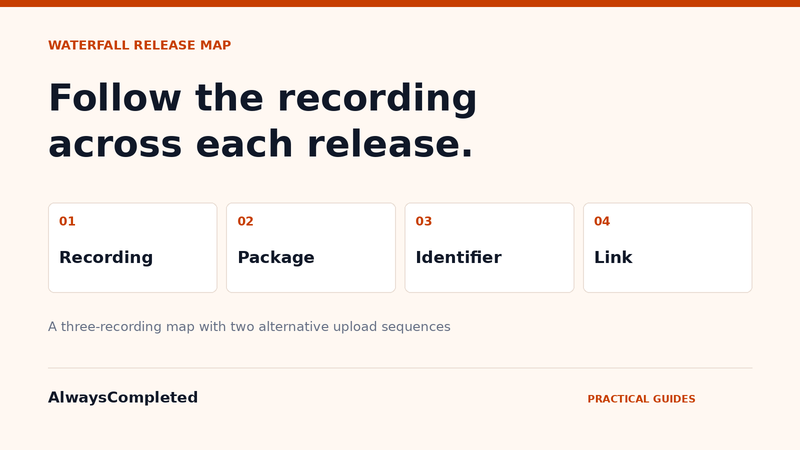
The waterfall recording and destination map contains three fictional recordings, two upload-sequence plans and a duration mismatch that must be resolved. It uses visibly labelled identifier placeholders rather than invented real ISRCs or Spotify URIs. No music was uploaded, removed or linked as part of the example.
Start with recordings, then add release packages
Give each final recording an internal row. Record its exact audio version, title, artist information, duration and the identifier assigned through the appropriate release process. Then create separate rows for each package containing it: a standalone single, a later single bundle or the album.
This structure prevents a common misunderstanding. A single release and an album are different packages even when one track uses the same recording. The package-level date, artwork and destination may differ while the recording-level identity should remain consistent where it is genuinely the same recording.
Keep an explicit owner for the master and metadata. If somebody supplies a new export, compare it with the approved recording before deciding that it can use the existing mapping. A file called “final” is not evidence that it is identical to the file previously delivered.
Choose one documented upload sequence
DistroKid’s waterfall guidance describes a multiple-upload approach rather than an album page that automatically fills with new tracks on successive dates. It gives two routes: upload the album first and reuse its assigned recording identifiers for separate singles, or upload singles first and use their assigned identifiers in the later album upload.
Choose the route that fits the actual release process and confirm the required controls in your current distributor account. The worksheet shows both as alternatives. It is not an instruction to execute both plans for the same campaign.
For an album-first plan, the working order is: approve the album’s recordings and metadata, submit the album with its planned release date, record the assigned identifiers, then prepare the separate single uploads using the appropriate identifiers for those same recordings. Check each single’s own dates and package information.
For a singles-first plan, approve and submit each single, record the identifiers assigned to its recordings, then map those recordings into the later album submission. Reconcile the final album track list against the recording rows before delivery. A missing identifier should remain an unresolved field, not be filled from memory.
Make identifier reuse an evidence-based decision
The map should say why a recording is treated as the same version. Include the approved audio file reference and the metadata comparison, not just the identifier itself. This matters when the team creates an edit, remaster, instrumental or version with a changed introduction.
If the audio or metadata differs, ask the distributor how that version should be delivered and identified. Do not decide from a similar title or from the desire to preserve a counter. The recording owner and distributor need to resolve the actual version before the campaign adopts its destination.
In the DEMO, Recording C has a duration mismatch between its single record and proposed album file. The worksheet holds that row. It does not assume a harmless rounding difference, a new version or a platform error. The next action is to compare the files and ask the responsible owner to explain the difference.
Use unmistakable placeholders while preparing the plan. “ISRC_FOR_RECORDING_A” is clearly incomplete. A realistic-looking invented code can be mistaken for an assigned identifier and carried into an upload by another team member.
Record the platform destinations after delivery
Once the release is available through a platform, capture the observed track and release URLs or URIs. Keep single and album destinations in separate fields even when the interface seems to present the recording similarly. Record the observation date and the person who verified the match.
Do not derive a live Spotify URI from a distributor reference or from a planned slug. Copy the actual platform identifier through the authorised, documented route available to the team. If the release is not yet visible, mark the destination pending.
Then map every active promotional placement to its chosen destination. Include the owner, placement or order reference, target type and whether that destination may be changed under the relevant conditions. A paid order, artist biography and scheduled social post each need their own update decision.
Check Spotify track-linking separately
Spotify’s re-uploading guidance says matching audio and metadata, including duration, title and artist name, matter for track-linking. It also describes checking the displayed play counts in the desktop app as an observation of whether tracks have linked. Reusing an identifier alone should not be presented as proof that the platform completed that process.
Keep a distinct linking observation in the map: which versions were compared, where they were inspected, when the check occurred and what was visible. If counts are unavailable in the context checked, leave the result unknown and use the current documented process or the responsible support route.
Do not turn a matching display into a promise about every downstream effect. The mapping exercise does not guarantee retention of playlist placements, future recommendations or all performance measures. Its purpose is to identify the recording and the platform state the team can actually verify.
Approve link changes one placement at a time
An album becoming available does not automatically mean every single link should be replaced. Identify the job of each placement. A post discussing the original single may still make sense with that release route; an album announcement should lead to the album experience intended by its copy.
For each proposed change, write the old destination, new destination, reason, owner and affected campaign. Check whether the new route meets the same target requirements. A track URL cannot be substituted for a profile or playlist URL just because it belongs to the same artist.
The Spotify promotion guide requires matching the destination to the selected service and reviewing restrictions, including possible limits on overlapping campaigns. For an active order, ask technical support about the permitted action before changing the link or submitting another order against a new version.
Preserve the old record after the change. You may need it to understand a historical report, explain a broken scheduled link or distinguish which version a placement used. “Latest link” is convenient for a shared message but inadequate as the only campaign history.
Review removal decisions independently
DistroKid’s guide describes keeping singles live alongside the album or removing them as possible choices within its workflow. That does not make removal a necessary final step for every release plan. Review the distributor’s current instructions, then assess the actual dependencies before requesting a change.
List active links, scheduled posts, store-specific states and unresolved mapping questions. Obtain the release owner’s decision and keep a record of the expected effect. If a destination is removed, a promotion that still points to it may no longer serve its purpose. Resolve that with the relevant campaign owner rather than assuming the listener will find the album unaided.
Accept the map when the open questions have owners
A usable map has complete recording-to-package relationships, observed platform destinations where available and explicit holds where a version or identifier is uncertain. It does not need to pretend that every platform has already processed the release.
Use the final review to confirm the next action: deliver a missing package, resolve a version mismatch, inspect linking or approve a specific destination change. For music release services, compare the offered preparation work with that action; native distributor uploads and identifier management are not automatically included in an unrelated promotion order.
Common questions
Will the album automatically gain each single on its release date? The cited DistroKid workflow uses separate uploads. Do not plan an automatically populating album page from that guide.
Does reusing an ISRC guarantee Spotify linking? No such guarantee follows from the identifier alone. Verify the audio, metadata and actual platform observation.
Should I replace every single link with the album link? Review each placement’s purpose and conditions. Approve and record only the changes that fit the campaign.
