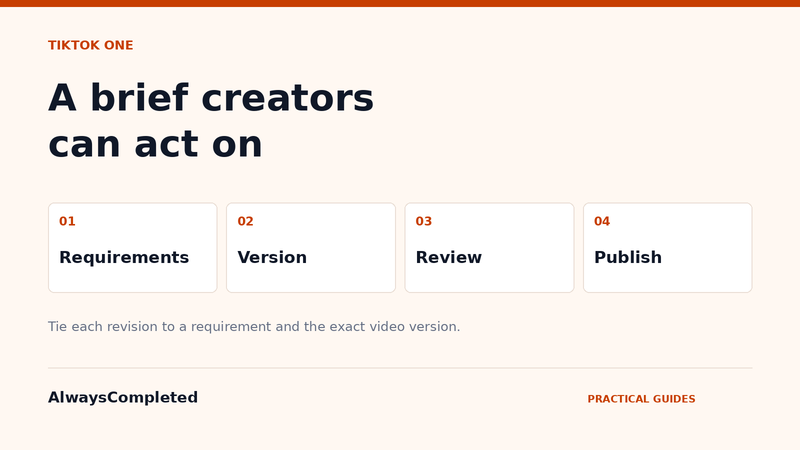
TikTok One Project Brief: Prepare Deliverables for Creator Review
A creator project becomes easier to review when the brief describes what the viewer should understand and what evidence will show that the video meets that requirement. “Make it engaging” is a preference. “Show the hinge locking before showing the stand holding a phone” is a production requirement someone can verify.
This guide prepares a TikTok One project for a fictional folding phone stand. It separates the project brief, advertising plans, advertiser feedback and platform review. The downloadable example is a planning document; it does not represent an active TikTok One project, a hired creator or an approved advertisement.
Check the account and project region first
TikTok's current project guide requires business verification and limits project and creator information to the countries or regions within the selected region. It describes a Creator marketing project with brand details, video requirements, ad planning and a collaboration model. Read the project setup guide.
Confirm those account conditions before promising a creator a particular workflow. Keep the account owner, project region and unresolved access questions in the production record. A brief can be drafted without access, but it should not say the project is available in a region that nobody checked.
Choose who will manage reviews. If the collaboration uses a partner, write down the partner's actual responsibility. Do not assume that the person who introduces the creator also owns publishing, revisions or advertising authorization.
Turn the offer into a usable creative brief
The fictional stand has one demonstrable feature: it folds for storage and can be set upright to support a phone. The project does not claim that it improves health, fits every phone or survives a particular impact. Those would need separate substantiation.
Our brief gives the creator freedom over setting and presentation while fixing the essential sequence:
| Requirement | Observable evidence in the video |
|---|---|
| Explain the object | The viewer can identify a folding phone stand |
| Show the mechanism | The hinge and locking action are visible |
| Demonstrate the proposed use | The shown phone rests on the assembled stand |
| Preserve the scope | No unsupported universal compatibility claim appears |
| Give a clear next action | The viewer knows where to check dimensions and product details |
Separate mandatory requirements from optional ideas. A creator may find a stronger opening than the brand's first draft. That should not become a revision dispute if the opening still meets the agreed purpose.
Attach product facts, approved wording and asset references to the brief. Where a detail is unknown, name the person who must resolve it. A creator should not have to infer the product dimensions from a photograph or invent a claim to fill a gap in the script.
Specify the destination and advertising plan separately
The destination is part of the creative task. If the viewer is asked to check compatibility, the linked product information should actually explain dimensions and supported use. A general home page may not answer that question.
Record the proposed anchor or destination, the intended post date and any advertising use as distinct fields. TikTok's setup guide includes an ad authorization period and an optional sync to Ads Manager. The brief should preserve what was agreed about advertising rather than treating publication of an organic post as unlimited permission. Review the video requirements and ad-planning fields.
For the demo, advertising use remains pending agreement. That is a complete planning decision: the creative can be scoped, while the authorization owner has a specific open task. There is no reason to fill the gap with an assumed duration or territory.
Freeze the brief at a meaningful point
Keep a versioned copy of the project requirements before activation. TikTok says some brief editing remains possible before Active, excluding the collaboration model, and that an active project cannot be deleted. Confirm the current behavior in the account before committing the project. Check the activation boundary.
The practical reason for freezing a copy is straightforward: feedback needs a reference. If a reviewer changes the requirement after seeing the first cut, record it as a scope change, with the creator's response and any schedule effect. Do not quietly replace the original requirement and then call the first cut noncompliant.
The downloadable state map distinguishes documented product labels from our internal planning stages. “Internal brief draft” and “owner review” are editorial labels. They are not asserted to be exact TikTok interface statuses.
Keep two review tracks visible
TikTok describes both advertiser and platform review of creator submissions. A revised upload can pass through review again, and the platform review checks applicable content policies. Creative approval and platform approval therefore answer different questions. Read the creator deliverable workflow.
A brand reviewer might accept the hinge demonstration while the platform requests a separate policy correction. Conversely, a platform-approved video may still omit an agreed product shot. Record the actual notice, affected version and responsible person instead of collapsing both into “approved.”
Use feedback that points to a requirement and a visible moment:
At 00:07 in DEMO_v1, the hand covers the hinge as it locks. Requirement R2 asks for the mechanism to be visible. Please return a version showing that action clearly, keeping the product claim unchanged.
This is an original fictional review note. It describes the needed correction without prescribing every creative choice. “Make it more premium” would not provide the same acceptance test.
Track revisions without confusing versions
A useful revision register contains the request, its source, the affected requirement, the submitted version, the owner and the next check. Keep platform feedback in its own row, even if the creator fixes it in the same export as a brand request.
| Revision type | What to preserve | What closes the row |
|---|---|---|
| Missing required shot | Requirement and timestamp | Reviewer sees the shot in the identified new version |
| Changed product wording | Original wording and approved replacement | Responsible owner accepts the exact claim |
| Platform review request | Actual notice and affected submission | Platform status and response evidence are recorded |
| New brand request | Scope change and creator agreement | Revised scope, version and schedule are accepted |
Do not rename several different files “final.” Keep a stable version reference that follows the video into approval and publication. If someone downloads a new copy, preserve its relationship to the reviewed submission.
Close with publication evidence
The production record is complete when the team can identify the published post, the approved version, the destination and the applicable authorization evidence. An approval message without a post reference does not establish publication. A visible post without an authorization record does not establish the scope of paid use.
Record any difference between planned and actual publication. The point is to maintain a reliable handoff, not to turn every schedule adjustment into a failure. If a version changed at the final step, review the changed elements and retain that decision.
Use the original project materials
- Completed creator project brief and reusable blank
- Project state map and versioned feedback register
For a separate Spark campaign, the Spark Ads authorization guide covers that permission workflow. If you compare services on the TikTok promotion page, check whether the object is a video, sound-related activity or another specific deliverable. A catalogue listing does not establish that AlwaysCompleted manages a TikTok One project, acts as a creator marketplace or grants creator authorization. Keep those responsibilities explicit in the brief.
