TikTok Commercial Music Library: Choose Audio for a Specific Campaign
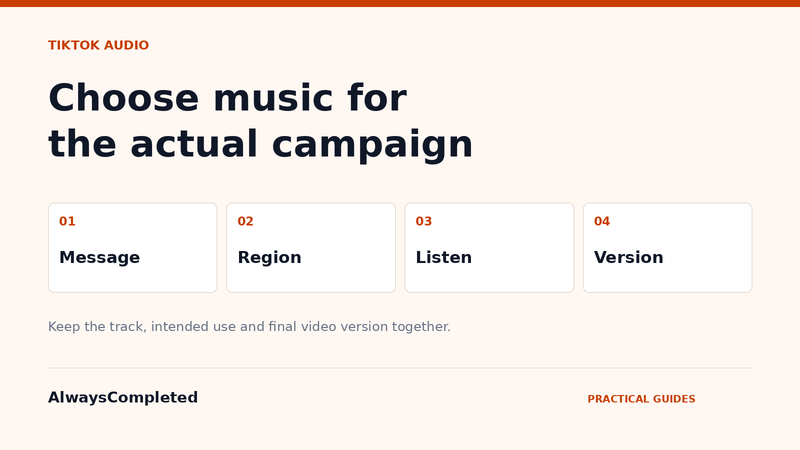
Choose campaign audio with the finished video in mind: the words the viewer must hear, the region where the video will run, its intended use and the version the team will actually publish. A track that sounds good in a library preview can still obscure a product explanation or create an awkward ending in the edit.
This guide provides an audio decision log for three fictional versions of a product demonstration. It contains no music files and does not claim to clear a real track. The aim is to make an audio choice reproducible: another editor should be able to identify the selected reference, understand the checks and rebuild the intended cut.
Start with the message the audio must support
Before searching, describe the scene in plain language. “A calm instrumental for a short demonstration” is more useful than “something trending,” but it still needs an editorial purpose. For our fictional folding phone stand, the viewer needs to hear how the hinge locks and see the stand fold flat.
The creative brief sets three requirements:
- Spoken instructions remain understandable on an ordinary phone speaker.
- The audio leaves room for the hinge demonstration rather than covering it with a competing accent.
- The ending supports a clear final action instead of sounding as though the video was cut off mid-phrase.
These are production decisions, not platform performance benchmarks. Do not invent a universal loudness target, tempo or completion-rate gain. The right balance depends on the recording, the edit and the use of music within the scene.
Write down the voice-led version before evaluating alternatives. It gives the team a meaningful reference when someone later prefers a louder track because it sounds more energetic in isolation.
Check the campaign region and intended use
TikTok's Commercial Music Library guidance describes selecting the region where the campaign will run and filtering by usable placements, theme, genre, mood and duration. Use those filters to narrow the relevant choices, then review the exact track in context. Read the CML selection instructions.
Record the region as a campaign requirement rather than the editor's physical location. If the plan covers several regions, keep evidence for the applicable selection in each. A note saying “available on TikTok” is too vague to explain what was checked.
The decision log should link four things:
| Record | Why it matters |
|---|---|
| Exact track reference | Prevents confusion between similar names or versions |
| Campaign region and intended placement | Defines the use that was checked |
| Video export version | Identifies the edit containing that audio |
| Reviewer and check date | Makes a later availability review possible |
Do not substitute a screenshot of a search result for the track reference. If the library provides an identifying link or reference, preserve it with the relevant selection evidence. If you cannot confirm a required use, leave the decision unresolved and ask the responsible owner to check it.
Compare tracks against the same scene
Keep the spoken message and scene sequence stable while comparing audio. Otherwise, a stronger take or a faster edit may drive the team's preference and be misattributed to the music.
For the fictional stand, use the same opening shot, hinge demonstration and closing instruction. Listen to each version on a phone speaker and on headphones. The purpose is to find an obvious production problem, not to simulate every viewer's listening environment.
Our original rubric uses three labels:
- Supports the message: words and relevant product sounds remain clear, and the edit has an intentional opening and ending.
- Competes with the message: a passage masks words, distracts from the demonstration or forces an awkward cut.
- Not checked: the required playback, region or usage review has not happened.
“Not checked” is not a lower creative score. It is a separate state that prevents a preferred track from being treated as ready prematurely. Keep creative fit and usage checks in separate fields.
Work through three edit decisions
The downloadable log contains three hypothetical production scenarios. All track references are placeholders, and the listening findings describe an invented example.
| DEMO version | Editorial observation | Decision |
|---|---|---|
| A: voice-led demonstration | A quiet opening leaves the locking instruction clear | Retain as the editing direction; real track and use remain to be checked |
| B: dense instrumental opening | An accent coincides with the word “lock” | Move the accent or choose another passage, then replay the same sentence |
| C: creator file with embedded audio | The file arrives with music already mixed into the voice | Obtain the audio reference and a clean alternative before approving the export |
The second version needs a specific correction: “The accent at the locking instruction competes with the word we need the viewer to hear.” That is actionable. “Make the music better” is not.
Keep cut points in the log relative to the final video, and distinguish them from the source track's timing. An editor should know whether “00:06” means six seconds into the selected music or six seconds into the export. If a correction changes the timing, update both the export version and the review note.
Inspect music already embedded in a creator video
A submitted video may contain music even when nobody added a new sound during upload. Listen for background music from a location, an opening sting, a montage bed and audio already mixed into the creator's export.
TikTok's TikTok One guidance recommends Commercial Sounds and reviewing embedded music. It also explains that availability and permitted use can vary with the track, region, account and campaign. TikTok availability does not establish permission for reuse on another platform. Read the creator collaboration audio guidance.
Ask for the original audio reference and clarify the intended use. Where practical, request an export with separate or replaceable music so a correction does not require recreating the entire video. A creator's reassurance is useful context, but the campaign owner still needs evidence appropriate to the actual use.
Do not put “original audio” in a register merely because the uploaded file is original to the project. That label should describe what is known about the sound, not where the final video file came from.
Recheck the version being published
Approving an earlier edit does not approve every later version. An editor may replace the opening, use a different track passage or introduce a new background layer. Give the final export a stable filename and record what changed since the last review.
A practical handoff includes the final video reference, track identity, applicable region and use, listening notes, unresolved questions and the person responsible for publication. If the team later adapts the video for Instagram or YouTube, reopen the audio-use decision rather than copying a TikTok check into the new platform's column.
Download the audio review materials
- Three-edit audio decision log and reusable blank
- Message-first listening rubric and final-export handoff
Keep audio selection separate from distribution
The TikTok service overview describes different objects, including video activity and sound-related services. A sound-seeding or audio-usage deliverable does not clear the music in a video, establish rights on another platform or prove that viewers understood its message. Match the exact service description to the campaign's intended object and ask technical support about unresolved service conditions.
If you are deciding between account types, the TikTok business versus personal account guide addresses that broader choice. If the video will be used as a Spark Ad, review the separate Spark authorization workflow. The audio log remains attached to the actual creative version throughout those decisions.
