Spotify Lyrics Before Promotion: Delivery, Sync and Display Checks
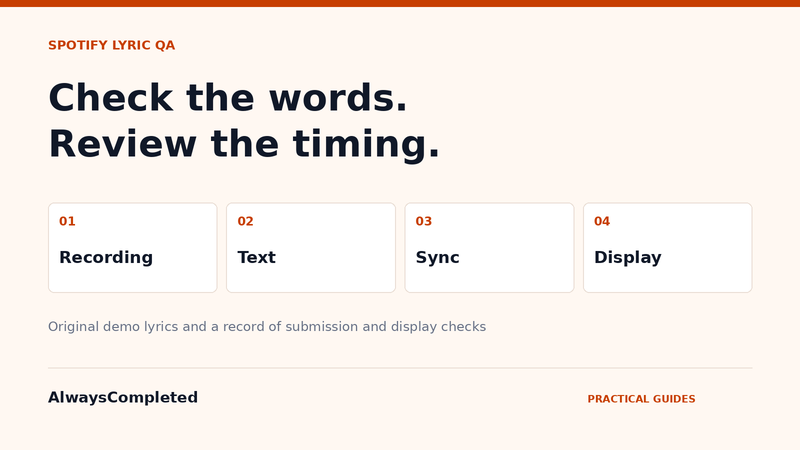
Treat lyric readiness as four separate checks: the right recording, the approved text, the timing and the listener-facing display. Completing one does not establish the others. A submitted lyric can still be waiting to appear, and a correctly displayed text can still contain a line copied from an earlier version of the song.
The lyric QA sheet keeps those checks together without hiding their different states. It includes short original fictional lyrics, illustrative timing rows and a blank release record. No real song text, account verification or platform submission is included in the example.
Identify the recording and the delivery route
Start with the exact Spotify song and artist URLs, the audio version and the person who approves the words. A single edit, album version and clean version may not use identical lyrics or timing. Keep them as separate records when the performance differs, even if the title looks the same.
Spotify’s artist lyric guidance identifies Musixmatch as its licensed lyric provider and describes artist verification, editing and synchronisation. The same guidance identifies PetitLyrics as the route for listeners in Japan. Establish the market relevant to your campaign before assuming that one submission path covers every listener context.
This is also the point to choose an owner. A producer may know the final vocal edit, the artist may approve the wording, and a manager may operate the provider account. Record those responsibilities so an administrative handoff does not become an unapproved lyric change.
Verify the artist before editing
Follow the provider’s current artist-verification process with the correct Spotify artist URL and the requested professional details. Spotify currently states that Musixmatch’s free plan is sufficient to add, edit and sync Spotify lyrics. It describes a linked Spotify Premium account as a convenience for catalog and audio matching, not as a universal requirement to pay for lyric submission. See the current setup explanation before selecting an account route.
Record verification as pending until it is actually accepted. If the song is missing from the provider’s catalog, resolve that specific record rather than editing a similar song by another artist. Keep a note of what was submitted and when, especially if several team members can work on the same release.
Do not put credentials or verification documents into a public campaign workbook. The shared record needs the state, owner and relevant reference, not private account material.
Prepare the full approved text
Use the final vocal performance as the reference. The text should represent what is sung in that recording, including repeated sections. Spotify’s provider guidance calls for full repetitions rather than shortcuts, native script and attention to the lyrical audio. That is different from a promotional caption or a lyric-video graphic, which may show only an excerpt. The formatting guidance explains the distinction.
Create a clean text version before working on timing. Review unclear words with the artist. Check repeated lines separately if the second performance changes a word, a pronoun or an ad-lib. A chorus copied mechanically from the first occurrence may introduce an error that is easy to miss during synchronisation.
Use a small approval log: line or section, question, approved wording, approver and date. Mark an unresolved line as unresolved in your private preparation document. Do not quietly guess and then present the result as artist-approved.
The worksheet’s DEMO repeats four invented lines twice. It illustrates complete repetition without borrowing another artist’s lyrics. Replace that example with text you are authorised to supply for your recording.
Sync to the first sung word, then review the transitions
Spotify’s current guidance says to align each line with its first sung word and prioritise the main vocal where voices overlap. It also describes ways to provide the recording for synchronisation. The sync instructions are the platform reference; the review procedure below is an editorial check you can apply to your own work.
Work through the final recording at normal playback speed. For each line, check the onset, the transition from the previous line and any instrumental gap. Do not use evenly spaced timestamps merely because they make a tidy table. A held note, pickup or spoken phrase can change the correct cue.
After the first pass, review the song without looking at the editing controls. Watch whether the words become available when a listener needs them. Return to difficult sections, then listen from the preceding line so a correction does not create a new transition problem.
In the asset, the DEMO timestamps are explicitly illustrative. They have not been measured against audio. In a real sheet, distinguish a proposed cue from an observed cue and record which audio version was used to approve it.
Separate submission, processing and observed display
Keep three states in the record: sent to the provider, accepted or processed where that state is available, and observed on Spotify. Spotify says lyric changes can take a few days to appear. A successful submission is therefore not the same thing as a verified listener-facing update. Its artist guidance provides the current expectation.
For the display check, record the song URL, market, device or app context, observation time and the specific difference. “Lyrics missing on desktop in this check” is more useful than “lyrics not working.” If another context displays them, retain that observation too instead of replacing the first with a single global pass or fail.
Spotify notes that lyric availability can vary across songs, devices, markets and rights arrangements. A missing display in one context does not automatically prove the text was submitted incorrectly. First determine whether the problem is the provider record, processing time, a wrong recording match or contextual availability.
Resolve the mismatch with the right owner
| Observation | First owner or evidence to check |
|---|---|
| Wrong words in the submitted text | Artist-approved text and the provider editor |
| Correct words, poor timing | Final audio version and sync reviewer |
| Correct provider record, no Spotify display yet | Submission time and current processing guidance |
| Different lyric version attached to the song | Exact recording match and provider record |
| Display differs by market or device | Contextual observation and relevant provider/platform guidance |
Avoid changing all fields at once. A clean record helps you tell whether a correction addressed the original problem. Keep earlier approved text versions privately so a later team member can understand why a line changed.
Before a campaign uses wording such as “follow the lyrics on Spotify,” check that claim in the intended context. If display remains uncertain, use campaign copy that does not depend on an unverified feature. The release can have other valid promotion routes while lyric readiness remains a separate open item.
For Spotify promotion, confirm the exact release destination and selected deliverable. Lyric submission and synchronisation are not automatically included in a promotion listing. Complete the native workflow with its owner, and ask technical support about a service only within its confirmed scope.
Common questions
Do I need a paid Musixmatch plan? Spotify currently says the free plan is sufficient for adding, editing and syncing lyrics. Confirm the current account options before paying for an unrelated feature.
Should I write “chorus twice” in the submitted lyric? The guidance calls for the words to be transcribed in full, including repeats. The artist-approved text should match the actual performance.
Does pressing Send mean every listener can see the update? No. Submission, processing and observed availability are different checks. Record each honestly.
