Google Indexing Issues: Triage Your Own Site in Search Console
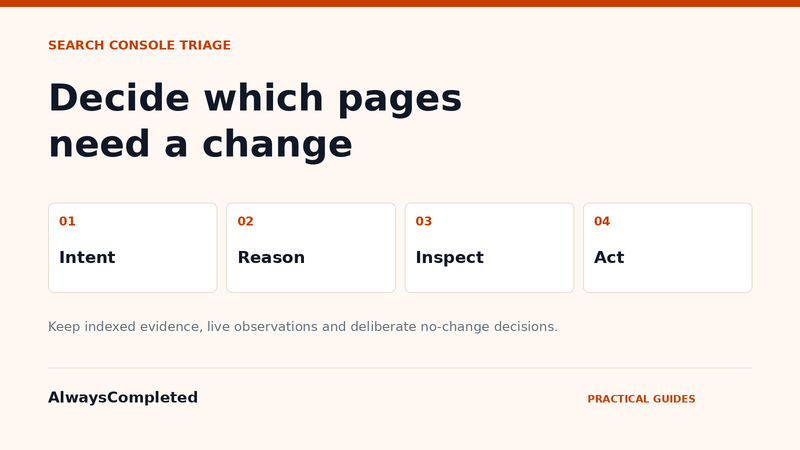
Start an indexing investigation by deciding which pages should appear in search. Then compare that intention with the reason Search Console reports for each important URL. Some exclusions are correct. Others reveal a site configuration problem, an availability issue or a page that needs further review.
Keep three records separate: the site's intended behaviour, Google's indexed evidence and a current live observation. They describe different things and can be captured at different times. A live page that works today does not erase a past crawl failure, while a successful live test does not establish that Google has indexed or selected that URL.
The original downloads contain eight fictional URL cases, including two deliberate no-change decisions, plus a blank triage record. All URLs, crawl dates, report reasons and observations are DEMO. No private Search Console property was accessed for this article. Public Google documentation and the current AlwaysCompleted service scope were checked on 26 November 2026.
- Download the eight-URL DEMO triage worksheet
- Download the structured synthetic cases
- Download the blank inspection and decision record
Define the pages you actually want indexed
Create a short list of important public pages and their intended role. A service explanation, an original guide and a useful release page may be intended search destinations. A confirmation page after a form submission usually has a different purpose. An old address redirected to its replacement should be evaluated as part of that move.
Ask the content or site owner to confirm the intention before changing a directive. “Not indexed” is an observation, not a universal instruction to remove every restriction. The Page indexing report documentation explicitly explains that some non-indexed URLs are expected and that the goal concerns important canonical pages rather than every possible URL.
Record the exact address. Protocol, host, path and parameters can distinguish different URLs. If a report concerns a duplicate or redirected version, identify the intended destination before deciding that the main page is missing.
Use an authorised Search Console property for the site you are investigating. Access to your own property does not reveal a third-party publisher's private inspection data. For a backlink source you do not control, use the narrower backlink visibility checks instead of pretending that your site's report covers the other domain.
Group by reason, then inspect a representative URL
Use the Page indexing report to identify the reason group and its relevant examples. Record the report's date, filters and source of the finding. Its example lists are not a substitute for a complete inventory of every URL on your site, and a group's count does not tell you the right change for every member.
Choose a representative important page, then check the actual URL in URL Inspection. Keep any exceptions visible. A group may contain both deliberately excluded pages and a page that inherited the same directive by mistake.
The DEMO worksheet illustrates this difference with two noindex cases. /thanks is intentionally excluded and needs no change. /services/workshop is intended as a public service page, so the same broad reason prompts an investigation of why its directive contradicts that purpose. The label alone does not decide the action.
Prioritise the cases that affect meaningful public destinations and have a clear, actionable discrepancy. Do not spend the whole review trying to eliminate expected duplicate and redirect entries while leaving an important inaccessible page unexplained.
Save indexed evidence before testing the live page
Google's URL Inspection documentation distinguishes indexed information from the live test. Record the last crawl information, available fetch/indexing details and declared versus Google-selected canonical from the indexed view before checking the current page.
If a value is unavailable, write that explicitly. Do not fill an absent Google-selected canonical with the URL you wanted Google to select. Do not invent a crawl date for a page reported as discovered but not crawled.
Use an evidence reference that a second authorised reviewer can find. The full report may contain information unsuitable for a public document, so a general project summary can use masked screenshots or an internal reference while the detailed evidence stays in the appropriate workspace.
A useful note says, for example: “Indexed view captured at 10:00 UTC shows the last crawl before the fix; live observation captured at 10:10 UTC shows the new directive.” That explains a difference without claiming that Google's stored evidence has already updated.
Use the live test to answer a current question
Run a live test when it can check a specific suspected cause, such as whether the current page is fetchable or whether an accidental noindex is still present. Also inspect the rendered content and relevant response details when the issue concerns what the page actually serves.
A passing live test does not predict Google's canonical selection or guarantee indexing. Google documents that some indexing conditions are not checked live. Keep the live result in its own column and avoid using “available to Google” as a synonym for “indexed.”
For a past server error, compare the current result with the time of the original failure. A successful request now can coexist with a genuine earlier outage. Ask the hosting owner to inspect the relevant logs or availability history before declaring the cause resolved.
For a recently restored page, record the deployment or content-restoration time. The old indexed evidence may simply predate that event. Check the repaired page, preserve the evidence and monitor the later report instead of making unrelated changes to chase an older observation.
Work through eight fictional decisions
The downloadable worksheet contains the full fields, including last crawl, both canonical fields, current observation, owner and next action. This shorter view shows how the intention changes the decision.
| DEMO URL path | Recorded situation | Decision |
|---|---|---|
/services/workshop |
Public page intended for indexing; excluded by noindex; live directive still present | Confirm it is accidental, correct the responsible setting and verify |
/thanks |
Confirmation page intentionally excluded; noindex works as intended | No change; retain the purpose and decision |
/old-guide |
Retired address redirects to its approved replacement | No change to the old URL; retain the redirect decision |
/guides/campaign-plan |
Google selected a different canonical from the declared preference | Compare the actual pages and conflicting signals before choosing a fix |
/music/launch |
Discovered, currently not indexed; no crawl date available | Review discovery, internal navigation, page readiness and access evidence |
/guides/brief |
Crawled, currently not indexed; current content needs a usefulness review | Investigate the page's distinct value and competing equivalents |
/services/reporting |
Earlier 5xx observation; live response now succeeds | Investigate the time window and confirm stable availability |
/releases/spring |
Earlier 404; page restored after that crawl | Verify the restoration and monitor later indexed evidence |
These are not automatic prescriptions for every page with those labels. The fictional worksheet includes the surrounding observations that justify each decision. Apply the same reasoning to the evidence in your own property.
Investigate canonical differences as a page relationship
When Google selects another canonical, compare the two pages' content, purpose and signals. Is the selected page a legitimate equivalent? Does the declared preference point to a useful, accessible version? Do navigation and sitemap entries support the intended organisation?
Google's canonical documentation describes ways to express a preference and cautions against conflicting signals. A canonical declaration is not a command that forces the final selection. The action should resolve a real inconsistency or clarify a page relationship, not simply repeat the preferred URL in more places.
In the DEMO case, the team has not yet established whether /guides/campaign-plan and /guides/launch-plan are distinct enough to deserve separate search destinations. The worksheet assigns that content decision first. It does not prescribe a redirect, removal or new canonical before the comparison is complete.
Preserve existing public URLs while investigating. If a later decision requires a consolidation or move, define it as a concrete implementation task with affected pages, dependencies and acceptance evidence. An indexing report alone is not permission to discard useful content.
Record the fix and the next observation separately
A completed site change needs its own evidence: the actual configuration or content edit, release time, affected URLs and public after-check. A later Search Console observation needs its own date and interpretation. Keep them linked without pretending they are the same event.
For the accidental noindex example, implementation acceptance might be that the intended public page is accessible, contains its approved content and no longer sends the accidental exclusion directive. The later indexing result remains to be observed. If another condition prevents indexing, that needs its own evidence rather than a retroactive claim that the first correction failed.
Use Search Console's documented validation or indexing-request options where they fit the specific issue. Repeatedly submitting an unchanged page does not substitute for diagnosis, and a request does not guarantee inclusion. For many important new or updated pages, review the appropriate sitemap route described in Google's documentation instead of building a repetitive manual submission routine.
Set a review date that suits the change and the available evidence. Avoid promising a universal number of hours or days for indexing. When you return, compare the same URL and relevant fields, and record whether the observation has changed, remains unresolved or reveals a new issue.
Choose work that addresses the diagnosed cause
If the problem is an accidental directive, the next task concerns that directive. If it is a broken server response, the next task concerns availability. If the page's purpose duplicates another resource, the next task is a content and URL decision. Those are different scopes with different owners.
The existing SEO progress-report guide helps track later search observations without assigning every change to one intervention. Keep traffic, rankings and enquiries separate from the technical facts established by this triage.
When reviewing AlwaysCompleted website SEO services, bring the diagnosis and check whether the selected description actually includes the required work. Visits, link quantities or external authority metrics do not automatically repair robots rules, noindex directives, canonical conflicts or server failures. Ask technical support to clarify the specific implementation and reporting scope before treating a catalogue order as a solution to an unrelated site defect.
