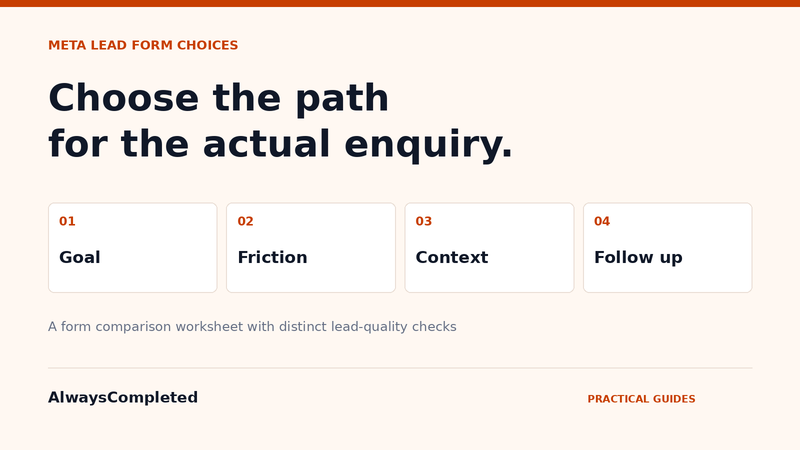
Meta Instant Forms or Website Forms: Choose a Lead Path
Choose a lead form by the decision the visitor needs to make and the work your team can complete afterward. An instant form may suit a short enquiry that needs little explanation. A website form may suit a request that needs a more detailed page, examples or a controlled sequence. Neither route automatically produces a better customer or a lower useful acquisition cost.
Start with the qualified next action, map the information needed for it and check who receives the submission. Then compare the two journeys against the same requirements. The decision should explain why a route fits this particular offer, which uncertainties remain and what evidence you will review after launch.
This guide includes a ten-criterion decision matrix, two DEMO business scenarios and a field map with test plans. Public Meta documentation was checked on 26 November 2026. No ad account, form submission, CRM integration or campaign result was tested; account-specific functions and actual test outcomes remain NOT_RUN.
1. Define what a useful enquiry would enable
Write one sentence describing the next action your team could reasonably take. For a local furniture-assembly service, that might be assessing whether a job is within the service area and suitable for a quotation. For a small agency, it might be deciding whether a public website is appropriate for a scoped audit conversation.
Define “qualified” using the information and action you need. A submitted form is one event. A contactable person whose request fits the service is another. An appointment, accepted quote and paid project are later events that need their own evidence. Do not hide those differences inside one lead total.
Choose a responsible person for the next action before choosing a form. If nobody will review a request or contact the person through the stated route, changing where the form opens does not repair the handoff. The same applies when the offer is unclear: a faster form can collect more uncertainty without making the request useful.
Record the intended audience and practical boundaries of the service. A local provider needs to know whether it serves the location. An agency may need to know what kind of website problem the person wants reviewed. Ask only for enough information to decide the next step; later stages can collect details that are unnecessary at first contact.
2. Distinguish the two journeys from the campaign settings
Meta's lead-forms guidance describes forms that open directly from an ad and forms hosted on a business website. Its current setup material discusses Leads campaigns, instant-form and website conversion locations, and an instant-form add-on route. The two journeys in this worksheet are planning categories, not an exhaustive list of every selector your account may expose.
An instant-form journey keeps the enquiry within the form experience offered by Meta. Inspect the actual fields, introductory text, completion message and next-step controls available to your account. A website journey sends the person to your page, where your team is responsible for the explanation, form, confirmation and receiving system.
Do not choose a route from a screenshot alone. Have the authorised ads owner inspect the current campaign options and confirm the intended configuration. An option described in documentation does not establish that it is configured, eligible or working in your account.
For both routes, preserve the promise from the ad through to the confirmation. If the ad offers a quotation request, the form should not quietly sign the person up only for a newsletter. If the form requests an audit conversation, the completion message should explain what will happen rather than implying that a finished audit has already been ordered.
3. Compare ten criteria using evidence
Use the same questions for both routes. Do not award points because a feature sounds useful; identify whether it is essential to the offer and whether the chosen route can actually meet it. An unknown essential requirement remains a blocker even if other rows look attractive.
| Criterion | What to decide |
|---|---|
| 1. Qualified next action | What will the team do with a suitable request? |
| 2. Explanation needed | How much context does the visitor need before submitting? |
| 3. Essential fields | Which information changes the next decision? |
| 4. Visitor steps | What must the person understand, enter and confirm? |
| 5. Mobile experience | Can the real journey be completed clearly on a phone? |
| 6. Validation and errors | Are missing or invalid inputs handled usefully? |
| 7. Submission receipt | Does the correct person/system receive the request? |
| 8. Follow-up capacity | Can the stated owner provide the promised next contact? |
| 9. Change control | Who can update the offer, form and confirmation consistently? |
| 10. Measurement and review | Which stages can be observed and compared accurately? |
Keep a short evidence note beside each decision: an actual preview, a current setting, a test receipt or a named unresolved task. A design opinion may be useful during planning, but it is not a completed mobile or integration test.
Avoid a universal numerical score that hides a failed essential condition. A website form with a beautiful explanation but no working receipt path is not ready. An instant form with easy submission but no suitable way to establish a necessary qualification may also be unready for that offer.
4. Map each field to a purpose and a person
For every requested field, write why it is needed and who uses it. If nobody can name the next decision supported by a field, consider removing it from the first enquiry. A long form is not automatically more selective; it may simply ask for information the team never uses.
For the local-service example, the initial map includes a contact route, a broad service-area indicator, the item or task and the desired timing. A full home address can wait until the business actually needs it through its approved process. Do not add payment information or unrelated personal details to make the enquiry look more complete.
For the agency example, a public website URL, the main question and the scope sought may be enough to determine whether an audit conversation makes sense. Do not request analytics passwords, account recovery details or private documents in an initial marketing form. Establish a proper access process later if the agreed work requires one.
Make optional information visibly optional where the actual form supports it. Use labels that a prospective customer understands and test the error messages with the inputs you expect. If the owner changes the questions, update the field map and receiving process together so the team does not lose the meaning of a column.
5. Verify what happens after submission
The visitor's confirmation and the team's receipt are two different checks. A thank-you message can appear while the receiving mailbox, export or integration is not working. Record both before describing the path as ready.
Meta's forms guidance recommends connecting a CRM or using an available lead-management route for follow-up. That is a setup option to investigate, not proof that a particular integration exists in your account. Identify the actual receiving destination, owner, access and check method. If the process is manual, document who retrieves the requests and when.
Use a clearly identified test record through an owner-approved test method. Check whether the values arrive in the expected fields, whether the right person can find them and whether duplicate or partial records are handled sensibly. Do not send invented customer enquiries into an uncontrolled live process and later count them as leads.
For a website route, the existing landing-page checklist covers the phone journey, form feedback and receipt checks. Keep the result tied to the actual campaign URL and tested conditions. A test of a convenient homepage does not validate a different landing-page form.
6. Make the follow-up promise specific
Tell the person what happens next, who will contact them, the channel and the realistic timing. Meta's messaging guidance emphasises these expectations in its chat context. The same communication question is useful when designing a form's completion message.
Match the promise to the team's capacity. “Our estimator will review the request and email the next step within our stated working window” requires a real owner and a defined window. “Instant quote” requires a process that actually produces the quote. Do not use the second phrase for a form that merely queues a request for later review.
Decide how the team handles a request it cannot fulfil. A polite, accurate response and a closed record can be the correct outcome. That request should not be counted as qualified merely because someone submitted a valid email address.
If the team cannot meet the promised contact expectation, revise the promise or the coverage before launch. A technically working form with an unrealistic handoff remains an incomplete lead path.
7. Apply the matrix to two DEMO offers
DEMO A: local furniture assembly
Juniper Assembly is a fictional local service assessing enquiries for a defined area. Its initial decision needs the rough location, item/task, preferred timing and a usable contact route. The offer can be explained briefly if the service boundaries are clear.
An instant form is a reasonable candidate to inspect for this short enquiry. That is a planning judgment, not a test result. The owner still needs to verify available questions, the contact explanation, service-area handling, receipt and follow-up. If those requirements cannot be met in the actual form, the candidate is not ready.
The website route remains an alternative, especially if customers need examples or a more detailed explanation of what is included. The decision depends on the real offer and current page, not an assumption that all local-service forms should use Meta's instant experience.
DEMO B: an agency website audit
Ledger Studio is a fictional agency offering a scoped audit conversation. Prospective clients need to understand what the review includes, what it excludes and what information the agency will use. A more detailed website page is a reasonable candidate to inspect for that explanation.
The form asks for a public site URL, the main question, the requested scope and a contact route. It does not collect account credentials. The team would test whether the explanation remains readable on a phone and whether the receiving owner can interpret the submitted fields.
An instant form could still be considered if the offer can be explained accurately within the available experience. The worksheet does not declare it unsuitable by definition. Both examples leave actual configuration, test submissions, costs, lead counts and qualification results NOT_RUN.
8. Choose a review plan before spending on the route
Record the chosen path, why it fits, essential checks completed and unresolved limitations. Define the stages you will review: submissions, usable contact records, requests that meet the agreed qualification, completed next actions and any later commercial outcome. Keep their definitions and observation windows together.
If you compare routes, retain differences in offer, audience, creative, timing and follow-up process. A lower cost per submitted form does not alone establish a lower cost per qualified conversation. Without comparable records, describe the result as a limited observation rather than a universal winner.
Do not import a platform case study's average improvement into your forecast. The worksheet contains no promised cost per lead, conversion rate or quality uplift. Its purpose is to choose a workable journey and collect evidence for the next decision.
AlwaysCompleted advertising and promotion listings and Facebook services require their own scope check. A listing name does not establish native Meta Ads Manager setup, form creation, CRM integration or ongoing lead handling. Ask technical support what the selected service actually includes, and keep that deliverable separate from the form system your team operates.
