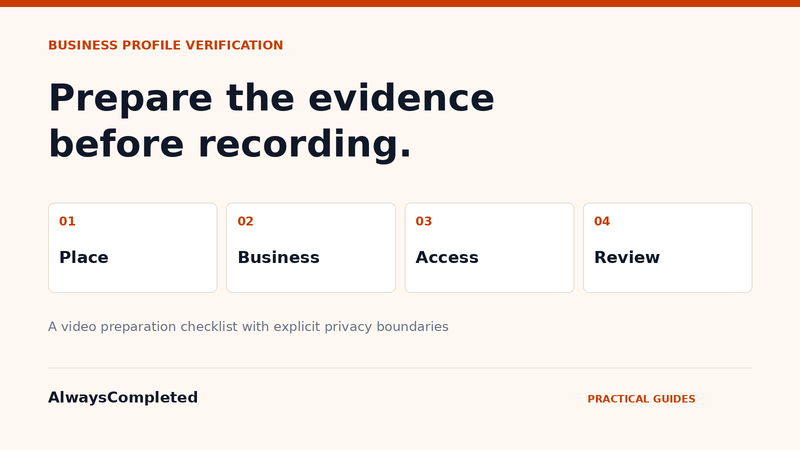
Google Business Profile Video Verification: A Preparation Checklist
Prepare for Google Business Profile video verification by matching the evidence to the real business type, planning one clear recording route and removing private information before filming. Confirm the method offered in the profile first. A checklist can organize preparation; Google decides whether the submitted evidence is sufficient.
The useful question is not “What can we stage for the camera?” It is “Which existing, truthful evidence shows this business, its location and the authorized person's control?” If a required fact cannot be supported, resolve the underlying issue rather than inventing a sign, document, office or activity.
Two downloadable preparation maps cover a storefront and a service-area business. Their worked cases are DEMO, with no real company, address, documents or verification outcome. No Business Profile was accessed and no video was recorded or submitted. Actual checks remain NOT_RUN. Official guidance was reviewed on 26 November 2026.
- Download the storefront preparation map
- Download the service-area preparation map and submission log
1. Confirm eligibility, authority and the offered method
Start with the business itself. Google's eligibility and ownership guidelines generally require in-person customer contact, with specified exceptions. Online-only businesses are listed among the ineligible examples. A website or mailing address alone does not establish eligibility for a Business Profile.
Only the owner or an authorized representative should manage this process. An agency should work with the owner and confirm the business facts, access and proposed actions. Do not create a verification exercise around a location the business does not operate or have authority to represent.
Google says verification methods are automatically determined and cannot simply be changed on request. Available options depend on factors including business type and public information, and more than one method may be required. Check what the actual profile offers. Source: Verify your business on Google.
This article concerns the recorded-video method. A live video call is a separate process. If the offered method differs, use its own instructions instead of forcing a recording checklist onto it. The downloaded forms deliberately leave “method offered” unfilled until the owner checks.
2. Keep storefront and service-area evidence distinct
A storefront serves customers at a physical location with permanent on-site signage. A service-area business visits customers without serving them at its business address; a hybrid does both. Google's service-area guidance says businesses that do not receive customers at their address should remove that address from the public profile.
That public-address rule does not mean a service-area business can use an invented location for verification. The preparation map separates evidence needed in the official process from information appropriate for public display. Keep a home-based operating address out of a public marketing worksheet unless disclosure is actually appropriate and approved.
Google's representation guidelines require accurate real-world business details. They also reject a rented mailing address as an eligible virtual office when the business does not operate there. Choose the applicable business model before deciding what the video should show.
For a storefront, plan to connect the surrounding location, the genuine business identity and a management-only action. For a service-area business, connect the operating context, real working equipment and authorized control. These categories come from Google's recorded-video requirements; the particular route must come from the actual business.
3. Build a route from existing evidence
Walk the route before starting the official recording. Decide what the viewer should understand at each stop and how the next stop connects to it. A short, coherent route is more useful than wandering through every room or showing a pile of unrelated documents.
The storefront DEMO is a fictional salon. Its plan begins with identifiable surroundings, continues to the existing permanent business name and enters the working area. The proposed management evidence is access to a genuine staff-only storage area. These are planning assumptions, not observations of a real salon.
The service-area DEMO is a fictional mobile repair business. Its route connects identifiable operating surroundings to actual repair equipment and an authorized person's access to business-only assets. A branded vehicle is an option only if the business genuinely uses one; the template does not require manufacturing branding for the recording.
For each planned item, ask the owner three questions: does it exist, does it represent the business accurately and can we show it without exposing private information? Record the answer and the next action. A confident description written by an agency cannot replace an owner check.
Use a hold decision when evidence is missing or contradictory. For example, if the public business name differs from the permanent sign, investigate which information is accurate before filming. Do not place a temporary replacement in the frame merely to make the video appear consistent.
4. Prepare one continuous official recording
The reviewed Google instructions require an unedited, uninterrupted recording of at least 30 seconds, captured and uploaded from a mobile device through the Business Profile. They do not allow an offline recording to be uploaded later. Source: prepare for your recording.
You can rehearse the walking route and check lighting without treating that rehearsal as the submission. The actual verification recording must follow the offered process. Do not splice separate locations together, add an explanatory montage or substitute a promotional video for the required evidence.
Check whether the route is practical with one hand holding the device. Can the authorized person reach the relevant area, operate a door and keep the important object legible? If the route is awkward, simplify it before recording rather than planning to fix the footage in an editor.
Avoid rushing through evidence just to satisfy a minimum duration. The purpose is to make the real business understandable. If a sign is unreadable or the camera moves past the management action too quickly, the fact that the recording lasted long enough does not repair the missing information.
5. Remove privacy risks before the camera starts
Google's video guidance excludes sensitive numbers, private information and other people's faces. Inspect the route for customer records, appointment screens, payment details and bystanders before beginning. A privacy review belongs in preparation because the required submission is unedited. Source: recording exclusions.
In the salon DEMO, the reception monitor is a potential problem: it could display customer names and appointments. The preparation action is to choose an appropriate screen state or another evidence item before recording. The worksheet never asks the owner to share customer records with the article author or put them into the downloadable log.
In the mobile repair DEMO, a work order might contain a customer's address or phone number. Prefer evidence that proves the relevant business fact without showing those details. If a document is useful, plan the framing carefully and keep unrelated sensitive fields outside it; do not fabricate or alter the substantive evidence.
Also check reflections and background surfaces. A mirror, glass door or second monitor can reveal information that was not in the intended shot. The owner should assess the actual environment, since a generic checklist cannot know what is visible that day.
Choose a quiet time when the route can be recorded without filming customers or interrupting work. This is a practical preparation choice, not a claim that Google requires a particular hour. If privacy and adequate evidence cannot both be achieved, pause and choose a better route.
6. Check access and equipment without collecting credentials
Confirm that the authorized person can open the correct Business Profile on the mobile device and understands the available verification option. Check battery, connectivity, camera operation and any permissions requested by the official flow. Keep account passwords and verification codes out of shared planning documents.
Confirm physical access as well. A manager who can describe a storage room but cannot open it during the recording may need the owner present or a different legitimate management action. Do not borrow unrelated premises or equipment to fill a gap in the plan.
Assign one person to maintain the preparation record. They should know which items the owner has checked, which remain unresolved and whether a change to business details affects the proposed evidence. A simple version date is enough to prevent an old plan being mistaken for the latest one.
The ready decision should answer practical questions: correct profile and method, truthful business type, complete route, appropriate privacy preparation and available authorized access. It does not predict approval. If any answer is unknown, record the unknown rather than selecting a passing status by default.
7. Log submission and the actual result separately
After a real submission, record its date, the method used and the exact status shown. Keep “prepared,” “recorded,” “submitted” and “verified” as different states. A successfully uploaded file is not itself a successful verification decision.
Google's instructions provide a review-issues route when a recording is not accepted. Review the stated problem and prepare a new complete recording that addresses it, rather than guessing that unrelated changes will help. Follow the options actually offered in the profile. Source: review and resubmission.
Keep the log concise. It can record “business identity not sufficiently visible” and the next preparation action without storing the video, customer data or sensitive documents in a broadly shared file. Record who will make the correction and who will check the next actual status.
Once approved business facts are clear, the citation correction queue can organize discrepancies in external listings. That is a separate task: fixing a directory entry does not verify a Google profile, and verification does not prove that every directory is accurate.
AlwaysCompleted's Business Profile page describes distinct catalogue scopes, including citation-related work. A citation order is not guaranteed verification or a Maps position. Ask technical support which business-data, destination and reporting tasks a listing includes, and keep Google's actual verification result in its own record.
