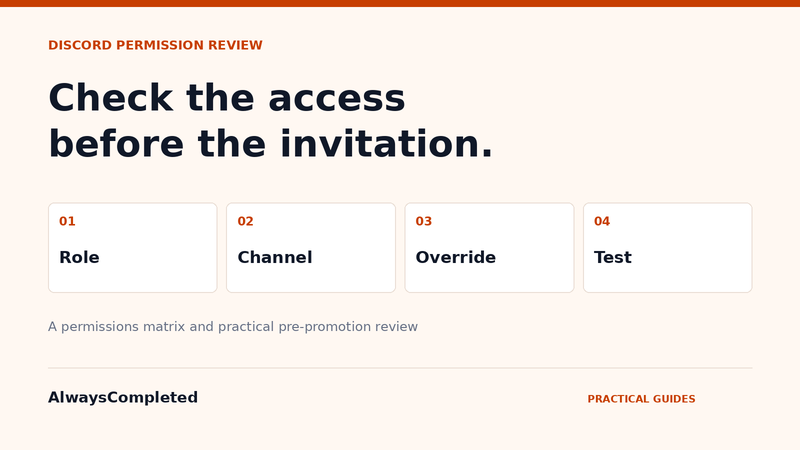
Discord Permissions Audit Before You Promote a Server
A Discord permissions audit should answer a practical question: can each intended member perform the right actions in the right channels, without receiving unrelated management access? Start with a role-and-channel matrix, trace unexpected results through the permission settings, and finish with a regular member's actual route.
An administrator successfully opening a channel is not sufficient evidence. Discord's permission reference states that Administrator bypasses channel overwrites. That makes an administrative account useful for configuration but unsuitable as the only proof of a newcomer's experience.
This guide includes an original matrix, a worked DEMO of an unsynced channel, and a member-test worksheet. Public documentation was checked on 26 November 2026. No real server was changed, no role preview was run and no member or voice test was performed. The examples describe a fictional Harbor Room community; actual-result fields remain NOT_RUN.
- Download the role and channel audit matrix
- Download the unsynced-channel DEMO with fix and retest
- Download the regular-member route and voice test worksheet
1. Define the actions before inspecting the switches
List the channels that someone will encounter from the public invitation: the welcome area, rules or instructions, ordinary conversation, the event room and the place to ask for help. Add any private channel that could be accidentally exposed by the same role configuration. You can expand the audit later; begin with a complete entrance route.
For every role combination, describe what should happen. “Member access” is too vague. A listener may need to read release notes, write a question and connect to a listening room while being unable to change any channel settings.
Use four explicit actions in the core matrix:
| Matrix action | What you are checking |
|---|---|
| View | View Channel for the specified channel |
| Send | Send Messages in that channel's chat |
| Connect | Connect to a voice channel; not a complete audio test |
| Manage | Manage Channels; not a catch-all for moderation powers |
Discord defines these as separate permissions. Speak, Read Message History and Manage Messages are also separate; Send Messages does not itself grant replies inside threads. Add the actions the real route needs instead of treating four columns as every possible capability. Source: Discord permission definitions.
Record the complete role combination, not just the role name that sounds most relevant. In the DEMO, Member and Member + Release Updates are separate test profiles. A legitimate Publisher profile may write release notes that ordinary members should only read. The audit should preserve that difference.
Agree the expected behavior with the server owner before changing a setting. Otherwise, a tester may classify a deliberate private room as a defect or remove a useful publishing exception merely to make all channels look identical.
2. Trace the effective permission through its layers
Discord starts with server-wide permissions from @everyone and the member's roles. Channel overwrites then apply to @everyone, the member's roles and finally the individual member. Within the combined role-overwrite step, allows are applied after denies. This is the order in Discord's permission hierarchy guide.
Two consequences matter during an audit. A permission being off on one server role does not cancel another role's server-level allowance. At channel level, a deny on one custom role does not necessarily defeat an allow on another custom role the same person holds. Do not diagnose access solely from whichever role is highest in the displayed list.
For an unexpected result, write down the chain before editing it: base @everyone settings, all assigned roles, the channel's @everyone overwrite, custom-role overwrites and any member-specific exception. Mark which entry explains the result. A screenshot of one role's settings leaves the other parts unresolved.
Keep the action specific. If someone cannot see the channel, investigate visibility before asking them to send a message there. If they can read but cannot post, trace Send Messages and any additional condition affecting that action. If the route uses a thread or forum, test the actual reply action rather than treating a successful ordinary-channel message as equivalent.
The worksheet is a review tool, not an automatic permissions calculator. For a complicated server, ask the authorized maintainer to confirm the combined result against the current configuration. Preserve a record of the settings before an approved change so that the specific change can be reversed if it has an unintended effect.
3. Find unsynced channels without erasing useful exceptions
A synced channel shares its category's permission settings and follows category changes. An unsynced channel has different settings and does not automatically follow those changes. Discord's permissions setup FAQ describes the distinction and the Sync Now control.
Use that difference to prioritize inspection. A category labelled “Read only” is a human description; it does not establish every child's effective behavior. Open the actual channel permissions and compare the entries with the category. Note whether the difference is intentional, inherited from an earlier design or unexplained.
DEMO: one release channel lets ordinary members post
In fictional Harbor Room, the Release Desk category allows viewing, denies Send Messages for @everyone and explicitly allows the Publisher role to send. The Member role has a server-level Send Messages allowance for ordinary conversation elsewhere, but no category-level exception here.
The channel #release-notes started with those settings. A later channel-specific Member → Send Messages: Allow made it unsynced. Under the documented overwrite order, that custom-role allow defeats the channel's @everyone deny for a member. The category's read-only intention therefore does not describe this channel's result.
The DEMO repair first compares every channel overwrite with the category. The only unintended difference is the Member allowance; the Publisher exception belongs in the category and must remain. Because this teaching channel is intended to match the whole category, the proposed repair uses Sync Now. A real channel with intentional differences would need a targeted edit instead.
The predicted retest is specific: ordinary Member cannot send in #release-notes, Member + Release Updates cannot send when that extra role supplies no allowance, and Publisher can still send. These are DEMO predictions, not recorded observations from a server. The download includes separate hypothetical before/after rows and a blank actual evidence record.
Never bulk-sync a group of channels just because one is wrong. A private staff channel or special support room may be unsynced for a valid reason. Review the full destination configuration before replacing it.
4. Preview single roles and the combinations people hold
Discord's View Server As Role is available to the owner and members with Administrator. The documented path is Server Settings → Roles, then the role's Display area or its menu. In preview, Select Roles allows a combined view. See the official preview guide.
Have an existing authorized owner or administrator perform this step; a helper does not need a new Administrator grant merely to contribute to the audit. Give the reviewer the expected matrix and ask them to record the selected roles with each result.
Check the visible channel list, the intended destinations and any unexpectedly available management options. Repeat for the ordinary member alone, the common interest-role combinations and a privileged publishing profile where appropriate. Include a no-extra-role newcomer profile if that is a real stage of your entry route.
Save each observation with its method labelled role preview. Do not label it an actual join or send test. If the preview does not answer a row's action clearly, leave that action unresolved and move it into the regular-member test rather than filling the cell from assumption.
Also inspect exceptions assigned to a specific member. A role combination is not a complete record of that individual's configuration. For a reported problem affecting one person, keep their exact relevant circumstances in the authorized team's record and test the narrow issue with their agreement.
End preview and return to the normal administrative view when finished. Before making a change, confirm the intended server, category and channel again. The review should produce a short list of explained differences, not a series of speculative toggles.
5. Test the entrance and voice path as a regular member
Role preview does not reproduce user-linked voice restrictions such as suppression or priority speaker, according to Discord's preview guide. A visible voice channel is therefore only one part of the experience you need to check.
Use an agreed test with an ordinary member who has the intended role combination. Record the app or browser, device context, date and starting membership state. Ask them to follow the exact invitation and entry steps that the announcement will use. Do not silently substitute a convenient administrator shortcut.
The minimum useful route is concrete: find the welcome information, read the existing instructions, reach the intended text channel, send a clearly labelled test message where allowed, and confirm that a read-only channel remains read-only. Where voice matters, separately check visibility, connection, receiving the agreed test audio and speaking if the role is supposed to speak.
Record the outcome of each action independently. “Could connect but could not hear the agreed sound” should not become “voice passed.” It also does not prove a permission fault: device settings, client context and the actual audio source may need investigation. Keep the observation separate from the diagnosis.
For a private-room check, test that an ordinary profile cannot see or enter the room. Do not give the tester a privileged role to get past the failure and then report that the original profile works. A changed profile requires a new row.
Use the onboarding route-map guide when answer-to-role assignments are unclear. Use the invite diagnosis checklist for failures before the intended server entry. Those checks feed the permission matrix; neither replaces it.
6. Close each discrepancy with an owner and a retest
For every mismatch, record the expected action, the observed result, the relevant setting, the approved change and the person responsible. Then repeat the same case and one nearby control case. A repaired read-only channel should still be readable; an authorized publisher should retain the intended publishing ability.
Avoid closing an item solely because a switch now looks correct. The retest should use the same profile, channel and action that exposed the problem. If no suitable member is available, retain NOT_RUN for that portion and state what is already known from configuration review or preview.
Choose a repeat-check date and add triggers for another review: a new role, moved channel, category edit, changed onboarding mapping or a new advertised event route. The date is your operating decision, not a platform-required audit interval. Keep the latest matrix near the server's administration notes so the next maintainer can understand intentional exceptions.
Before wider promotion, settle the entry problems that block the promised experience. The same principle appears in the website promotion checklist: follow the actual visitor route and record what happens in its real context.
If AlwaysCompleted Discord services are part of that plan, review the selected listing's destination and conditions separately. A member, reaction, message or Server Boost order does not repair permissions or demonstrate that ordinary members can participate. The completed audit gives your own team a defensible record of the access experience it has checked.
