YouTube Multi-Language Promotion: Match Audio, Metadata and Destination
A multilingual YouTube campaign is ready when the viewer can follow the promise from the title through the spoken explanation to the next action. Translating the title alone leaves a gap if the video explains an unfamiliar interface in another language or the destination cannot serve that viewer.
Use the EN/ES/FR route matrix to review one video ID with several language paths. The fictional product demo in the worksheet shows how to separate prepared translations, verified playback and unresolved destination work. It does not claim that any tracks were uploaded.
Start with viewing language and service availability
Country and language answer different questions. A person in France may choose English audio; a Spanish speaker may live outside Spain. Write the intended language and the actual country restrictions of the offer separately. A geographical audience setting is not evidence that every viewer will understand a particular language.
For each route, define the next action. Is the viewer downloading a guide, comparing a product or contacting a team? Record whether that action is available in the intended market and whether the supporting information is understandable. A beautifully dubbed demo can still lead to a form whose only answer options exclude the viewer's country.
Decide who approves meaning rather than only spelling. Product terms, units, dates and eligibility statements need consistent treatment. For example, “workspace” might refer to a software project rather than a physical office. Give translators a short glossary and explain what the viewer must do after watching.
Inventory the tracks attached to the actual video
YouTube's multi-language documentation describes adding audio tracks to one video or Short. It distinguishes uploaded dubbed tracks from automatic dubbing and currently links access to Advanced features. Supported files should be approximately the same duration as the video. The guide also describes localized thumbnails for long-form videos.
Record the original track, each additional language, the file version and the person who checked it. Do not mark a language ready because a translated script exists. A prepared script, an exported audio file, a published track and verified playback are four different states.
If an automatic dub already exists, review the documented replacement process before uploading your own version. Preserve approved source files and understand which track will remain. Avoid solving a localization problem by deleting a working track without a reviewed replacement.
Align metadata with the promise in the audio
YouTube supports translated titles and descriptions. Create each version from the same verified promise, then let a reviewer adjust the wording for natural reading. Literal translation is not enough when the source title relies on an idiom or a product term that changes meaning.
Consider a fictional tutorial titled “Build your first project checklist.” An accurate Spanish title might be “Crea tu primera lista de tareas del proyecto,” while the French version might be “Créez votre première liste de tâches du projet.” These are DEMO translations for an invented product, not published metadata. They preserve the task without adding a claim that the process is effortless or guaranteed to take a fixed time.
Check any text embedded in the thumbnail and video itself. A translated title cannot translate a button label burned into the footage. If the interface remains English, the voiceover should explain the label the viewer will actually see, or the description should make that limitation clear.
Review the whole path as a viewer
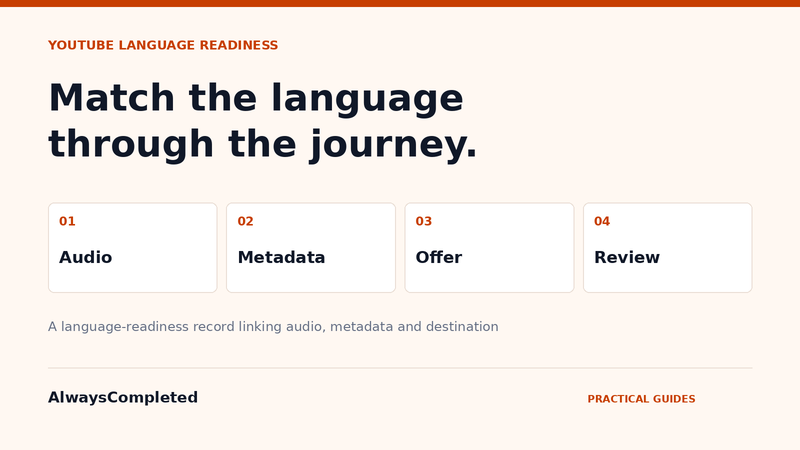
Our suggested review begins with the video discovery promise and ends when the destination's next step works. It is deliberately broader than checking whether an audio file uploaded successfully.
| Layer | Evidence to request |
|---|---|
| Title and thumbnail | Approved language version matches the demonstrated task |
| Spoken explanation | A reviewer understands the instructions and qualifications |
| Captions | Names, numbers and interface labels are checked where captions are provided |
| On-screen product | Relevant controls and limitations remain understandable |
| CTA | The requested action matches what the destination offers |
| Landing page | Correct language, market availability and form or download route |
Use the actual public video after publication. Confirm which audio options are available and manually inspect the intended track. Do not infer that every viewer will receive the same default: the platform's language selection can depend on viewer preferences. Record the reviewed context so the result can be reproduced.
DEMO: decide which language route is ready
In the fictional Fieldnote tutorial, the English route has a completed script, reviewed metadata and an English guide. The Spanish route has approved copy but its audio file has not yet been checked. The French route has a translated narration, but the linked signup form still explains its terms only in English.
These states lead to different actions. The English route can proceed to a real playback check. The Spanish route waits for audio review. The French route needs a destination decision: localize the relevant information or clearly describe the English-only continuation before inviting viewers to use it. None should receive a generic green “translated” label.
Use the matrix to record unknowns without turning them into failures. “Audio option not yet inspected” means exactly that. It does not establish that the upload failed. Assign a reviewer and the next evidence needed, then update the row after the check.
Maintain one version history across languages
When the original video changes, review the dependent material. A removed sentence may leave a translated track referring to a scene that no longer exists. A changed product offer can make all descriptions inaccurate even though the audio remains technically playable.
Keep a small change record: source version, affected languages, required updates, owner and verification date. Prioritize changed promises, prices, eligibility and destinations over stylistic preferences. Do not assume an update to the English description automatically changes every translation.
For a promotion handoff, provide the video ID, the ready languages, any market limitations and the intended next action. Compare those requirements with the specific description on YouTube promotion. Ask technical support about the actual targeting and delivery method. Country targeting does not prove a viewer's language preference, and a view service does not include translation, dubbing or a working international checkout unless those services are explicitly agreed.
Common questions
Does one video ID mean every language is ready? No. Each language path has its own audio, metadata and destination evidence.
Can translated metadata replace dubbing? It can help describe the video, but it does not change the spoken explanation. Choose the accessibility and localization work the viewer's task actually needs.
Should every language launch simultaneously? Only if the relevant checks are complete. A staged release with clear records is easier to evaluate than claiming readiness for unreviewed tracks.
Documentation reviewed 26 November 2026. Examples are fictional; no customer account or campaign was tested for this guide.
