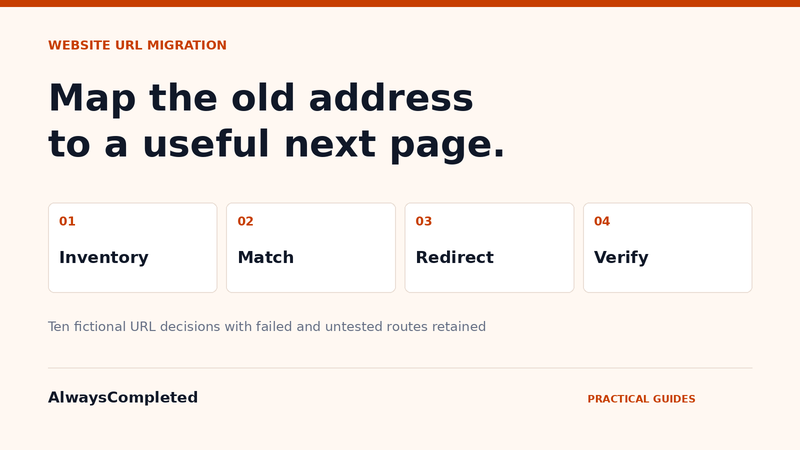
Website URL Migration: Build and Verify a Redirect Map
A redirect map is a set of editorial decisions followed by technical checks. It should explain why each old URL belongs at a particular new destination, not merely show that every old address eventually reaches a page returning 200.
Start before changing URLs. Google's site-move guidance recommends mapping old and new addresses, preparing the destination pages and checking the move. The downloadable ten-row example in this guide is fictional; it demonstrates decisions you can make before a real developer changes routing.
Inventory the addresses people still use
Combine the old sitemap, site crawl, internal links, authorized analytics and Search Console exports, and campaign destination lists available to the owner. Include important URLs that are not currently in the sitemap, such as an older landing page still linked from an email or video description.
Record where each address came from. A URL found in an old spreadsheet has a different evidence status from a current campaign link or a page receiving recent search clicks. Preserve the exact old URL including meaningful path and query behavior. Decide deliberately how trailing slashes, hostname variants and tracking parameters should be handled rather than assuming the framework's default matches the plan.
Assign an owner to each channel that can still send traffic. A web developer can fix server routing while the marketing owner updates active destinations. Both jobs matter; a redirect does not remove the need to correct the links you control.
Choose a destination that satisfies the same need
For a one-to-one move, compare the old page's task, audience and key content with the new page. A revised guide can be the right successor even with a different title, provided it retains the information readers need.
For consolidation, record what unique material from each old page will be retained. Several old URLs can point to one new guide when the combined page genuinely covers their needs. Merely sharing a keyword is insufficient. A pricing page and an instructional article may deserve different destinations even when both attract the same broad query.
For removed content without a relevant replacement, record an appropriate removal response such as 404 or 410. Do not manufacture a homepage destination to make the spreadsheet look complete. Google's guidance warns against redirecting many unrelated URLs to an irrelevant destination; the map should make the editorial reason visible.
Give every row an expected result
The DEMO redirect map contains ten rows: direct moves, a justified merge, a removal, an unrelated homepage redirect, a chain, a loop and a localized destination mismatch. Each row separates the intended behavior from a fictional observed result.
| Field | Why it belongs in the map |
|---|---|
| Old URL and source | Identifies the address and why it must be reviewed |
| Intended new URL or removal decision | Names the approved result |
| Intent match and content owner | Explains relevance, not just technical availability |
| Expected HTTP behavior | Defines the routing acceptance check |
| Actual chain and final response | Records what happened in a test |
| Final canonical | Checks the destination's own identity |
| Campaign owner and evidence date | Keeps external handoffs and observations accountable |
Use explicit states such as planned, ready to test, failed and verified. An untested row should not be marked passed because its proposed destination looks sensible.
Prepare the destination before switching traffic
Confirm that the new page contains the intended content, loads its necessary assets and offers the expected next action. Check that launch-time indexing rules match the plan, particularly if a staging template previously included noindex.
Review the final page's canonical. Google's canonical documentation distinguishes canonical signals from redirects. A canonical link does not send a human visitor to another URL. For an actual permanent move, implement the appropriate redirect behavior as part of the migration instead of relying on a canonical alone.
For language versions, update equivalent-page relationships and keep destinations in the intended language. A German guide redirected to an English homepage is not a successful migration simply because it loads. Include hreflang and language-switch checks in the row's acceptance evidence when the move affects those relationships.
Test the complete route
Request the old URL and record every response in the chain, the final URL and the final status. Use an HTTP inspection tool or browser network panel that lets you see redirects instead of reporting only the final 200. Then open the destination as a reader and verify the actual content and next action.
Prefer a direct route to the intended final page. A chain through an intermediate old slug adds unnecessary dependencies and latency. A loop fails entirely. In the DEMO, the chain and loop rows remain failed until the actual route is corrected and rechecked; they are not silently rewritten as successful examples.
Check a normal URL and the meaningful variants that appear in your inventory. If tracking parameters must survive, test that behavior explicitly. If parameters are intentionally removed, document why. Do not apply a generic “preserve every query string” rule without considering privacy, application behavior and canonicalization.
Update the references you control
Replace old internal links with the final destinations and update the sitemap to the intended canonical URLs. Review navigation, structured data, translated alternates, downloadable documents and active campaign links that are within the authorized change scope.
For third-party placements you cannot edit directly, record the contact or owner and the continuing reliance on the redirect. Google recommends keeping redirects as long as possible, generally for at least one year. Plan for longer use where old links still serve readers. Do not promise that a site move will preserve every ranking without fluctuation.
The landing-page checklist is useful for the destination itself. This map handles the additional relationship between the address people already use and the page they should reach after the move.
Monitor by issue, not by one total
After release, review failed routes, unexpected final pages, crawl errors and relevant search observations. Record when the move occurred so later comparisons use sensible windows. A change in clicks can reflect seasonality, demand, indexing transitions or other work; a single before-and-after total cannot isolate the redirect's effect.
Use the migration review worksheet to assign each failure an owner and a clear acceptance condition. Keep the previous mapping and the approved revision so you can explain or correct a mistaken destination. Avoid changing multiple unrelated systems while diagnosing one failed row.
Before commissioning website SEO work, share the map and specify whether implementation, content migration, campaign-link updates and post-release checks are included. A listed SEO package does not automatically provide server access or redirect configuration. Technical support can clarify the scope; the site owner should authorize the actual routing changes.
