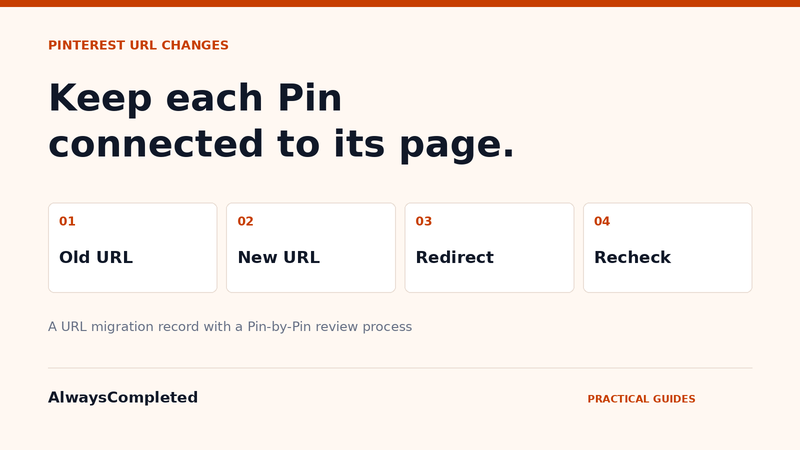
Update Pinterest Pins After Website URLs Change
A website move can leave a Pinterest Pin pointing at an old article, an unavailable product or a page that no longer exists. Repair the journey in two places: update a Pin’s destination when you control that field, and ask the website owner to handle the old URL appropriately. Keep a record of both actions because completing one does not prove the other works.
Start with an inventory, not a mass edit. The downloadable ledger has twelve rows for individual Pins, their ownership, old and new destinations, redirect decisions and observed device tests. Three fictional examples show an article move, a genuine product replacement and a removed page with no equivalent. Every example uses example.com; none represents a real account migration.
Separate Pins you created from Pins you saved
Pinterest’s broken-link guidance says you can edit links on Pins you created. It excludes links on Pins saved from Pinterest or through the browser button. A Pin appearing on your board is therefore not enough evidence that you can change its destination.
For each Pin, record its URL or internal reference, the account that created it and how it entered your board. Use “unknown” if you cannot establish the origin. Then inspect the edit options available to the authorized account. Write down the actual editable field instead of assuming that every device and Pin type exposes the same controls.
This creates three workable groups. First are Pins with a destination field you can edit. Second are Pins whose website destination you control but whose Pinterest link you cannot change. Third are Pins for which you control neither side. Each group needs a different owner and a different definition of completion.
An editable Pin can be updated to the approved final URL. An uneditable Pin may still benefit from a legitimate site redirect if you control its old destination. A third-party page needs a handoff to its owner; changing a board title will not repair that page. Avoid turning the inventory into a list of edits that your account cannot perform.
Build a destination map before changing anything
Use one row for each Pin, even when several Pins share the same old URL. The website mapping may be identical, but ownership, available fields and click-test results can differ. Preserve the original URL exactly, including its path and any relevant parameters, before normalizing it for comparison.
For every old destination, write one of three decisions: equivalent page, genuine replacement or no equivalent. Describe why the chosen page satisfies the original Pin’s promise. “It is on the same website” is not sufficient. If a Pin promises a tutorial about choosing a bowl size, a generic shop homepage is a poor substitute for that tutorial.
Check the new destination before editing the Pin. It should show the expected content without sending the visitor through an unfinished staging site, a login intended for staff or a selection that changes the offer unexpectedly. For a product, include the relevant variant and market. A working URL with the wrong product is still a broken journey.
If the old URL includes campaign parameters, decide what to retain with the person responsible for measurement. Do not blindly paste an old campaign name onto a new campaign, and do not silently discard parameters whose purpose you have not checked. Record the approved final address so the Pin editor and website implementer use the same destination.
The mapping is also your rollback reference. Save the previous Pin link and any existing redirect rule before replacing them. This does not require a large technical export: a clear record of the original value, intended value and owner is often enough to make a small change reviewable.
Choose the site response for the actual move
Google’s redirect documentation identifies 301 and 308 as permanent server-side redirects and distinguishes temporary moves. These are website and Google Search semantics. They do not guarantee that a redirected link will be accepted or displayed in a particular Pinterest context.
For a permanent article move with equivalent content, ask the website implementer for the appropriate permanent mapping from the old page to the new one. For a temporary operational change, explain why the old address is expected to return; do not choose permanence merely because a plugin defaults to it.
Use the site’s established implementation method. A CMS redirect tool, a hosting configuration and an application route have different ownership and failure modes. This guide does not provide a universal rewrite rule because a broad rule can move unrelated pages or create loops. Give the implementer explicit old-to-new pairs and verify representative paths after the change.
Google’s site-move guidance recommends mapping to relevant destinations and avoiding unnecessary redirect chains. Apply that as a practical review question: does the old address reach the approved final page directly, or pass through a series of obsolete moves? Record the observed chain, not just the redirect type you requested.
Pinterest separately advises linking directly to the source where possible and says it does not allow certain redirects or URL shorteners. Therefore, use the approved final destination in an editable Pin, and test the actual Pinterest click. Do not add another shortener or disguised redirect to work around a blocked link. Source: Pinterest broken links.
Handle a replacement product honestly
A replacement needs more judgment than an article whose content simply moved. Compare the original promise with the new offer: product function, model, size, compatibility and availability. A newer item can be a genuine replacement without being identical, but the destination should make the change understandable.
In the DEMO scenario, a fictional shop retires a blue serving bowl and introduces its direct successor. The migration owner documents why the successor meets the same use case. The Pin editor then checks whether the existing wording still describes the new item accurately. If its media depicts a materially different item, changing only the URL can create a misleading presentation.
Pinterest’s editing guide says the editable details depend on how the Pin was created; published image, video and audio contents cannot be edited. Where new media is necessary, a new Pin may be the appropriate separate content task. Do not label a destination edit as a complete creative update when the old image still promises something else.
Keep the old Pin’s disposition explicit: link updated, left unchanged pending review, or another authorized action. The ledger should not imply that a new Pin inherits the old Pin’s saves, reporting history or recommendations. Those outcomes are not established by a website redirect or by this worksheet.
When there is no equivalent destination
Sometimes the honest answer is that the resource has been removed. Do not redirect every retired article or unavailable product to the homepage just to replace an error with a successful HTTP response. A visitor can land on a functioning page and still fail to find what the Pin offered.
For removed content with no similar replacement, Google’s crawl-error guidance describes an appropriate 404 or 410 response. The website owner can make the resulting page useful with clear wording and helpful navigation while retaining the correct response. This is distinct from keeping a substantive archive page that still serves a real purpose.
Record “no equivalent” in the new-URL field and assign the content decision to an owner. For an editable Pin, review whether an accurate update is possible within the available fields and the original promise. If a decision to remove a Pin is being considered, remember that Pinterest says deleted Pins cannot be recovered. Deletion is not a routine substitute for diagnosis. Source: Pinterest editing guide.
The third DEMO scenario deliberately ends unresolved until the owner chooses a disposition. That is a more useful record than an invented success. It tells the next person that there is no approved replacement and prevents someone from silently sending the traffic to an irrelevant page.
Test the destination through the Pin
After an authorized edit, reopen the Pin and inspect its saved destination. Then follow the actual website action. Record the final URL, page identity and anything that interrupts the journey. A saved field proves that a value was stored; a click test checks what a visitor reaches.
Repeat the relevant checks in the environments your audience uses. A desktop browser and a mobile app can expose different navigation or handoff behavior. A narrow desktop window is useful for layout inspection, but label it accurately; it is not a physical-phone or native-app test.
Use a short, observable test sequence:
- Open the recorded Pin in the named environment.
- Follow its website action and record the final address.
- Confirm that the page matches the Pin’s promise and the approved mapping.
- Check the next intended action, such as reading the moved guide or selecting the correct product.
- Record the time, result and any unresolved behavior.
Keep expected and observed results separate. “Expected: the moved guide opens” is a test plan. “Observed: NOT_RUN” is the correct value until someone performs it. If one device passes and another has not been checked, retain both facts rather than marking the whole migration complete.
For a broader destination review, use the website landing-page checklist. It covers the page’s next action and phone layout; this ledger focuses on the old-Pin-to-current-page connection.
Close rows with evidence and keep exceptions visible
Close a row only when its authorized changes and required observations are complete. A useful final note states which Pin link was changed, how the old URL behaves, which environment was tested and which page opened. Keep unsupported actions in a separate pending field.
Prioritize exceptions by visitor impact. A broken link on a frequently used campaign destination deserves attention before an obscure archived Pin, but use actual available evidence to make that call. Do not invent click counts to make the queue look measured. “Priority based on active campaign ownership” is a valid operational reason.
When ownership is outside your team, provide a concise handoff: Pin reference, old URL, approved replacement if one exists, the observed failure and the action you cannot perform. Ask for confirmation of the change, then retest. An email saying “fixed” is not a substitute for the recorded destination observation.
Downloads and campaign preparation
Use the ledger before sending more visitors to a moved destination. When comparing Pinterest promotion services or website traffic services, specify the approved public URL and the stated service metric. A repaired link establishes where the visitor can go; it does not establish an increase in saves, purchases or campaign performance.
