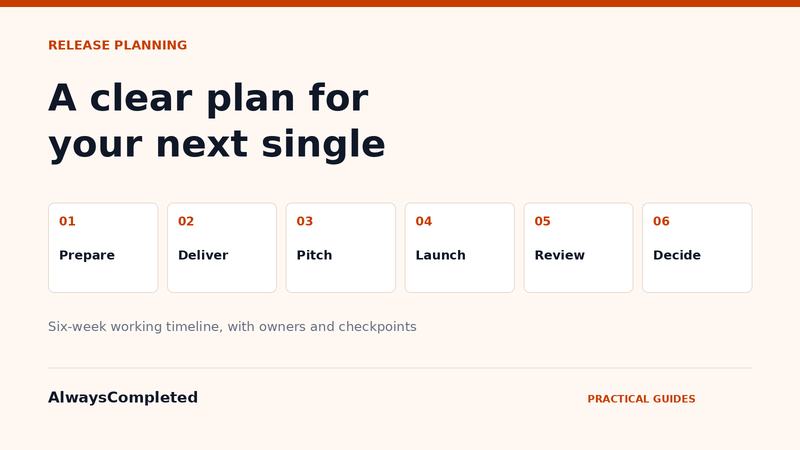
A Six-Week Single Release Plan With Owners, Assets and Decision Points
A useful single release plan connects each task to a deadline, a person and proof that the next task can start. Work backward from release day, confirm delivery before relying on platform tools, and prepare one clear route from your announcement to the music. The template below gives you a six-week preparation period, release-day checks and two follow-up reviews.
Six weeks is a working schedule for this template. Adjust it to your distributor, unfinished materials and available time. It is not a universal platform requirement or a promise that a release will be approved by a particular date.
Download the editable release timeline (CSV). It includes 30 tasks with relative deadlines, owners, dependencies, completion evidence and status fields. Working alone? Use the compact solo checklist (Markdown).
Set the release goal before filling the calendar
Write a short brief that answers five questions: what is being released, who should hear it, what action you want, how much money and time are available, and who can approve changes. Keep this at the top of your working document.
Here is a fictional example:
- Release: one finished single, with the master and cover approved.
- Audience: existing listeners who have already chosen to follow the artist or receive updates.
- Main action: visit a release page and choose a listening destination.
- Constraints: one artist handling the campaign, four hours a week and a separately approved cash limit.
- Review: check link activity and available listening reports after release; decide whether to reuse one creative idea or stop spending.
The time allowance is illustrative. Replace it with hours you can actually protect. If you only have two hours, reduce the number of creative versions and channels before cutting essential delivery and link checks.
Give each task one accountable owner. “Artist and manager” leaves room for both people to assume the other submitted something. Use “manager submits; artist approves” instead. A solo artist can own every row, but should still separate making, reviewing and submitting the work.
Separate your preparation calendar from platform lead times
CD Baby currently recommends signing up at least three weeks ahead when promoting a release or aiming for a specific date, with four to six weeks described as ideal. Its process includes inspection, possible corrections and partner processing. That is guidance for its service, so check the timing of your chosen distributor before adopting this calendar. See CD Baby’s release-date and distribution guidance.
Treat these as separate states in your tracker:
- Submitted: you have a receipt or submission record.
- Approved and sent: the distributor confirms the release has passed its process and been delivered onward.
- Available for the intended next step: you can see the release where you need it, with the correct identity and date.
A completed upload does not establish all three. Record the evidence for the state you have actually reached. If the next step is blocked, assign a follow-up date and an owner instead of marking the entire delivery task complete.
For Spotify song pitching, the current support instructions use Music → Upcoming in Spotify for Artists and require an upcoming, unreleased song. Spotify recommends delivery at least seven days before release to allow editorial listening; it separately says a song pitched at least seven days ahead is added to followers’ Release Radar playlists. Neither statement promises editorial placement. A song that has gone live is no longer eligible for this song-pitch workflow. See Spotify’s pitching instructions.
This template sets R−14 as your team’s target for a completed pitch, where R is release day. It gives you room to notice a missing release or fix the brief. The seven-day guidance is not presented here as an absolute cutoff for editorial consideration. Do not wait until your internal deadline if the release is available and the pitch is ready earlier.
The six-week single release timeline
The preparation period runs from R−42 to R−1. Release day and the two reviews follow it. Dates below are suggested checkpoints; the downloadable tracker splits them into individual tasks.
| Checkpoint | Work to finish | Accountable owner | What must already exist | Evidence before moving on |
|---|---|---|---|---|
| R−42: six weeks out | Agree the goal, cash cap and approval process; check master, artwork, credits and distribution readiness | Release coordinator | Finished or clearly scheduled release materials | Approved brief and a list of unresolved items |
| R−35: five weeks out | Submit the release; save its identifiers and receipt; start the story and creative brief | Delivery owner | Approved submission package | Submission record, exact release date and next status-check date |
| R−28: four weeks out | Check delivery status and artist mapping; prepare the pitch; capture the core creative material | Delivery owner | Distributor status and account access | Status evidence, correct artist identity and a reviewed pitch draft |
| R−21: three weeks out | Build and test the release page; finish a small set of creative versions; prepare targeted outreach | Campaign owner | Approved story, usable destinations and assets | Tested page, approved files and a short recipient list with submission instructions |
| R−14: two weeks out | Complete the pitch when available; check campaign readiness and assigned release-day work | Pitch owner | Unreleased track visible and pitch approved | Submission confirmation or a clearly recorded blocker |
| R−7: one week out | Recheck names, dates, copy, links and scheduled messages; rehearse the launch checklist | Release coordinator | Current approved materials | Completed checklist and an agreed response to a broken destination |
| R: release day | Verify the music and destination links before activating the planned announcements | Launch owner | Public release available | Timestamped link checks and announcement records |
| R+7 and R+14 | Reconcile tasks, costs and available reports; assign one next action | Review owner | Campaign records and reports with dates | Short decision note with owner and next review date |
CD Baby’s 30-day release plan also organizes preparation into stages. The calendar here is an original working template: its owners, evidence fields and decision points are designed to help you manage dependencies, rather than reproduce a daily posting schedule.
A worked example with actual dates
Suppose your fictional release date is 19 March 2027. The six-week preparation starts on 5 February. Submission is targeted for 12 February, the delivery-status review for 19 February, the release-page check for 26 February, the internal pitch target for 5 March, and the final rehearsal for 12 March. Follow-up reviews fall on 26 March and 2 April.
If the release is still awaiting correction on 19 February, do not treat the 5 March pitch task as safely scheduled. Write the correction owner, its actual deadline and the next distributor check into the tracker. Then decide whether the remaining buffer supports the announced date. If changing the date is possible and justified, check the distributor’s change process before promising the new date publicly.
This is the purpose of the dependency column: a missed prerequisite should change the plan while there is still time to respond.
Prepare a small, usable asset package
Start with the files needed to publish accurately, then make the promotional material needed for your chosen audience. Keep one approved version of each file in a shared location. The filename or folder should make its status obvious; an old export called “final-final” should not compete with the approved master.
For the campaign in this example, prepare:
- One approved release summary with the exact artist name, title, date and credits.
- The artwork and a reusable image crop for the channels you have chosen.
- One short performance or story clip, plus a second version only if it serves a different purpose.
- A concise explanation of the song: its sound, its specific story and why this release matters to the intended listener.
- Release-page copy, one announcement and one follow-up message.
- A private preview link if your selected outreach recipients request one, with access tested before sharing.
Check file specifications against the destination you will actually use. Do not assume one export suits every placement. In the tracker, an asset is complete when the approved file exists and the person publishing it can open it—not when filming or editing has merely started.
For example, “make three videos” is difficult to approve. “Export a short performance excerpt with readable captions; artist approves the audio and wording; campaign owner tests the upload preview” gives you a clear completion test. It also makes it easier to remove an optional version if time is running short.
Build the fan journey before scheduling announcements
Choose the action each message should lead to. Before release, that may be reading the song’s story, watching a preview or using an available pre-release destination. On release day, it may be choosing a service and listening. Use the option that fits the campaign, rather than adding every possible action to one page.
Test the full route on a phone and a desktop:
- Open the link from the same kind of message or profile a listener will see.
- Check that the page identifies the correct artist, title and release date.
- Follow the main button to its destination.
- Confirm that the destination is usable without your administrator access.
- Record the result and check again when a pre-release link changes to a live listening link.
If you can measure page visits or outbound clicks, label the data source and the date range. A click to a music service is evidence of that click; it does not by itself establish that a person listened, saved the song or became a fan.
Prepare outreach around a relevant recipient and a specific reason for contacting them. Keep their published submission instructions beside the task. A short list you can research and follow through is easier to manage than a large list with no recorded fit. Do not mark outreach “complete” merely because a message draft exists.
If you are comparing outside promotion offers, first define the destination, purchased activity, duration and expected report. The Spotify promotion comparison guide explains why different service scopes should not be treated as interchangeable outcomes.
Run release day as a sequence of checks
Assign a launch owner who can verify the public release and update the campaign links. Give that person access before release day. Keep a second contact available if a team member normally controls the relevant account.
First, confirm that the intended recording appears under the right artist and title. Next, test the release page and its main destinations. Then review the announcement preview and activate the planned messages. Save the URLs or screenshots needed to prove what was published.
If a key destination is broken, pause messages that send people there while the owner investigates. Record the issue, the action taken and the next check. An alternative working destination can be useful, but only publish it after confirming that it leads to the correct release. Avoid improvising an untested link while the campaign is already sending traffic.
Review the first weeks and choose one next action
At R+7, check execution first: which tasks were completed, which links worked, what was spent and which reports are available. Keep unfinished reporting windows marked as provisional. At R+14, compare the evidence with the original objective and choose an action your team can actually carry out.
Use a short decision record:
| Observation | What it establishes | Next action |
|---|---|---|
| The release page works, but the main button was hard to find in a phone check | A usability issue you can reproduce | Move or clarify that button, then repeat the check |
| One clip produced more measured outbound clicks during the same stated period | A difference in recorded click activity | Reuse its idea in one follow-up, while keeping spend capped |
| A report is missing or its measurement window is incomplete | The campaign cannot yet be assessed from that report | Request the report or set a later review date |
| The owner has no time to make another asset | A capacity constraint | Reuse an approved asset or stop the optional task |
These are illustrative decisions, not predictions. Keep the next action specific: owner, deadline, spending limit and evidence to review. “Promote more” does not tell anyone what to do.
A compact version for a solo artist
The solo checklist reduces the plan to eight checkpoints: approve the brief and files; submit and track delivery; prepare the pitch; finish one asset package; test the fan journey; rehearse; verify and announce; review and decide. You can put the same name in every owner field.
For a hypothetical four-hour week, protect one block for deadlines and delivery checks, one for making or adapting material, and one for reviewing and scheduling. Change that allocation when a prerequisite is blocked. If delivery needs a correction, resolving it takes priority over another teaser.
If your release is already close, start with the current state of the master, distribution and public date. Complete still-available steps, reduce optional creative work and document anything you can no longer do. For a song already live, remove the unreleased-song pitch task and plan from the remaining opportunities. Do not retroactively mark a missed task complete.
Assign the work before buying help
Fill the owner and evidence columns before deciding which jobs to outsource. A useful brief for outside help names the input files, deliverable, deadline, approval owner and completion test. It should also state which tasks remain yours.
Use the music release services guide to review possible stages of work, then compare the current scope with the gap in your calendar. Purchase a clearly defined task within your approved budget, and add its handoff and review dates to the same tracker.
