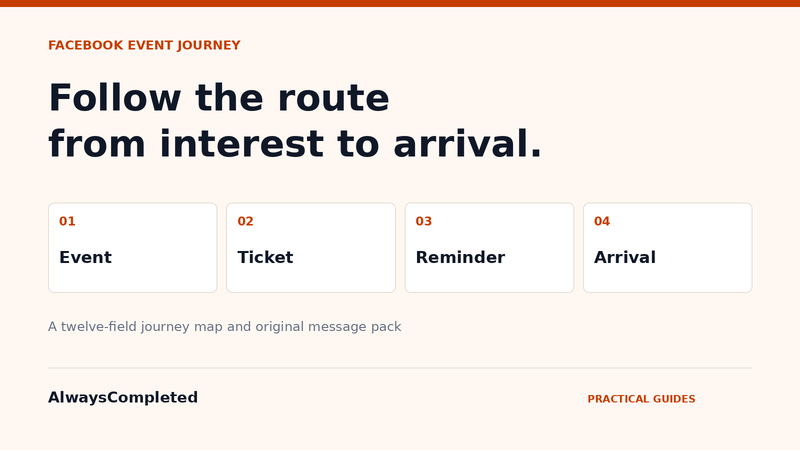
Facebook Event Promotion: A Plan From Event Page to Attendance
A useful Facebook event promotion plan tells a person what the event offers, helps them decide whether they can attend, and gives them a working route to a ticket or registration. It also explains what to do when they arrive. A busy discussion thread cannot compensate for a ticket button that opens the wrong date or a venue description that leaves the entrance unclear.
Build the plan around one participant journey. Each message should answer a question or remove a specific obstacle on that journey. Then evaluate the event using the evidence you can actually collect: reservations, valid tickets, check-ins and a record of how those figures were counted.
This guide includes an editable 12-field journey map, six complete example messages and a fictional small-concert plan. The examples are DEMO material, not an account test or a record of a real event. Attendance results are deliberately blank.
Define who can realistically attend
Start with the people who can use the event, not the largest audience you could describe. For an in-person concert, that means considering travel, time, admission conditions and the type of performance. For a remote workshop, it means considering the time zone, language, connection requirements and whether a recording will exist.
Write a short eligibility statement before producing promotional copy. A practical version might be: “Adults within a manageable journey of the venue who enjoy a seated acoustic set and can attend on a Saturday evening.” This is an editorial planning statement. It does not claim that Facebook can identify everyone who meets it.
Separate a preference from a requirement. “For people who enjoy acoustic music” describes appeal. “Admission is 18+” is a condition that must be checked with the organizer and ticket provider. “Doors at 19:00” is useful only when the date and local time zone are also clear. If an important condition is undecided, give it an owner and resolve it before directing people to book.
Eventbrite's social event promotion guide organizes planning around the intended audience and communication before, during and after the event. Use those stages as a practical sequence; the journey map below supplies the narrower decisions for one event.
Do not attempt to turn every viewer into an attendee. Someone outside the realistic travel area may need a future recording announcement or a mailing-list option, if one exists and they choose it. Adding an unavailable stream to make the event seem accessible only creates another promise the organizer cannot fulfill.
Write an event promise that survives the ticket click
The first paragraph should tell a potential attendee what they will experience and what they need to do next. Follow it with the essentials in an easily scanned block: date, location, doors or arrival time, start and end time where confirmed, admission conditions, price information and the booking destination.
For the fictional concert used here, the promise is: “An intimate acoustic set from the fictional duo North Window, with a short conversation about the songs.” That gives the reader a reason to attend. The factual block then supplies the decision details. Do not hide those details inside an image that becomes difficult to read on a phone.
Eventbrite's Facebook event guide covers the event description, practical details and a ticket or registration URL. Its interface walkthrough was published in 2024, so use your current account's available controls rather than relying on an old screenshot or menu position. This article does not depend on a particular placement of the ticket control.
Check the event, ticket page and any linked landing page side by side. The performer name, date, time, venue, price basis and admission conditions should agree. If fees appear later in checkout, explain the pricing accurately using the ticket provider's current information. Never promise “no fees” because the first screen shows only a base price.
Keep one authoritative location for changing details. If the event page carries practical updates, say so on the booking confirmation or owned landing page where you control that text. Assign a named person to maintain the event details; “the team will handle it” is not a useful ownership record when a train cancellation or venue change occurs.
Use a 12-field participant journey map
The downloadable map connects content, operations and evidence without turning into an entire release calendar. Complete the fields before scheduling a sequence of reminders.
| Field | Decision to record |
|---|---|
| 1. Event and version | Working title, event URL and last reviewed date |
| 2. Realistic participant | Who can attend, with essential eligibility conditions |
| 3. Participant promise | One concrete experience the event will deliver |
| 4. Essential details | Date, local time zone, venue or access route, admission conditions |
| 5. Booking action | The exact ticket, reservation or registration action |
| 6. Destination and owner | Approved destination URL and who can repair it |
| 7. Journey test | Device, route, observed date, result and test boundary |
| 8. Attendance barriers | Unanswered travel, access, cost or scheduling questions |
| 9. Communication plan | Message purpose, channel, owner and send condition |
| 10. Day-of information | Arrival instructions, update location and operational contact |
| 11. Attendance evidence | Counting method, source, scope and actual result |
| 12. Review and next action | Open issue, responsible person and review date |
Field 11 stays blank until the event happens and a responsible person checks the evidence. A planned capacity belongs in the event's operating information. It is not a prediction or an attendance result.
For a concert linked to a release, connect the event's confirmed dependencies to the single release plan. That broader plan can own artwork delivery and release dates; the participant map owns the route into this particular event.
Test the booking journey as a participant
Begin at the link a visitor will actually encounter. Open it on a phone and follow the route far enough to check the intended event, date, ticket type and total-price presentation. Check whether a sign-in requirement, unavailable ticket option or unexpected redirect prevents the next step.
Record the boundary of your test. “Reached checkout; payment not submitted” is precise. “Booking works” is too broad if you never saw a confirmation. If the organizer permits a real test transaction, agree beforehand how to identify it and handle any charge or refund; keep test records out of actual attendee totals. Do not create a purchase simply to complete a checklist without the organizer's authorization.
Repeat the check for the main routes you actively promote. A link in the Facebook event and a link copied from a scheduled post can differ. Trackable parameters should lead to the same intended booking experience. Record the complete URL in the internal test log, but avoid placing personal information in tracking parameters.
Use a simple result vocabulary: passed to the stated boundary, failed, or not tested. For a failed route, retain the failing URL and describe what was observed: “Sunday session opened from Saturday concert link” tells the owner what to repair. After the fix, repeat the same route and keep both observations.
If the campaign uses a smart link, the fan journey guide helps separate a landing-page visit from an outbound action. Apply the same discipline here: a click toward the ticket provider is evidence of that click, not evidence of a completed booking.
Answer the questions that block attendance
Before each message, ask what a participant still needs to decide or prepare. Useful answers often concern the last part of the journey: which entrance to use, whether a seat is reserved, what admission document is accepted, or whether someone arriving after the advertised start can enter.
Confirm these answers with the responsible organizer or venue. Do not infer step-free access from a photograph, promise parking you have not checked, or use a vague “all welcome” line to override an age condition. When information is pending, say exactly what is pending and when the organizer expects to update it.
A clear event description can absorb repeated questions. When several people ask whether doors and performance times are different, improve the factual block and use an update to point to the corrected information. Responding separately to every comment leaves later visitors with the original ambiguity.
Choose a message because it has a job, not because the calendar has an empty slot. One invitation can explain the performance; one practical update can resolve travel and entry; one final notice can confirm the day-of plan. If nothing useful has changed, another countdown may add little.
Six messages with six different jobs
The download contains complete editable versions of these messages for the fictional North Window concert. All names, venue details and operational arrangements are invented teaching examples. Replace and verify them before use.
- Invitation: Explain the experience, date and next step. The example introduces an acoustic set and directs the reader to the booking information, without claiming that seats are nearly gone.
- Decision help: Answer the confirmed admission and timing questions. The example distinguishes doors at 19:00 from the performance at 19:30.
- Booking repair: Identify a verified link correction and tell people whether an existing booking is affected. Do not imply that a repair occurred unless it did.
- Practical preparation: Explain the entrance and the approved route for an access question. The example asks attendees to consult the organizer before travelling if their needs are not answered.
- Day-of update: Confirm the current plan with a local timestamp and a place for subsequent changes. If the plan has changed, state the change plainly.
- Follow-up: Thank participants, offer an optional feedback route and explain where a confirmed next announcement will appear. The example makes no unsupported statement about turnout or success.
Use these as drafts for channels you own or are authorized to manage. A public event update and a message to registered attendees have different audiences. Do not assume that everyone who interacted with an event has consented to a separate marketing mailing list.
Prepare the day-of information before the day arrives
Create the operational update while the team has time to check it. It should contain the confirmed address or access link, arrival and start times, admission instructions, the update location and a realistic contact route. Have the event owner review the draft, then verify it again before publication.
A timestamp makes an update easier to interpret: “Checked at 14:00 local time on 20 February” is more useful than “Everything is ready.” If the situation changes, describe the new arrangement and amend the authoritative details. Preserve an internal note of what changed so colleagues do not continue distributing the previous version.
Assign someone to monitor the agreed contact route during its advertised hours. An inbox that nobody can access at the venue is not an operational support channel. If immediate support is unavailable, avoid promising instant replies and provide the instructions participants need without waiting for a message.
Keep internal attendee lists and payment references out of public updates. The public message should solve the practical problem, not expose the people affected by it.
Review attendance using an explicit counting method
Before the event, decide what will count as attendance and who will produce the record. For a ticketed concert, the organizer might use deduplicated valid ticket check-ins, with separately documented admissions that did not use a ticket scanner. The chosen method should explain staff, performers, complimentary tickets, repeat entry and missing records where those affect the count.
Reconcile categories before adding numbers. One ticket scanned twice is not necessarily two attendees. A transaction can contain several tickets. A booking later refunded may not represent an active reservation. Keep the units and the reporting cutoff with the figures instead of combining exports simply because each contains a total.
Review the journey in layers: did the intended people reach the event information; did the booking route remain usable; what confirmed bookings were recorded; and what attendance evidence exists? Some links between those layers will remain unknown. If source attribution is incomplete, describe the uncertainty rather than assigning every attendee to Facebook.
Use the findings to choose one operational improvement. For example, a record of repeated entrance questions supports clearer arrival instructions next time. A discrepancy between reservations and check-ins supports checking the admission record and cancellation process. Neither observation alone identifies the cause of every non-attendance.
Keep promotion activity separate from attendance evidence
If you compare AlwaysCompleted Facebook services, identify the exact Facebook destination and the activity in the selected listing. Read its current conditions before ordering. The service page distinguishes event responses from tickets, attendance and a related live broadcast; preserve that distinction in your event report.
Complete the participant map and test the booking route first. Promotion then points toward a concrete experience with a usable next step. The useful final record is a journey you can explain, with verified details, named owners and attendance figures supported by the organizer's evidence.
Download the event planning files
Questions before launch
How far ahead should we start promoting the event?
Work backward from the decisions people need to make and the time the organizer needs to deliver the event. Travel, ticket availability and production readiness matter more than an arbitrary posting schedule. Start with confirmed details and a tested booking route; adjust the sequence to the actual event.
Can we use event responses as an attendance forecast?
Keep them as a separate signal. A reliable attendance figure needs an operational source and a defined counting method. If you make an internal forecast, label it as an estimate and retain its assumptions rather than reporting it as attendance.
What if we cannot complete a test purchase?
Record the route you did test and where you stopped. Ask the responsible ticket owner to verify the remaining steps. Leave those steps pending until evidence exists; a partially checked route can still reveal useful problems without being described as fully verified.
