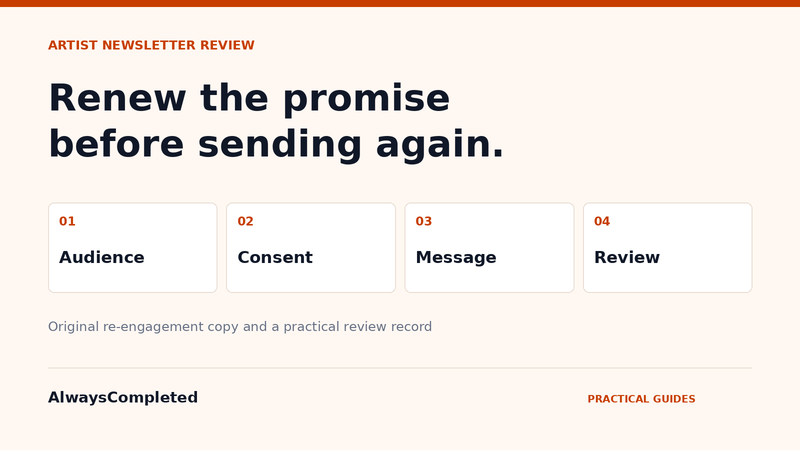
Re-Engage an Artist Newsletter: A Test for Existing Subscribers
An artist newsletter re-engagement test should begin with people who still consent to receive that newsletter, a useful reason to contact them and a clear end to the attempt. Choose one action, check the destination and decide how you will interpret the response before scheduling the email. A quiet subscriber is not automatically an uninterested fan, and an apparent open is not reliable proof of attention.
This guide provides a segment checklist, two original alternative email drafts and a worked decision log. All numbers, recipients and outcomes in the example are DEMO. No addresses were supplied, no account was inspected and no email was sent. Public platform documentation was checked on 26 November 2026.
Download the test materials
- Download the segment and send-readiness checklist
- Download two original alternative email drafts
- Download the DEMO decision log and reusable review form
The drafts are alternatives: select and adapt one for the chosen test. They are not a two-message sequence, a completed A/B experiment or permission to contact an old address book.
1. Establish who is eligible now
Start with the actual subscription record and the promise under which each person joined. Identify the source, date where available, newsletter scope and current status. A historic export, ticket purchase, social follow or old conversation is not a substitute for the permission required by this workflow.
Exclude people who unsubscribed, complained, are suppressed by the provider or lack a clear permission record. Resolve uncertainty before sending; a re-engagement email should not become a way to ask an unconsenting list whether it wants marketing. Reapply exclusions immediately before dispatch because contact statuses can change after an export.
As a concrete platform example, Bandzoogle’s mailing-list guidance prohibits purchased and unpermitted lists and describes a confirmation step for its signup form. Those facts do not certify an imported contact’s history. The owner still needs to establish what their own records show.
Keep the working review minimal. Use internal recipient references where individual reconciliation is necessary and keep the identifying list inside the appropriate mailing system. The downloadable example contains no email addresses. For new subscriptions and first delivery, use the separate artist signup-page workflow.
2. Define inactivity without making opens the deciding signal
Write the observation window and available signals. A practical segment might be consenting subscribers with no recorded qualifying content click or human reply across three specified previous newsletters. Name those messages and confirm the relevant reporting existed. Missing tracking is unknown activity, not evidence of inactivity.
The definition remains a working segment, not a label for someone’s relationship with the artist. Some people read without clicking; some listen elsewhere; some ignore an email they still want to receive occasionally. Keep recent signups out if they have not had the opportunity to receive the messages used in your rule.
Mailchimp’s Apple MPP FAQ explains that Apple Mail can preload tracking pixels even when a person has not opened the email. This can inflate opens and distort open-based segments or tests. Do not use a subject-line “winner” chosen from those opens as proof of renewed interest.
Clicks need care too. Mailchimp’s bot-activity guidance describes automated security checks and other non-human interactions that can inflate click reporting. Record the filtering setting used for the review. A filtered click is still a recorded interaction with limits, not a guarantee that a person read the destination or became a loyal fan.
3. Offer one thing that is genuinely ready
Choose a useful next step that matches the subscription promise: a short explanation of an arrangement decision, a readable session note or a preference form that gives the subscriber meaningful control. Finish and inspect the destination before writing an enticing subject line.
Mailchimp’s re-engagement guide supports using a defined subscriber segment and relevant content. For this small artist workflow, we turn that into one bounded message and an explicit review. We do not adopt an automatic resend rule based only on opens.
The first downloadable draft offers a studio note about a final chorus. Its primary action is to read that note. The second asks the subscriber to choose their update preferences. Its primary action is to use the preference route. These are different proposals; choose the one that fits the actual problem instead of sending both because the files exist.
Avoid a guilt-based subject such as “Why are you ignoring us?” It assumes knowledge you do not have and frames a voluntary relationship as an obligation. A plain description of the available material is easier for the recipient to assess.
4. Include recognition, control and a working exit
Identify the artist and briefly remind the recipient how they joined, using a source you can verify. Do not invent a personal memory or claim they recently listened. If signup sources differ, use truthful wording suitable for the segment or divide the segment before preparing the message.
Keep the primary editorial action distinct from housekeeping links. Preferences and unsubscribe must remain easy to find even when the content has one main button. A preference-page click is not the same as a saved preference, and an unsubscribe request is not a failed conversion to be worked around.
The drafts contain placeholders for the real sender, verified subscription reminder, tested destination and provider-required footer. Replace them in the mailing tool and check its actual preview. A template with bracketed fields is not ready to send. Make sure the reply address is monitored and the person monitoring it knows how to handle a stop request.
Inspect the delivered preview on a narrow screen using an address the owner controls. Check the primary route, preference controls and unsubscribe behavior through the provider’s intended test process. These account-specific checks are marked NOT_RUN in the download because no real account was available for this article.
5. Bound the test before scheduling it
Record the eligible population, selected cohort, message version, dispatch window and review date. Choose a cohort small enough for the owner to inspect individual replies and resolve problems. The DEMO uses 20 recipients solely to make the arithmetic visible; it is not a recommended sample size or a deliverability benchmark.
Set a maximum of one test message per recipient for this plan. Do not add a non-opener resend or extend the test automatically when the response is quiet. An ordinary future newsletter and a special re-engagement attempt require separate decisions; silence in this test does not create new permission or change subscription settings.
Define stop conditions. A consent mismatch, broken destination, duplicate-send risk or unavailable unsubscribe route means do not start, or pause any remaining test sends. A complaint or unexpected bounce calls for investigation before any further cohort is contacted. If everything has already been dispatched, you cannot recall it; you can stop additional sends and correct the process.
For tracking links, use the established UTM naming convention. Keep names consistent and omit email addresses or other personal data from campaign parameters. A tagged link supports attribution only where the destination and measurement actually work; it does not repair missing email-permission records.
6. Define each number before reviewing it
Use the provider’s actual report labels and save the review time. Mailchimp’s report documentation distinguishes recipients, unique recipients who clicked, total clicks, bounces and successful deliveries. Its successful-delivery count excludes hard and soft bounces; it is not confirmation that the message reached the main inbox or was read.
The downloadable log defines six core terms:
| Term | Meaning in this test |
|---|---|
| Eligible | Current consenting contacts that meet the segment rule after exclusions |
| Sent | Unique contacts recorded as sent this test message by the provider |
| Delivered | Contacts reported successfully delivered at the recorded review |
| Clicked | Unique contacts with a reported click on the designated content action, under the stated filtering setting |
| Replied | Unique contacts with a relevant human reply, reviewed separately from automatic replies |
| Unsubscribed | Unique test recipients whose opt-out was confirmed in the chosen review window |
A provider’s campaign-wide “clicked” figure may include links beyond your designated content action. Use the appropriate link-level evidence for the worksheet and state that difference. If tracking was unavailable, write unknown rather than zero. If a stop request arrives by reply, handle it and reconcile the current subscription status even if a campaign dashboard does not include it automatically.
Do not add clicks, replies and unsubscribes as though they were mutually exclusive people. One recipient can appear in all three. The raw record is useful precisely because it preserves that overlap.
7. Work through the DEMO review
The fictional starting list contains 48 candidates. Eight distinct records are excluded: three unsubscribed, two already suppressed, one complaint and two without adequate permission records. Forty remain eligible. Twenty are selected for the one-message test; the other 20 are not contacted in the example.
All 20 fictional test records are marked sent. Nineteen are reported delivered and one has a permanent bounce. Three have a filtered click on the designated content link, two have a relevant human reply and one has a confirmed unsubscribe. There are no unresolved delivery statuses in this invented dataset.
The clicked references are D01, D03 and D07. The replies are D03 and D11. D03 also unsubscribes. Therefore, four distinct records have either a content click or a reply, but describing all four as “reactivated subscribers” would erase the opt-out and overstate what was measured.
The appropriate DEMO decision is to end the test at its planned review, respect the unsubscribe, investigate and retain the provider’s handling of the permanent bounce, and avoid sending to the remaining 20 automatically. One reply asks to stop studio mail; another says the explanation was useful. Their meanings matter more than a combined engagement total.
No streaming, sales or long-term relationship outcome was measured. These invented counts demonstrate reconciliation, not a target response rate or evidence that the draft works.
Close the attempt with a decision you can explain
Save the final segment rule, message version, report time, filtering setting and handling of opt-outs. Record whether the next action is to fix the destination, improve the promise, continue the normal agreed newsletter cadence after review, or make no further re-engagement attempt. An inconclusive response is an acceptable result.
If a preference form was used, distinguish visits from actual saved choices. Apply only the choices the subscriber made. Do not equate a click with broad new consent, and do not restore a suppressed or unsubscribed address by reimporting an old file.
The music release services guide covers catalogue work such as audio preparation, feedback and submissions. It does not establish permission to contact your newsletter or guarantee a response to these drafts. Download the checklist, choose one honest proposal and let the authorized newsletter owner complete the account checks and decide whether to send.
