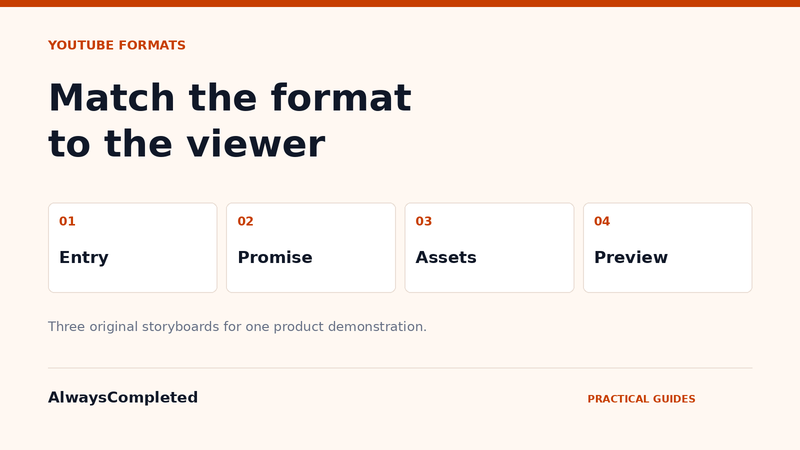
YouTube Video Ad Formats: Match In-Stream, In-Feed and Shorts to the Brief
A useful YouTube ad-format brief explains how the viewer encounters the video, what the opening must communicate and which action the creative supports. Name the paid format separately from the video's publishing format. “A Short” describes a published object; “Shorts ad” describes an advertising experience that still depends on the campaign configuration.
This guide develops one fictional product demonstration into three original DEMO storyboards. The downloadable matrix records placement, skip behavior, measurement labels and production fields. No ads were created, submitted or tested. Public Google guidance was reviewed on 26 November 2026.
Name the paid encounter before exporting the video
Google's format guide distinguishes skippable in-stream, in-feed and Shorts ads. Skippable in-stream can appear around other video content, with skipping available after five seconds. In-feed uses a thumbnail and text in discovery contexts. Shorts ads appear between Shorts and can be swiped past immediately. These differences give the creative team different entry points to design for. Video ad formats.
Do not ask the editor to solve an undefined “YouTube ad” requirement. Identify the campaign objective, the intended format and the actual destination before choosing a cut. If the operator has not checked compatibility, label the export plan provisional.
Keep an organic publishing decision separate. The existing guide to Shorts, long-form video and live formats helps plan content production. Here the question is how a paid encounter changes the opening, supporting fields and handoff.
Build the opening around the viewer's starting point
For an in-stream concept, assume the viewer did not actively choose your product demonstration at that moment. The opening needs to establish what the product is and why the demonstration is relevant. Avoid spending the entire opening on an unexplained logo animation.
For an in-feed concept, the thumbnail and text are part of the invitation. They should accurately promise what the video delivers. A thumbnail that suggests a full tutorial while the video contains only a sales announcement creates a mismatch before the viewer reaches the call to action.
For a Shorts concept, make the action understandable in a vertical composition from the first frame. Do not rely on a tiny wide-screen interface or a caption positioned where the ad's own controls may obscure it. Review the actual preview rather than guessing that the export's empty margin is safe everywhere.
These are production decisions, not guarantees of attention or conversion. The storyboard should state what the creative is trying to communicate and what must be checked in the final preview.
Use the format, campaign and buying method together
The format name alone does not establish one billing rule. Google's documentation distinguishes bidding-dependent charges and measurement labels. Record the selected buying method and the report column that will be used, rather than treating a public video counter as the invoice quantity. The current Google Ads term is TrueView views where that metric applies. Format and charging guidance.
Keep the matrix narrow enough to be actionable:
| Creative route | Production emphasis | Configuration to verify |
|---|---|---|
| Skippable in-stream | Explain the product and relevance in the opening | Selected subtype, inventory, bidding and applicable duration |
| In-feed | Match thumbnail/text promise to the video | Actual entry behavior, supporting fields and campaign compatibility |
| Shorts | Compose a readable vertical demonstration | Current placement preview, CTA behavior and measurement label |
Do not copy a length from a general overview into every campaign. Google's policy requirements distinguish buying contexts, and broad format summaries may describe multiple subtypes. Check the exact configuration and current specifications before approving the export. The same policy page also addresses video availability, identity and quality. Video ad requirements.
The production brief should include a dated specification reference, the operator who checked it and a field for unresolved differences. A recommendation about video length should not be rewritten as a hard platform maximum.
One product, three different creative plans
The fictional product is a desk cable organizer. The demonstration makes a modest, visible promise: it keeps a charging cable within reach on the desk shown. It does not claim universal compatibility, time savings or proven performance.
In-stream: show the problem and the object together
The opening shows a cable slipping behind the desk, followed by the organizer holding that same cable in place. The product name appears with the demonstration. The viewer can understand the object even if they leave early.
The middle shows how it is placed and how the cable is removed. The closing invites the viewer to inspect the product details and compatibility information. The editor must ensure that the filmed setup accurately represents the real item before using this concept commercially.
This cut emphasizes recognition and a clear demonstration. It does not assume that a forced exposure or a particular viewing duration establishes purchase intent.
In-feed: deliver the demonstration promised by the invitation
The proposed thumbnail shows the actual organizer and cable on the desk. The original headline is “A desk cable holder, shown in use.” The opening then immediately delivers that demonstration rather than repeating the thumbnail as a long title card.
The video can provide a little more context about the desk setup and the product's limitations, provided the chosen configuration supports the final asset. The CTA remains consistent with the product page. The team checks that the supporting text and image do not imply accessories are included when they are only props.
The invitation is part of the creative, so it receives its own factual review and version reference. A change to the thumbnail can change the promise even when the video file stays the same.
Shorts: keep the useful action visible in the frame
The vertical plan begins with the cable and organizer already in view. A hand demonstrates lifting and returning the cable. A short caption identifies the action without requiring the viewer to read a paragraph over the image.
The second beat shows the actual attachment area, and the final beat points to product details. The editor should leave enough visual room for the current ad controls and inspect the final preview on a narrow screen. This is a composition requirement for the project, not a claim about one universal safe-zone measurement.
The download supplies the first frame, proof shot, proposed wording, CTA context and remaining specification checks for all three versions. It contains text storyboards, not screenshots of an account or a real product result.
Hand off files and supporting fields as one version
Assign one creative version to the video, thumbnail, headline, description, CTA and destination combination. A folder containing final.mp4 and three unrelated text documents is difficult to approve reliably.
Name the person responsible for each field. The editor checks the export and composition; the product owner checks claims and representation; the operator checks the native configuration and preview. One person may fill several roles, but the checks remain distinct.
Record the source of any music, product imagery and third-party material. A suitable frame layout does not establish permission to use the underlying assets. If a replacement track or image changes the cut, return that version for the relevant review.
Keep the approved destination stable during the handoff. If the operator needs a different landing page, compare its promise with the creative and record the change. The CTA should describe what the viewer will actually find there.
Approve the brief before approving spend
A production-ready brief has a confirmed format route, a dated spec check, complete asset references and a reviewer for the actual preview. Unknown account availability should remain a task, not be filled with an optimistic check mark.
Agree on the measurement labels before launch. For definitions of organic Shorts metrics, use the separate Shorts views guide. For choosing between Promote and direct setup, use the YouTube route decision.
When comparing an AlwaysCompleted offer, match its actual delivery method and accepted object to the brief on the YouTube service page. A service called views does not establish in-stream, in-feed or Shorts ad delivery by itself. Read View and ask technical support about an unclear method before treating it as a native format commitment.
