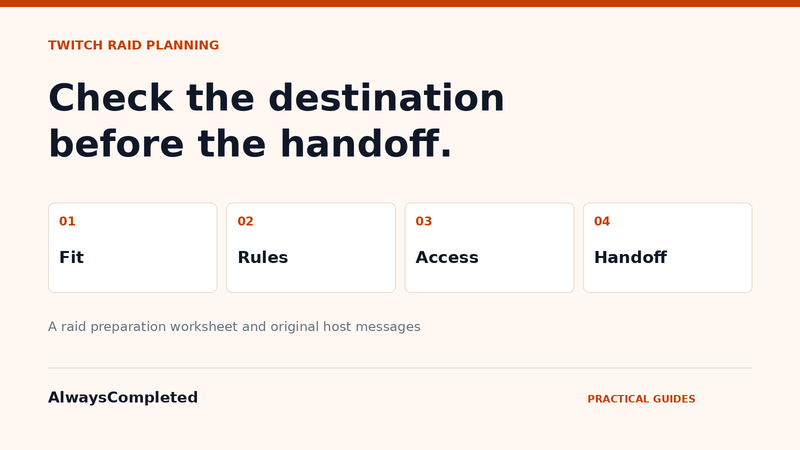
Twitch Raids: Plan a Thoughtful Audience Handoff
A thoughtful Twitch raid introduces willing viewers to a live channel whose current programme fits their interests. Choose the recipient for the experience people will find, check the receiving stream just before the handoff and explain why you are going there. Participation and any later relationship remain voluntary.
The recipient does not owe you a return raid, a follow or a public endorsement. Your task is to make a useful introduction and respect the receiving creator's space. A smaller, relevant shortlist is more useful than a large list built around hoped-for reciprocity.
The downloads contain an original shortlist worksheet, a roughly 20-second DEMO handoff cue and a qualitative follow-up log. No real channels or contacts were collected, no creator was contacted and no raid was started. Live-context checks, viewer participation and results are NOT_RUN. Official guidance was reviewed on 26 November 2026.
1. Define what makes the destination useful
Start with the audience's likely next interest. If your session explored songwriting, a creator currently developing a song may offer a natural continuation. If you just finished a quiet instrumental set, a very different programme may still be worth introducing, but explain that difference honestly rather than promising the same experience.
Describe fit in observable terms: the subject, pace, language, participation style and current activity. “They are making a chorus and discussing the arrangement” is more useful than “they are a good streamer.” A recipient's follower count does not explain why the next few minutes would interest your viewers.
Consider whether the receiving creator is in a moment where an introduction makes sense. A stream may be live but ending, taking a break or handling a sensitive discussion. The normal programme description cannot settle the current context. That is why the final check belongs close to the handoff.
Twitch's Creator Camp guidance for musicians presents raids as a way to introduce communities and recommends staying to greet the receiving channel. Use that relationship-oriented idea without turning it into a promise of growth or a requirement for reciprocation.
2. Build a small shortlist from actual familiarity
Keep a few candidates whose work you have genuinely watched or whose public programme you can inspect. Record what you know and how current that knowledge is. “I watched a production walkthrough last month” is different from “we have a partnership.” Do not imply a relationship that has never existed.
The downloadable DEMO uses three fictional candidate descriptions: a compatible songwriting stream, a production stream already closing and an unrelated programme. It illustrates a conditional choice, a timing-based hold and a content mismatch. These are not real channels, recommendations or a contact list.
For each real candidate, record content fit, prior familiarity, current live topic, apparent availability and an owner note. Leave the live fields unfilled until checked. A saved shortlist is a starting point, not standing evidence that the creator is broadcasting or wants every possible incoming handoff.
If you have an existing agreement about timing or introductions, preserve its scope. Otherwise, use the recipient's public context and controls respectfully. Do not interrupt their chat with repeated requests, demand a personal acknowledgment or ask viewers to pressure them into accepting a raid.
3. Inspect the current stream and Raid Browser information
Twitch's How to Use Raids describes the Raid Channel quick action and /raidbrowser. The browser can show live information such as title, category, thumbnail and uptime, with filters for candidate selection. The documentation says Raid Browser is not available in the mobile app, although raids can be started on mobile.
Use the available information to narrow the choice, then inspect what the creator is actually doing. A title can remain unchanged while the programme shifts. A thumbnail can show a moment that no longer represents the conversation. Avoid selecting someone solely from a familiar name without checking whether the current session fits.
Ask three final questions: is the channel actually live, is the programme suitable for the introduction you intend to give, and is there any clear reason to postpone? Record the answer and the time. If the stream is ending, choose another appropriate option or finish your own broadcast without a raid.
Keep the reason for choosing a recipient separate from predictions about outcomes. “The current topic continues our arrangement discussion” is a reason. “Our viewers will all follow” is a forecast you cannot support. You can make a considerate handoff without knowing how long anyone will remain.
4. Explain the handoff and preserve viewer choice
Tell viewers where the raid is going and what they will find. Use a short cue instead of a long sales pitch. The original example below is about 45 words; it is designed for roughly 20 seconds at a natural pace, and its actual speaking time has not been tested.
DEMO cue: “We're wrapping up our writing session. Next is a creator working through an original chorus, so the conversation should feel familiar. Join if you'd like, listen first, and say hello respectfully. I'll stay for a short greeting. You're welcome to head off instead.”
Twitch documents a countdown during which viewers can opt out before the raid begins. It also documents cancellation and automatic progression if the countdown finishes without cancellation. Review the actual confirmation state carefully; do not start a countdown merely to experiment with controls in front of an unsuspecting audience. Source: How to Use Raids.
Do not describe everyone watching your channel as a guaranteed participant. Some people will choose to leave, be unable to continue or simply prefer another activity. A respectful handoff gives them that choice without guilt or an instruction to perform a required greeting.
Prepare a brief introduction for the receiving chat if appropriate. A simple hello and a sentence about the shared topic are enough. Avoid repeated copied messages, unsolicited links or demands that the creator stop their current activity to recognize the arrival.
5. Respect incoming restrictions without trying to diagnose private settings
The receiving channel's incoming raid settings apply to the initiating channel, not to each participating viewer. Twitch documents controls including initiating-channel viewer count, account age and optional groups; only the channel owner can view and edit those settings. Respect a refusal without asking the owner to disclose or weaken their preferences.
The viewer-count condition uses the initiating channel's count when the recipient is selected, not the final number of people who participate. That distinction can explain why a guessed headcount is the wrong basis for interpreting eligibility. It still does not give you visibility into another creator's private settings. Source: incoming raid settings.
If the interface prevents the raid, stop and choose another appropriate action. Do not use another account, disguise the initiating channel or repeatedly retry to work around the restriction. A failed handoff can end with a calm sign-off; every broadcast does not need a raid to be complete.
Keep your explanation neutral: “That destination is unavailable for this handoff, so we'll finish here” is sufficient. Do not accuse the recipient of rejecting your community or ask viewers to contact them. The actual reason may be a routine setting, timing or a boundary you do not need to investigate.
6. Arrive as a guest in the receiving community
When the raid proceeds, stay briefly if your schedule allows and observe the receiving programme. The introduction should give the new audience context while leaving the receiving creator in charge. If they are mid-song or answering someone else, let that moment finish.
Follow their chat rules and moderation. A greeting that fits your own community may be disruptive when repeated in a smaller or differently paced room. Explain this before the transition if needed, and model the behavior yourself after arriving.
Do not promise the recipient a fixed amount of chat activity or attention. A raid is an introduction mechanism, not a contract for viewers' behavior. Some people may listen quietly, some may leave and others may return later. Those choices do not become a debt between creators.
The SoundCloud partner-fit checklist applies a related principle to a different platform: understand the actual audience and agreed scope. For Twitch, however, the immediate live context and the recipient's raid controls make the handoff a distinct operational task.
7. Record a useful follow-up without inventing results
After a real handoff, note what you could actually observe: the receiving topic still matched the cue, the greeting was appropriate, or the channel had already moved to its closing segment. Record the observation time and any limitation. Do not fill missing values with estimates that sound precise.
Separate an observed action from an interpretation. A creator saying hello is evidence of that greeting, not proof of a lasting partnership. A viewer mentioning the topic is a useful comment, not a representative measure of audience satisfaction. Avoid collecting participant identities when a simple qualitative note answers the review question.
The follow-up log includes fictional decision examples and blank actual rows. It asks what to retain, change or stop next time. It deliberately does not include a reciprocity score, a list of people who failed to follow or a claim that a raid caused future growth.
If the next session reveals a timing mismatch, improve the final live check. If the cue described the destination inaccurately, revise the wording. If no suitable destination is available, choose a clear ending. Those are concrete improvements you can make without turning the relationship into a transaction.
AlwaysCompleted's Twitch listings distinguish live-stream, video, clip and follower orders with their own conditions. A purchased quantity is not a voluntary raid, an introduction between creators or evidence of a continuing community relationship. Ask technical support about listing-specific scope and keep the raid review based on the actual handoff.
