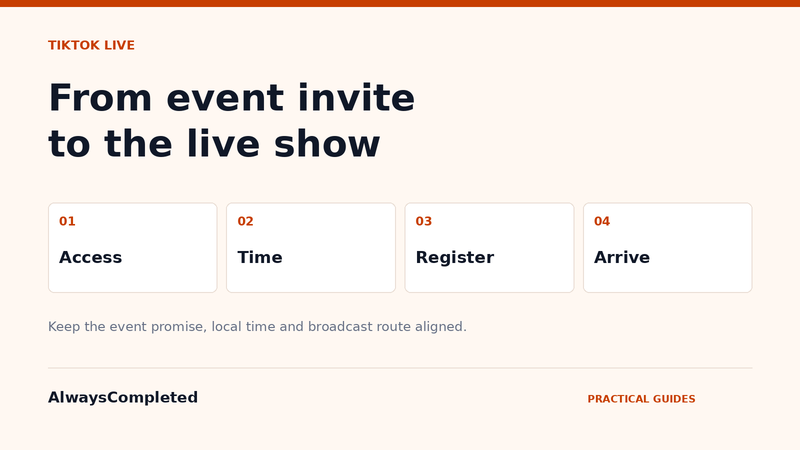
TikTok LIVE Events: Build the Registration-to-Show Plan
A LIVE Event gives people a way to register for a planned TikTok broadcast. The operational task is to keep the invitation, time, event destination and actual show aligned. A visitor should understand what will happen, when it will happen and what registration does before deciding to join.
This guide plans a fictional product demonstration for a folding desk stand. The original run-of-show and invitation examples contain no attendance results. They help a team prepare the event route and distinguish signups from people who actually watch.
Confirm LIVE access before announcing a date
TikTok's Help Center lists an age requirement of at least 18 and a local minimum-follower threshold for going LIVE. It also says LIVE and Gifts are not available everywhere. Check the actual account's access before publishing invitations; a generic follower number is not a reliable substitute for that check. Read TikTok's LIVE requirements.
Assign an owner to verify the account and the available event controls. If access is unresolved, keep the announcement in draft. Do not send people to an event that the host cannot create or deliver.
The example assumes the team will perform this check; it does not assert that a particular account is eligible. It also keeps registration separate from Gifts, subscriptions and any commercial activity during the show.
Promise one useful demonstration
Write the event promise before the announcement copy. For the fictional product, it is: “See how the stand opens and folds, then ask questions about the demonstrated setup.” That is specific enough to shape both the invitation and the show.
Avoid a broad promise such as “Everything you need to know about your perfect desk.” It creates expectations the host may not be prepared to meet. Likewise, do not call the event a compatibility test for every device if only one device will be demonstrated.
The event description should answer four visitor questions:
- What will I see?
- Who is presenting it?
- When should I arrive?
- What can I ask or do during the session?
Include a next destination only if it supports the promise. A product-details page can help people check dimensions; it should not be described as a purchase link until the actual destination and offer are confirmed.
Use the event's local-time display carefully
TikTok says an event's chosen time is shown in the viewer's local time. Its registration flow also allows a viewer to add the event to a device calendar, subject to calendar access. Read the LIVE Events guide.
The practical problem is usually the text outside that native display. An announcement that says only “Join at 6” leaves the visitor guessing which clock the team means. Use the event link as the reference and include a timezone when writing an additional time in ordinary text.
Our demo wording uses “18:00 UTC on the confirmed event date; open the event to see your local time.” That is a writing example, not an actual scheduled broadcast. Before publication, replace it with the real date and approved time. Do not calculate several local equivalents by memory, especially around daylight-saving changes.
Have a reviewer in the intended audience check the displayed date and time. Record what was observed, including the device timezone, without claiming that one check represents every viewer.
Map the visitor route from invitation to arrival
TikTok's documented route lets viewers open the creator's LIVE Event, register and optionally add it to a calendar. The event can also be shared from its details. Review registration and sharing.
Use one canonical event destination in the team's working record. A creator profile, an event registration link and a live broadcast destination may serve different moments in the route. Label each one so a teammate does not paste a general profile link where an event invitation was intended.
| Moment | Visitor's task | Team's check |
|---|---|---|
| Announcement | Understand the promise | Text names the demonstration and date |
| Event details | Confirm the event and time | Link opens the intended event |
| Registration | Choose to receive event notifications | The registration action is available in the tested route |
| Calendar option | Save the time if desired | Optional action is described accurately |
| Show time | Find the actual broadcast | Host and moderator know where to direct viewers |
Do not force a calendar action into the participation requirement. A person may choose to register without granting calendar access. Your copy should leave that choice clear.
Give the host and moderator different jobs
The host demonstrates the product and answers the selected questions. The moderator watches for confusion, collects relevant questions and handles the agreed fallback message if the session changes.
Our fictional show runs for twenty minutes as a production choice. It opens with the scope, demonstrates the stand, takes questions and closes with the product-details destination. Twenty minutes is not a platform recommendation or an attendance guarantee.
The moderator's most useful notes are concrete: “Several viewers are asking which device is shown” or “The destination is not opening in the tested route.” Those observations tell the host what to clarify. Repeating “Please engage” does not solve the viewer's question.
Agree on the response to a delay before going live. For example: “The demonstration is delayed. We will update this event's information before confirming a new start time.” Use it only if the team can update the relevant destination. Do not promise a replay or a new date until that plan exists.
Prepare three announcements with different purposes
The first invitation explains the value. The reminder helps someone act on a decision they already made. The final update tells registered viewers where to find the show or what has changed.
The downloadable examples use different information at each stage: the demonstration's scope, the question viewers can prepare and the confirmed arrival instruction. They avoid sending the same sales message three times.
Before posting, check that the event name, date, time wording and destination agree across all versions. If the schedule changes, update the working record and identify which published announcements require correction.
Keep registration and attendance evidence separate
A registration is not attendance. A concurrent-viewer value describes viewers present at a moment, not necessarily all unique people who attended the session. Preserve the exact metric name, source and observation time rather than combining different counts into an undefined “audience.”
The evidence sheet keeps registrations, any available attendance measure and concurrent-viewer observations in separate rows. If a report does not provide the required measure, write “not available from this source.” Do not estimate missing attendance by treating every registration as a viewer.
Qualitative observations also matter: questions that the demonstration answered, missing information and issues with the arrival route. Record them without turning a few comments into a representative survey.
Download the event production pack
- Visitor route, three announcement texts and reusable event record
- Twenty-minute DEMO run-of-show and separate metric sheet
If you consider a service on the TikTok promotion page, verify the exact live destination, scheduled time, duration and unit of delivery. LIVE viewers, event registrations, PK points and Gifts are different objects. Ask technical support about the specific listing and keep any distribution order separate from the event's own registration and attendance record.
