TikTok Automated Rules: Write Guardrails Before You Switch Them On
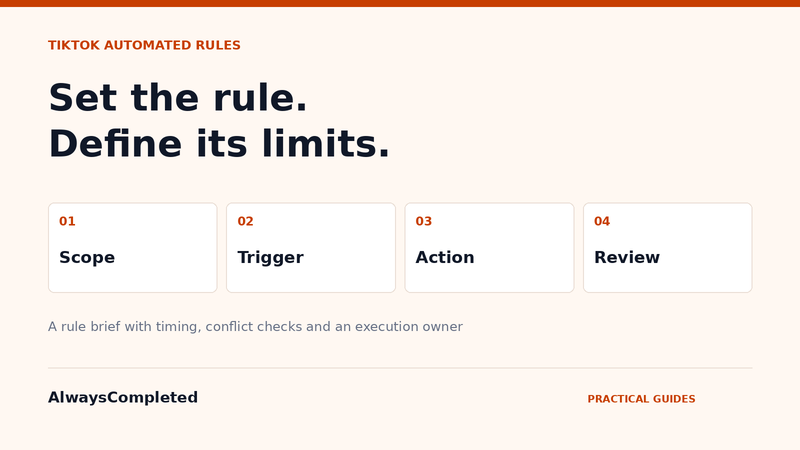
An automated rule should be understandable before it can change a campaign. Write the object it controls, the condition it evaluates, the action it takes and the person who reviews the result. “Stop bad ads” is not a rule specification: it leaves the metric, time window and acceptable delay undefined.
The editable rule cards and six-observation exercise let you rehearse that logic without touching a live account. The examples are desk simulations created for this guide, not a TikTok simulator or executed automation.
Confirm that the campaign supports the feature
TikTok's rule-creation documentation excludes reservation ads, Promote ads and campaigns created in TikTok Shop Seller Center. Check the campaign's actual origin and available controls before writing a workflow that depends on rules.
Record the account, time zone and object tier: campaign, ad group or ad. A rule attached to an entire campaign can affect more activity than a rule scoped to one ad group. Save the selected object references rather than relying on a name such as “all current tests,” which may become ambiguous as the account changes.
Large scopes deserve a specific check. The current documentation describes limits on how many selected objects are included. Confirm the actual selection in the account instead of assuming “all” reaches every object that exists or will be created later.
Write one action in plain language
TikTok describes rules through criteria, action and affected objects. Turn that model into a sentence a colleague can review: “For this selected ad group, when the specified spend and result conditions are met over this window, turn it off and notify the owner.”
Then record each term separately. Which spend measure? Which result event? Which period? Does the condition use greater than or greater than or equal to? What happens when no results are recorded? What evidence tells you the rule ran?
A threshold without a time window is incomplete. Cumulative spend, today's spend and spend over several days can produce different decisions. Likewise, an incomplete reporting period or delayed conversion can change the apparent result. These are interpretation questions to settle before the rule is enabled.
Account for intervals, reporting and time zones
The current creation guide describes continuous checks at thirty-minute intervals and scheduling options. TikTok's lag troubleshooting page explains that a threshold can be exceeded before the next check. A stop rule is therefore not an exact spending cap.
Choose an operating margin based on the exposure the business can accept. Do not copy the example threshold in a help article as a universal safety setting. The needed margin depends on delivery rate, data freshness and how quickly the owner can respond if the automation does not behave as expected.
Write both the account time zone and the intended local operating time in the rule card. Verify the converted schedule in the account, particularly around daylight-saving changes. The record should make it possible to explain why a rule ran at a particular displayed time without guessing which colleague's local clock was used.
DEMO: two individually sensible rules can conflict
Imagine a fictional ad group with two proposed rules. Rule A turns the group off when a chosen spend threshold is reached with no recorded results. Rule B turns that same group on at a scheduled morning time. Neither rule has been configured or run.
At the scheduled time, the spend condition may still hold. The pair can express incompatible intentions: one says stop, the other says start. The correct response is to resolve the overlap before enabling either rule, not assume the platform will infer the business priority.
The worksheet uses six invented observations to show this issue. Some rows have no action because the condition is not met; one illustrates a threshold crossed between checks; another shows the competing scheduled action. The exercise requires the reviewer to name the conflict and propose a revised scope or schedule.
For a real account, inventory existing rules that touch the same objects. Include rules created by another team member. A new rule should be reviewed against the existing system, not only against its own settings.
Keep notifications and decisions separate
An email about a matched condition is not proof that every intended action completed. Record the rule's observed execution state and the resulting object state. If a notification is delayed or missed, the owner still needs a way to inspect what happened in the account.
Define who receives the notification, who can act and what the escalation is outside working hours. A mailbox that nobody monitors does not create an operating response. Keep notification copy factual: identify the rule and object, the observed condition and the next review, rather than declaring that a campaign has been “saved.”
Avoid placing confidential customer data or unnecessary account details in shared notifications. The working record can reference an internal evidence location while the message contains only what the recipient needs to investigate.
Approve the first execution deliberately
Before activation, have a second person read the rule card aloud and predict its action for the sample observations. Resolve disagreements in the specification. Then verify the saved scope, condition, action and schedule in the actual account through the authorized owner.
Plan a review of the first real execution. Compare the intended action, the execution log and the resulting campaign state. If they differ, capture the evidence and pause or revise the rule through the appropriate owner. Do not repeatedly toggle it while changing several settings at once, because that makes the cause harder to identify.
Keep a version history when thresholds or scopes change. A later performance review should be able to tell which rule version was active and whether a manual intervention overrode it.
Keep external promotion orders outside this rule model
Native TikTok rules operate on the documented advertising objects. They do not cancel or adjust a separate order placed through an external catalog. When comparing TikTok promotion services, check the service's own object, metric and cancellation conditions with technical support. A recurring catalog service and an Ads Manager automated rule are different arrangements.
The useful result of this guide is a reviewable automation specification: supported campaign, explicit scope, interpretable conditions, known timing limits and a responsible owner. It is not a promise of exact spend control or better campaign performance.
Documentation reviewed 26 November 2026. Examples are fictional; no customer account or campaign was tested for this guide.
