Spotify In-Stream Video Ads: Build a Creative Brief Before Production
A Spotify In-Stream video brief should tell the editor what the listener will see and hear, which artist and release they should recognize, and where one call to action leads. Approve that sequence before commissioning a shoot or cutting a full music video into an advertisement.
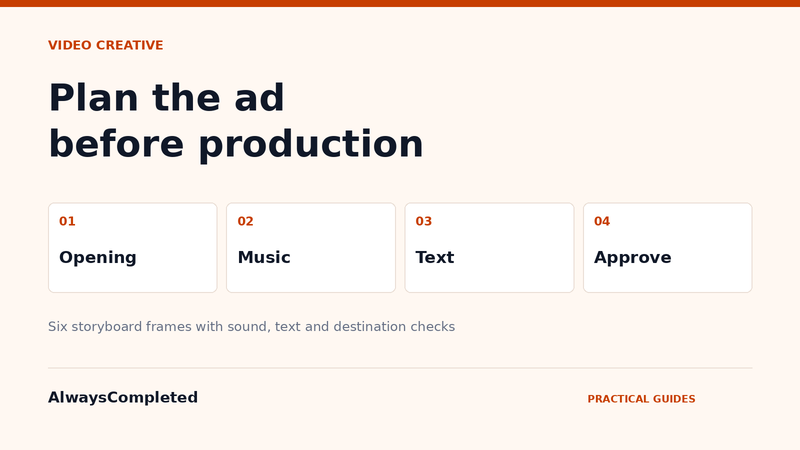
The six-frame storyboard below introduces the fictional single Open Corridor by Northglass. It is an original production plan, not a Spotify screenshot or a completed video. Timing fields remain open until an actual edit is produced and measured.
Download the six-frame storyboard, text comparison and delivery checklist
Confirm the buying route and format
Write Spotify Ads Manager, In-Stream video on the brief if that is the actual route being considered. If the operator is using Direct IO or an exchange, identify that separately and use the applicable section of the specifications. Do not borrow a square-format option or a default button from another route simply because both are called video ads.
Spotify's In-Stream specifications describe an in-focus placement, creative up to 30 seconds, portrait or landscape formats for Ads Manager/Direct, one clickthrough destination and required sound. A silent export is therefore not the delivery version for this format. Recheck the current full technical list before export.
Agree which orientations are actually needed. A portrait cut and a landscape cut may use the same footage, but their text placement and subject framing need separate review. “Resize included” should state what the editor will deliver and what will be checked, rather than assuming an automatic crop is sufficient.
Give the opening a musical and visual job
Choose a moment that identifies the recording. For the fictional brief, the editor starts with a hand playing the short repeating keyboard figure. The artist's name appears clearly, while the sound establishes the song before the voice explains anything.
That is one possible treatment. A performance close-up, a distinctive movement or an approved piece of release artwork could serve another song. The decision should come from the recording and available material, not from an unsupported claim that one type of opening always holds attention.
Keep the image truthful to the release. If the ad shows a person performing, confirm who they are and that the footage is authorized. If the final song has changed since a rehearsal clip was shot, check whether the chosen image and audio still make sense together.
The opening also establishes the production burden. Existing approved footage may be enough for a concise ad; a new narrative scene may require people, location, props and more approval. Put those dependencies in the quote before the team agrees a delivery date.
Build a six-frame sequence before the edit
Each row below describes a beat in the planned ad, not a fixed shot length. The editor should assign timings during a real rehearsal or rough cut and keep the complete export inside the chosen format's limit.
| Beat | Picture and sound | Main message |
|---|---|---|
| 1. Recognize the artist | Approved performance detail; recurring musical phrase | Northglass |
| 2. Identify the release | Artist view or approved artwork; voice names the single | Open Corridor |
| 3. Hear the musical idea | Performance cut; music briefly carries the scene | One concise sound description, if needed |
| 4. Add a reason to listen | Relevant approved detail; short voice line | One accurate release occasion or idea |
| 5. Make the invitation | Clean composition; voice and button agree | Listen Now |
| 6. Leave a clear final identity | Artist/title held legibly; natural musical ending | Artist, title and the same destination |
The full download adds rights, aspect ratio, reviewer and actual timing fields to each frame. It also contains a deliberately overloaded frame and a revised version, so the editor can see what the brief means by readable text.
Keep text and sound from competing
Do not use every available second to deliver a second paragraph on screen. Ask what the listener needs to read while the music and voice are already asking for attention. The artist, release and action should remain recognizable; optional background can live on the destination or in supporting material.
Spotify's creative guide discusses matching the message to the objective and avoiding text overload. It covers several video contexts, including Opt-In examples. The storyboard here uses the general clarity principle without treating another format's reported performance as an In-Stream forecast.
In the DEMO, an overloaded frame includes the artist, title, release date, four descriptive phrases, three social handles and two actions. The revised frame retains the artist and title, with a short phrase only if it is useful. The voice supplies the occasion, and the final frame supplies one invitation.
Review captions and visible text against the actual audio. An incorrect artist spelling is still an error when it appears only for a moment. If lyrics are shown, use the approved words and synchronize them with the selected recording. A visually attractive draft should not override a factual correction.
Review a rough cut in several practical ways
First watch and listen normally. Then inspect the small-screen presentation, checking whether the subject, name and final action remain legible. Ask a reviewer unfamiliar with the brief to identify the artist, song and action afterward. Record what they actually understood rather than assigning a generic “creative approved” label.
A temporary sound-off review can reveal whether the visual identity is clear. It is an internal comprehension check, not permission to submit silent video. Return to the required sound-on final file for timing, levels and approval.
Check each orientation independently. A face can be cropped awkwardly, a caption can collide with another element, or a final title can become too small when an existing edit is adapted. The delivery checklist should name both versions when both are included in the commission.
Measure the exported duration, not merely the sequence in the editing timeline. Open the actual delivered file from beginning to end. Watch for missing sound, an unintended slate, black padding or an incorrect final frame. Retain the version that passed the checks.
Make the destination part of creative approval
Copy the exact intended clickthrough into the brief. Check that it identifies the approved object and is available through the expected recipient route. If the voice invites people to hear a single, a different album version or unrelated profile should not become the destination without a deliberate decision.
A late URL change can alter the creative's meaning. Keep it under the same approval process as a revised title card or voiceover. The person operating the ad should receive one current package with matching video, companion material, copy and destination.
Separate content approval from platform review. The artist can approve a truthful, polished video and Spotify can still require a correction under its current rules. Preserve the package and notice if that happens; do not rename files repeatedly until the team loses track of what was submitted.
Commission only the work the offer includes
A production quote should list source material, required roles, versions, revisions, technical checks and the final handoff. If the offer covers media activity only, the creative work may need its own agreement.
The AlwaysCompleted advertising guide asks readers to confirm the actual channel and creative scope. A video-related listing does not by itself establish Spotify In-Stream operation or a new video-production service. Use the completed brief to ask technical support which parts of the job the selected offer actually includes.
Approve the final package when its story, sound, text, format and destination agree. Audience response belongs in a later campaign report; the storyboard makes no claim about views, retention or future listening.
