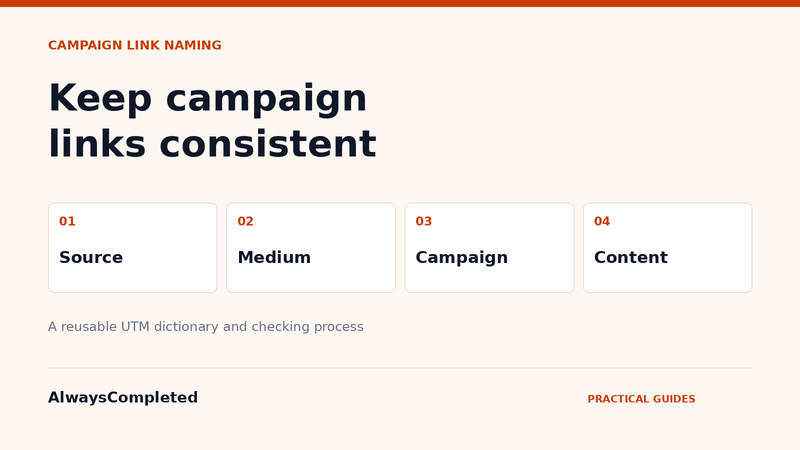
UTM Naming Conventions for Agencies and Music Campaigns
Use one approved dictionary for every link in a campaign: a consistent source, a defined medium, one stable campaign name and a separate creative identifier. Build links from that dictionary and record them in a registry before distribution. This prevents the same initiative from appearing under several spellings and makes it easier to find the person who owns a broken link.
The convention below works for a music release or a client campaign. It includes eight correction examples, an editable registry and a local link builder and validator. Its rules are a practical team convention; they are not additional Google Analytics requirements.
Download the offline UTM builder and validator, download the editable dictionary and registry, or use the plain-text worksheet. Open the HTML file in a browser; it makes no network requests and does not connect to an analytics account. Replace the demonstration hosts and campaign values before building your real links.
Agree on the dictionary before anyone builds a URL
UTM parameters label a referring campaign. On a destination with a
working Analytics implementation, those values can populate
traffic-source reporting. Google's custom
campaign URL guidance recommends including utm_source,
utm_medium and utm_campaign, and explains that
values are case-sensitive.
That means Instagram and instagram are
different values. Neither spelling explains whether a link was an
advertisement, an unpaid bio link or an email. Those distinctions belong
in separate fields.
Assign one person to approve new dictionary values. That person does
not need to build every link. Their job is to stop aliases such as
ig, insta and instagram from
being introduced for the same source without a deliberate reason.
Record the dictionary's version and effective date. If old links already use another convention, document a mapping for reporting. Changing the template today does not rename historical data or update URLs already distributed.
Give each parameter one job
| Parameter | Question it answers | Example in this template |
|---|---|---|
utm_source |
Which publisher or distribution source sent the visit? |
instagram or artist-newsletter
|
utm_medium |
What kind of marketing channel was used? |
paid_social, social or
email
|
utm_campaign |
Which initiative should these links roll up to? | ar042_night-ferry_202611_release |
utm_content |
Which creative, placement or link variation was clicked? | reel_hook-a_v01 |
utm_id |
Which stable campaign ID should accompany the readable name, if needed? | cmp042 |
utm_term |
Which paid keyword is being identified, if applicable? | home-recording |
These roles follow Google's campaign
parameter definitions. The download requires
utm_content as well as the first three fields because this
particular registry tracks individual creative links. Other workflows
can omit it when no such distinction is needed.
Keep source and medium separate. instagram identifies a
platform; paid_social identifies a channel.
reel is too ambiguous as a source because it describes a
format rather than the publisher. Put it in the creative identifier
instead.
A campaign name stays the same across channels when the initiative is the same. Do not create one name for the Instagram link and another for the email link merely because two people built them.
A compact naming grammar
This template uses lowercase letters, digits, hyphens and underscores for UTM values. It uses underscores between structural parts and hyphens inside a phrase:
campaign = project-code_release-or-offer_launch-month_objective
content  = format-or-placement_variant_version
For example:
utm_campaign=ar042_night-ferry_202611_release
utm_content=reel_hook-a_v01
Here ar042 is a project code, night-ferry
is the release label, 202611 is the planned launch month
and release is the initiative type. A campaign spanning
November and December keeps the same name unless it becomes a genuinely
separate initiative. The month is part of its identity, not a daily
reporting filter.
Lowercase applies to the UTM values, not the entire destination URL. Do not lowercase a path, identifier or unrelated query value that the destination may treat as significant.
Use an approved source and medium table
Start small. Add a value when the team has a real distribution route that needs it.
| Approved source | Allowed medium in this example | Use |
|---|---|---|
instagram |
paid_social, social
|
Paid Instagram link or unpaid Instagram link |
facebook |
paid_social, social
|
Paid Facebook link or unpaid Facebook link |
artist-newsletter |
email |
The artist's newsletter |
partner-journal |
referral |
A named editorial partner's unpaid link |
google |
cpc |
An approved manually tagged paid-search use case |
These are example values, not a universal list. If a partner has several distinct publications, decide whether each needs a separate source before sending the brief. Keep the choice consistent.
Also distinguish your dictionary from Analytics channel grouping. Google's default channel definitions use rules involving traffic-source information. A neatly spelled medium does not by itself prove that a particular session will appear in the channel you expect. Confirm the actual reporting dimensions with the analytics owner.
For Google Ads or another integration using automatic tagging,
preserve the existing tracking arrangement. Do not replace click IDs or
append competing values just to make a URL match this example. Review
the applicable integration and campaign
processing documentation with its owner first. The manual
google / cpc row is an example for an approved use case,
not an instruction to retag every advertisement.
Music and client campaign examples
All projects, names and URLs in the examples are fictional teaching material. The example domains are placeholders, not live campaign destinations.
For the fictional music release “Night Ferry,” the team keeps one campaign name and changes source, medium and content as needed:
| Distribution | Source | Medium | Content |
|---|---|---|---|
| Paid Instagram Reel, hook A | instagram |
paid_social |
reel_hook-a_v01 |
| Paid Instagram Reel, hook B | instagram |
paid_social |
reel_hook-b_v01 |
| Artist newsletter's main link | artist-newsletter |
email |
email_primary_v01 |
| Unpaid Instagram bio link | instagram |
social |
bio_link_v01 |
All four use
utm_campaign=ar042_night-ferry_202611_release. The first
complete URL is:
https://music.example.com/night-ferry?utm_source=instagram&utm_medium=paid_social&utm_campaign=ar042_night-ferry_202611_release&utm_content=reel_hook-a_v01For an agency's fictional winter offer, use a different project code and initiative:
https://client.example.com/winter?utm_source=facebook&utm_medium=paid_social&utm_campaign=cl017_winter-offer_202612_leads&utm_content=image_offer-a_v01The project code belongs to the campaign or account, not to an individual recipient. Keep the code-to-client mapping in your internal records. Adding a code to a public URL does not make confidential information private, so choose values that are safe to expose.
Eight mistakes and their corrections
“Correct” here means consistent with the example dictionary and URL structure. It does not mean that Analytics collection, redirect behaviour or a service's acceptance rules have been verified.
| # | Incorrect or inconsistent example | Correct form | Why it matters |
|---|---|---|---|
| 1 | utm_source=Instagram |
utm_source=instagram |
Case differences split one source into different values. |
| 2 | utm_campaign=ar042%20night%20ferry%20202611 |
utm_campaign=ar042_night-ferry_202611_release |
Encoding spaces does not make the decoded name match the approved campaign. |
| 3 | utm_source=reel |
utm_source=instagram with
utm_content=reel_hook-a_v01
|
Put the publisher in source and the creative distinction in content. |
| 4 | utm_campaign=ar042_night-ferry_202611_release_instagram |
utm_campaign=ar042_night-ferry_202611_release |
Keep the initiative stable across channels; source already identifies Instagram. |
| 5 | utm_source=instagram&utm_source=facebook |
One utm_source per URL; build a separate link for
Facebook |
Duplicate keys make the intended value ambiguous. |
| 6 | /night-ferry#listen?utm_source=instagram... |
/night-ferry?utm_source=instagram...#listen |
The query must precede the fragment. The download contains the full corrected URL. |
| 7 | utm_content=listener@example.invalid |
utm_content=email_primary_v01 |
Describe the link, not the person receiving it. |
| 8 | /night-ferry?lang=en?utm_source=instagram... |
/night-ferry?lang=en&utm_source=instagram... |
An existing query uses & for the next parameter. A
second ? does not start another query. |
The validator checks decoded UTM values, so an encoded space such as
%20 is still a space for this naming rule. The rule is
deliberately stricter than what a URL can technically encode. It also
checks required fields, known campaigns, approved source/medium pairs,
creative membership and duplicate UTM keys.
Fix the underlying field rather than applying a blanket replacement
to the whole URL. A builder based on the standard URL and
URLSearchParams APIs can preserve unrelated query
parameters and fragments while editing the query. Those components and
APIs are defined in the WHATWG
URL Standard.
Keep personal and confidential data out of every URL
Google's PII guidance explicitly covers page URLs and campaign parameters. Do not put email addresses, personal phone numbers or other personal identifiers in UTM values. Check the path and other query parameters as well.
This template also keeps private client names, unpublished project details, passwords, access tokens and API keys out of campaign labels. Use a public project code and descriptive creative code instead. Do not hash or lightly disguise an email address and assume that makes it suitable for a campaign URL.
The validator can flag email-like text and some sensitive parameter names. It cannot reliably recognize every person's name, confidential offer or secret. A manual review of the entire URL remains necessary, even when naming checks pass. Keep recipient-level identifiers out of the registry's public link fields.
Validate the destination and every redirect
A correctly named link can still go to the wrong page or lose its parameters. Test the actual route used by the campaign, including a shortener, tracking redirect or smart-link service when one is involved.
Use this sequence before distribution:
- Confirm the accepted link type. The chosen publisher or service must accept the destination and its query parameters. Some workflows require a specific platform URL or identifier. Use that required format rather than assuming a tagged website URL is interchangeable.
- Build from the final approved destination. Preserve necessary parameters such as a language selection. Add each UTM key once and place the fragment last.
- Open the distributed version. Test the short or redirected link, not only the long URL stored in your notes. Check desktop and the mobile app/browser route the audience will actually use.
- Inspect the landing destination. Record the final address and whether the intended parameters survived. If an app handles the link differently, record that outcome separately.
- Confirm measurement where you have permission. Ask the analytics owner to check that the test is recorded under the expected dimensions. Keep this distinct from a successful page load.
The downloadable tool performs local syntax and dictionary checks. It does not request the destination, follow redirects, inspect consent settings or verify a GA4 property. A result of “Naming checks passed” leaves those delivery and measurement checks open.
If someone can only supply a screenshot of a working page, mark measurement Not checked. A browser opening a page is evidence of navigation, not evidence that Analytics received the intended campaign values.
Do not use campaign tags on internal website links
Keep links from your own page to another page on the same site
untagged. For example, an internal “View services” button should use its
normal destination, without a fresh utm_source=blog
label.
This is a measurement-design choice: use appropriate interaction tracking for an internal placement rather than inventing a new referring campaign. In GA4, a new campaign encountered during a session does not start a new session; Google explains that newly collected campaign values can still be associated with events for attribution. See campaign collection and processing. Avoid importing the old claim that every internal UTM automatically creates a new GA4 session.
Maintain a registry that another person can use
The dictionary defines allowed values. The registry records the actual links that were approved and distributed. Keep both.
| Registry field | Example or purpose |
|---|---|
| Link ID |
lnk042-01, a stable identifier for this entry |
| Campaign / project code | Exact approved campaign and its project code |
| Source / medium / content | Exact parameter values, with no fresh aliases |
| Untagged destination | The approved page before campaign parameters are added |
| Distributed URL | The complete long URL or the actual short link used |
| Owner role | The role responsible for edits, such as campaign coordinator |
| Created / checked dates | Separate dates for preparation and review |
| Tagged URL accepted | Confirmed, Rejected or Not checked, with evidence |
| Redirect check | Final destination and any parameter loss |
| Measurement check | Expected dimensions confirmed, or Not checked |
| Change note | Why a replacement link was issued and which entry it replaces |
The editable JSON contains a dictionary and starter registry entries for the fictional release and client offer. The HTML tool can import that file, build a candidate link, validate one or several URLs, add a checked candidate to the local registry and export a JSON copy. It does not store your work automatically: export before closing or refreshing the page.
A sensible handoff contains the dictionary version, approved URL, link ID, intended placement and the checks still outstanding. If someone changes a creative, create a new content version and registry entry. If only a typo is corrected before distribution, document the correction. Avoid silently renaming an active campaign midway through reporting.
Put the tagged link into the campaign brief
Before requesting website traffic promotion, confirm that the chosen service accepts the tagged destination, then provide the exact URL and the registry ID. For advertising campaign work, include the placement and creative identifiers so the distributed link can be checked against the brief.
UTM consistency makes links easier to interpret. It does not make an ad click equal a Spotify stream, a website visit equal a lead, or a page load proof of analytics collection. Use the registry to keep the naming reliable, and leave the outcome questions to the measurements that actually support them.
