TikTok Search Ads: Build a Keyword-to-Creative Brief
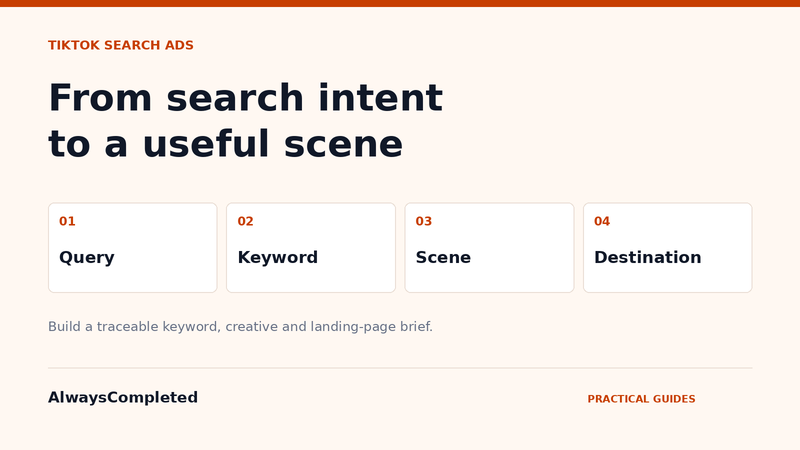
A TikTok search ad should answer the need expressed by a query and lead to a page that continues that answer. A list of related words is only a starting point. The useful production brief connects the intended search, the chosen keyword, the video scene and the destination.
This guide uses a fictional video-editing studio to build that connection. Its downloadable workbook contains twelve invented query candidates, four proposed keyword themes, a reasoned exclusion list and a small column-A upload example. They are planning examples, not observed search terms, measured demand or an active advertising campaign.
Define the offer before collecting keywords
The studio edits footage supplied by a client. It can assemble a product demonstration, edit a customer interview or make an event recap. It does not sell editing software, teach a course or recruit editors through this campaign.
That boundary immediately changes the keyword brief. “Product video editing service” is a candidate for the offer. “Free video editor download” represents a different task, even though both contain the words “video” and “editor.”
Write the offer in terms that a prospect can verify on the landing page. If the team must inspect footage before quoting, show that process. Avoid a search ad promising a fixed turnaround or price when the destination asks the visitor to wait for a scope review.
TikTok describes Search Ads Campaigns as a dedicated Ads Manager route using keywords for the search results page. Ad position can vary, and the guidance recommends creative tailored to keyword groups. Buying a keyword does not guarantee a specific position or organic ranking. Read the Search Ads overview.
Treat suggestions as candidates
TikTok's Keyword Suggestion Tool supports broad, phrase and exact match choices, manual entry and file upload. Its projections are based on historical data and are reference information. If you use them, preserve the account context, date and definition shown with the estimate. Read the keyword tool documentation.
Our example has no account projections. The forecast fields are therefore unfilled. Replacing missing values with a plausible-looking number would make the brief less useful: the team would no longer know which decisions have evidence behind them.
Collect candidates from the offer, the language customers use and the tool's available suggestions. Then ask three questions of each candidate:
- What would someone expect after searching this phrase?
- Can the video demonstrate that the offer addresses that expectation?
- Can the destination support the same promise without an unexplained change of topic?
Reject or hold candidates that fail the second or third question, even if they look popular.
Group by the creative answer
Our studio starts with three concrete editing jobs and one broader service theme. This is an editorial organization choice, not a recommended number of ad groups for every account.
| Theme | Candidate need | Video answer | Destination requirement |
|---|---|---|---|
| Product editing | Turn existing footage into a clear product story | Show how a disordered sequence becomes a demonstration | Explain footage review and deliverables |
| Interview editing | Shape an existing conversation | Show a question, selected answer and readable captions | Explain recording requirements and editing scope |
| Event recap | Select useful moments from event clips | Show a sequence built around the event's main point | Explain source footage and permissions needed |
| General editing | Find someone to edit supplied material | Show the studio's intake process and one representative example | Let the visitor identify the project type |
The broad theme should not become a drawer for every unrelated query. If a candidate needs a completely different scene or destination, split the brief or exclude it. This keeps the creative team from producing a generic video that answers none of the searches particularly well.
Make match type a deliberate setting
Match type affects how the chosen keyword can connect to searches. Keep the selection beside the keyword in the working brief, and verify it in the account. Do not rely on quotation marks in a production note to establish the actual setting.
For the example, the specific service themes are proposed as phrase match because the writer wants a recognizably related request. The broader “video editing service” theme is held for a separate broad-match exploration only if the operator can review its resulting search terms. This is a planning judgment, not a claim that one match type is always more profitable.
TikTok's optimization guidance discusses broad, phrase and exact match, keyword–creative relevance and reviewing Search Terms reports to identify irrelevant traffic. It also recommends negative keywords as part of that review. Read the current optimization guidance.
Define what evidence would justify a change. An actual search term that repeatedly asks for software is a different problem from a relevant service query whose video never explains the offer. Tightening every keyword cannot fix a weak destination or an unclear scene.
Write exclusions with a reason
The sample negative list includes software downloads, jobs and courses because the fictional offer does not provide them. Each entry has a scope note. “Free” by itself is not automatically a safe exclusion: a studio might offer a free initial conversation, and a broad exclusion could remove searches the team intended to consider.
Use a specific mismatch where possible. “Video editing jobs” expresses employment intent. “Editing” alone would remove the central topic. Review the current platform's negative-keyword controls and effects before applying the list; the workbook supplies reasoning, not a ready-made account-wide exclusion policy.
Also separate exclusions from unproven candidates. A query can be relevant but unsupported by the present creative. Hold it for a new scene instead of labeling it irrelevant forever.
Build the actual keyword-to-scene handoff
For “customer interview editing,” the fictional storyboard opens on a long recorded answer and shows the editor selecting a short passage that preserves the speaker's meaning. The caption says the studio edits supplied recordings. The final action asks the visitor to describe the recording and the intended use.
The landing page must then explain what the studio needs to scope the work. If it opens with a wedding-filming package, the chain has broken even though the video and keyword were aligned.
Give the editor a requirement that can be checked: “Show the source answer and the selected segment; do not imply the speaker endorsed an unrelated claim.” Pair it with an asset-rights owner. A compelling before-and-after sequence is unusable if the team cannot use the recording in advertising.
Keep the upload file small and purpose-specific
TikTok's tool documentation describes a spreadsheet with keywords in column A; it does not upload campaign or ad-group structure. The accompanying mock file contains four candidate keywords without a heading, so the heading cannot accidentally become a keyword. It does not contain the full twelve-query research table. Check the bulk-entry instructions.
Before importing, confirm the accepted file type and current account controls. Reapply the approved grouping and match types, review the preview and keep the imported list linked to the brief version. No upload has been performed for this example.
Review observed searches without losing the original brief
After a real campaign has eligible reporting, add observed terms to a separate review column. Preserve the original candidate and note whether the term is relevant, mismatched or inconclusive. Write the resulting action: retain, exclude, change the creative, revise the page or gather more evidence.
Keep performance conclusions separate from relevance judgments. A relevant query can still perform poorly; an irrelevant query can generate clicks. Neither observation by itself explains the whole campaign.
Download the planning materials
- Twelve-query creative workbook, negatives and reusable review sheet
- Four-keyword column-A DEMO upload file
Choose the distribution method explicitly
Use the advertising promotion overview to clarify the method under consideration. Native keyword-targeted Search Ads require their own setup and controls; they are not an implied feature of every TikTok views service. For organic topic research, the separate Creator Search Insights guide covers a different workflow.
The useful outcome of this brief is a defensible connection from query to scene to destination, with unknowns still visible when it reaches the campaign operator.
