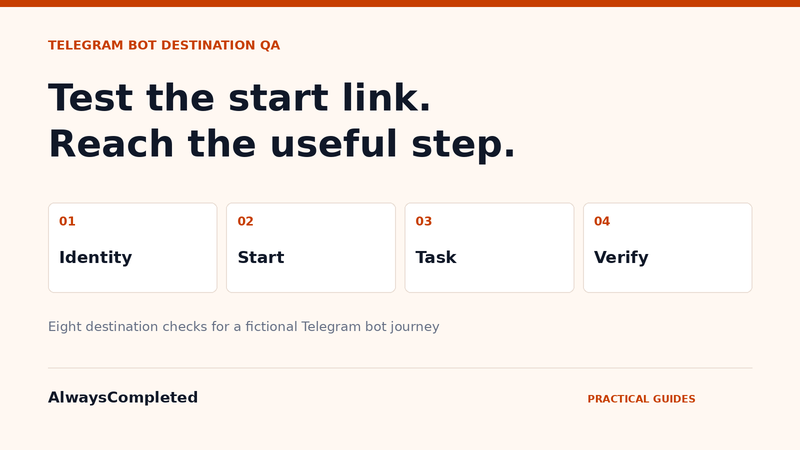
Telegram Ads Bot Destination QA: Test the Start Link and First Useful Step
A bot destination passes a useful campaign check when the intended visitor can reach the correct bot, understand its identity and complete the first task promised by the ad. Opening a chat or recording a start is only one part of that path. It does not prove that the visitor received anything useful.
Use the eight-scenario bot destination test sheet. It includes original DEMO messages for a fictional release-checklist bot and blank fields for real test evidence. All URLs are placeholders; no bot was opened or launched. The official Telegram sources were reviewed on 26 November 2026.
Define the promised result in one sentence
For the fictional campaign, the promise is “Get a short release-approval checklist inside the bot.” The first useful result is therefore the checklist itself, presented in a readable form. A greeting followed only by an unrelated website link would not demonstrate that the promise has been fulfilled.
Write an acceptance statement before testing: “A permitted test visitor can request the checklist, receive its three practical steps and identify the next action.” Define what evidence will establish each part. Keep a bot start, a displayed answer and a completed downstream task as separate observations.
The Telegram advertising guidelines require functional destinations and proper bot responses on mobile and desktop. They also require relevant content and complete destination identity information. Use those requirements alongside the actual campaign promise; a technically responsive bot can still answer the wrong question.
Check identity before the interaction
Record the exact bot username, displayed name, profile image, description and the expected owner. Similar names can make a wrong destination look plausible. Check that the profile describes the same useful task as the ad and that the approved link opens the intended bot.
Identify the available command or button that starts the useful path. The test should explain what the visitor must do, especially when a first-time visitor needs to press Start or another visible control. Do not assume that merely opening a chat caused the expected action.
Use an authorized test account and avoid entering unnecessary personal information. The test record can identify the account by an internal label rather than copying its phone number or other private details into a shared sheet.
Treat the start parameter as context
Telegram's deep-linking documentation describes a bot link with a start parameter that can pass context to the bot. The documented parameter supports specific characters and a length of up to 64 characters. This article tests the visitor experience; it does not implement a bot backend or tracking integration.
The teaching form is https://t.me/<BOT_USERNAME>?start=release_checklist. It is a placeholder, not a working link. In a real check, replace the username with the verified bot and use the approved parameter. Record whether the expected context reaches the correct first step after the required user action.
A missing or invalid parameter should not trap the visitor or expose an internal error. The bot owner can define a useful fallback, such as offering the general checklist menu. Record the expected fallback before the test so an arbitrary response is not accepted simply because something appeared.
Original DEMO first-useful path
Welcome: “You are using the Release Checklist DEMO. Choose ‘Show checklist’ to review three approval checks. This teaching bot concept does not submit music or access your accounts.”
Useful response: “1. Identify the current version of each release asset. 2. Name the person who can approve it. 3. Record approval evidence or the exact question still open. Start with one asset and keep it unresolved until the evidence is available.”
Next step: “Choose ‘Review one asset’ to fill in asset, version, owner and next action. You can return to the checklist at any time.”
Fallback: “That start option was not recognized. You can still open the general checklist. Choose ‘Show checklist’ or use the help option.”
These are original interface-copy examples. They do not demonstrate that a real bot has those controls or behavior. The owner must implement and test the agreed path before it can be described as functional.
Run eight distinct checks
| Check | What the reviewer observes |
|---|---|
| Plain bot link | Correct identity and an understandable route to the checklist. |
| Valid start parameter | Intended checklist context after the required user action. |
| Missing parameter | Useful general entry path without an unexplained dead end. |
| Invalid parameter | Defined fallback and a clear way to recover. |
| First-time visitor | Any required Start action is visible and leads to the task. |
| Returning visitor | New campaign context works without an unintended destructive reset. |
| Mobile client | Controls, text and first useful answer are usable. |
| Desktop client | The same promised task can be completed in that client. |
The checks overlap deliberately in setup but answer different questions. A returning visitor may already have an active conversation, while a first-time visitor may see a different entry screen. A working desktop response does not establish mobile usability.
For every row, record client/version, visitor state, link version, action performed, expected result, actual result, time and evidence. Mark a row not run if it was not tested. Do not prefill pass based on a screenshot of the bot's profile.
Handle failures with a specific owner
If the link opens the wrong bot, correct the campaign destination and recheck its identity. If the context is lost, give the bot owner the exact approved parameter and observed sequence. If the checklist is absent, distinguish a content omission from a response failure. These need different corrections.
Avoid changing multiple elements without a version record. A link revision, new greeting and new command behavior can make it difficult to determine which change fixed the problem. Preserve the failed observation and the corrected test under separate entries.
The acceptance owner should review any remaining limitation. An untested client is not a pass, and a fallback that works only for the developer's account may not satisfy the intended visitor path. Keep the acceptance statement tied to the tested conditions.
Separate starts from useful sessions
Campaign reporting may show a bot-related action, while the bot's own evidence can show whether a useful task was completed. Retain each metric's definition and source. Do not rename starts as engaged users, completed checklists or leads without the corresponding evidence.
The same distinction matters when comparing Telegram promotion services. A Bot Start listing describes its stated counted action. It does not by itself prove independent use of the bot or completion of the promised task. Confirm the accepted destination and metric with technical support before ordering.
Does opening a bot link prove task completion?
No. Record the actual entry action, the useful response and any downstream completion separately.
What makes the destination ready?
The identity matches, required paths work on the agreed clients, the promised first result is available and material failures have been resolved or explicitly documented by the acceptance owner.
