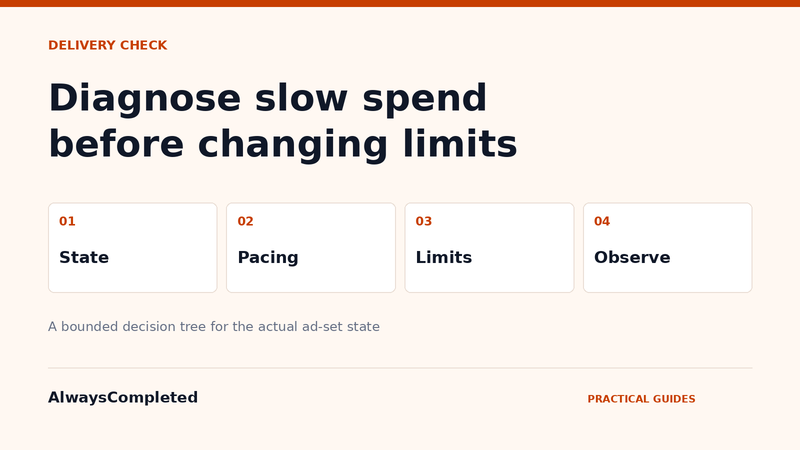
Spotify Ads Not Spending? Diagnose Delivery Before Raising the Budget
An ad set that has not spent its budget needs a delivery diagnosis before it needs a larger budget. First establish whether it can serve at all. Then inspect the approved schedule, pacing and constraints. A pending review, an audience restriction and a restrictive bid are different situations, with different owners and next actions.
The original decision tree and three DEMO cases below organize those checks. They contain no actual account forecasts or measured campaigns. Spotify's public guidance was reviewed on 26 November 2026.
Download the delivery decision tree and three-case worksheet
Separate “cannot deliver” from “delivering slowly”
Record the account, campaign, ad-set and ad identities, along with the exact status and observation time. Check whether the planned start has arrived, the relevant item is approved and active, and any account-level notice requires attention. Do not diagnose creative quality from a zero-spend row while the ad is still under review.
Save the current configuration before proposing changes. You need the schedule, selected placements, audience restrictions, budget type, pacing, frequency limit and bid settings that actually belong to this ad set. A remembered setup from another campaign is not a reliable baseline.
If a notice explains why delivery is blocked, follow that specific issue. An unresolved payment or review state is not repaired by broadening a genre selector. If the visible state is unclear, ask the authorized operator or platform support to establish it before editing.
The first branch of the worksheet therefore ends in either resolve the blocking state or inspect active delivery. It deliberately avoids an automatic “increase budget” outcome.
Read pacing against the actual schedule
Spotify's delivery-optimization help describes a pacing indicator for active lifetime-budget ad sets and recommends allowing 48 hours for regulation before considering adjustments. Treat that recommendation in its stated context; it is not a reason to ignore a clear account error or an incorrect destination.
Record the actual start and end times, time zone and remaining opportunity. A campaign that began later than planned has a different delivery window from the calendar in the original brief. Keep the planned schedule and the observed schedule separate.
Compare the current spend with the selected pacing method. A straight-line spreadsheet estimate may be a useful internal reference, but it is not proof that the platform must spend exactly the same amount every hour. Do not label ordinary uneven pacing a failure without the relevant account evidence.
If little time remains, ask whether extending the end date is possible and still appropriate to the music offer. A release-day message may become stale. More time is a change in campaign scope, so the owner should approve it before it is treated as a remedy.
Inspect the audience and placement constraints
The same delivery guide identifies narrow targeting as a possible constraint and directs advertisers to the setup forecast. Copy the actual forecast with its date and configuration. Leave it unknown if you do not have access; a fictional audience size will not help diagnose the real ad set.
Review the constraints together: market, age, audience definition, context, device and placement where applicable. Identify which are essential to the brief and which were merely chosen by habit. An essential location requirement should not be removed simply to make the pacing indicator look better.
Spotify's targeting help makes availability dependent on placement and includes market/age restrictions. An unavailable control is not an invitation to circumvent those restrictions. Record a legitimate alternative or hold the plan while the owner decides.
In the narrow-audience DEMO, the operator is asked to inspect one nonessential constraint. The proposed change is conditional on actual available controls and a renewed forecast. No invented forecast is supplied, and no larger audience is promised to respond better.
Review frequency and bid limits without treating them as prices
Spotify's pacing guidance also points to frequency and bid caps. A bid cap is a ceiling used in the buying decision, not the final price paid. A restrictive setting can be a candidate explanation for slow delivery, but increasing it changes the permitted buying behavior and needs approval.
Write the current value, the reason it was chosen and the owner of that boundary. A cap introduced to respect the client's cost or exposure preference should not be relaxed casually. The question is whether a change remains acceptable, not simply whether it might produce more delivery.
If several limits could matter, choose one justified change to investigate. Record what remains fixed and why. Changing audience, bid, frequency and schedule together may alter delivery, but it will not identify which change mattered.
A slower-spending ad set can also remain the correct decision when the alternative exceeds the agreed cost or scope. Spending the remaining balance is not a goal that overrides the campaign brief.
Check that the proposed edit is permitted
Spotify's editing guide distinguishes fields by campaign, ad-set and ad level, and notes that some edits require review. Under-review items cannot be edited. Use the appropriate supported action for the actual state rather than assuming every setting can be changed in place.
Before an authorized edit, write a short change note: observed problem, supporting evidence, one proposed adjustment, cost boundary, approver and next observation time. Include the effect on the message or campaign window where relevant.
Record the actual saved value and any new review state afterward. A person proposing a change has not yet performed it; a click without a confirmed saved result is not evidence that the configuration changed. Keep those states separate in the worksheet.
The three DEMO branches show that distinction:
- Under review: preserve the pending version and resolve or await the actual review state. No delivery optimization is claimed.
- Narrow eligible audience: inspect the current configuration and forecast; propose one acceptable relaxation only if supported and approved.
- Restrictive bid or frequency boundary: confirm the values and their purpose; choose a bounded change or retain the boundary and accept the delivery limit.
Review delivery after the change
Capture a new observation at the agreed time using the same ad set and reporting scope. Note whether the item remained active, whether another review interrupted it and whether the schedule or other conditions changed. Those details are part of the interpretation.
Compare delivery before making an audience-performance claim. More spend or more impressions means the system delivered differently within the recorded scope. It does not prove that the music gained more valuable listeners or that the creative became stronger.
If the evidence remains inconclusive, record the next focused question. An unresolved technical state may need support; a short remaining window may warrant stopping further changes. Avoid a sequence of escalating edits with no preserved baseline or owner.
The AlwaysCompleted advertising guide helps establish who operates a purchased service. A native Spotify Ads Manager delivery status is not the same as an AlwaysCompleted order status. For an AC order, use its order ID and the selected listing's own conditions when contacting technical support.
Close the diagnostic record with the observed state, the change actually made and the next approved decision. A useful investigation can conclude that the campaign should remain bounded, rather than spend more simply because some budget remains.
