SMM API Catalog Sync: Review Changes Before Updating Offers
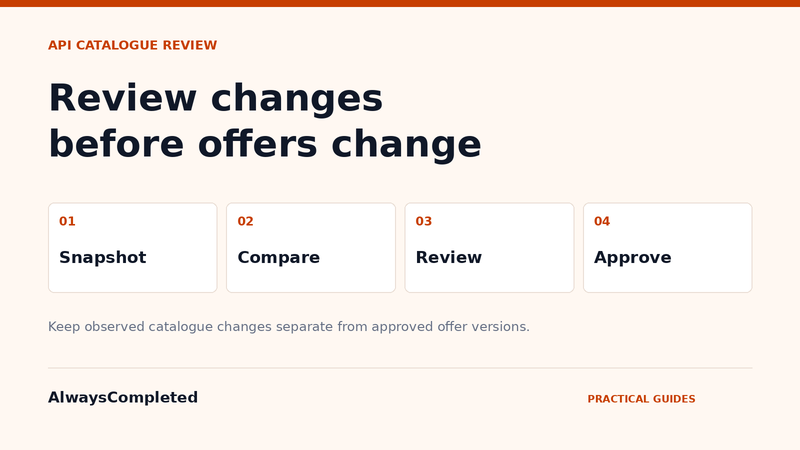
A catalogue refresh should produce a reviewable change set before it changes what your customers can buy. Keep the last approved offer version separate from the newest observed API response. Compare service IDs, inspect the fields that changed, and hold an affected offer when the change could alter its price, accepted quantity or required input.
This separation solves a practical problem: a successful download can still contain changes your storefront is not ready to use. A removed ID must not silently turn into a similarly named service. A changed service type may need a different order form. An old quote should remain a record of what was offered, even when its underlying catalogue entry has moved on.
This guide includes an original offline comparison program, two synthetic catalogue snapshots and a six-change review sheet. All IDs, rates and offers are DEMO data, not current AlwaysCompleted prices or available services. The program reads local files only and cannot place orders. The public API reference and related site pages were checked on 26 November 2026.
- Download the offline catalogue comparison program
- Download the DEMO previous catalogue
- Download the DEMO new catalogue
- Download the change-review sheet, approval record and instructions
Save observations separately from approved offers
Treat each successful retrieval as an observation with a timestamp, source and retained raw response. Give it a local snapshot reference. Store the comparison output beside that observation so a reviewer can reproduce the decision from the same inputs later.
The AlwaysCompleted API reference documents a services response containing a service ID, name, type, category, rate, minimum and maximum quantities, plus refill and cancellation indicators. Those fields describe the API catalogue. Your storefront may additionally have its own product code, selling price, explanation, supported input form and approval record.
Map those two sets deliberately. For example, local offer DEMO-OFFER-A may point to synthetic service 91001 under offer version 4. The new observation does not rewrite version 4. It creates a candidate for version 5, which becomes usable only after the necessary review. Keep any quote expiry and revalidation rule explicit in your own commercial process; saving a snapshot does not reserve the API's earlier price or availability.
Retain failed refreshes as failures, too. A timeout, non-JSON response or validation error should not overwrite the last usable snapshot with an empty catalogue. Record that freshness is unresolved, then apply your own pause or review policy for new purchases. The previous response can still explain an old quote without being treated as current permission to submit an order.
Validate before interpreting differences
First establish that both inputs are plausible catalogues. Then compare them. If a parser accepts a response but your application cannot understand the values, the comparison is not ready to drive a business decision.
OWASP's input-validation guidance distinguishes checks on representation from checks on meaning. In this workflow, that means validating the expected object structure and also checking relationships such as a minimum quantity not exceeding the maximum. Validation is your application's responsibility; receiving data from an API does not remove it.
The supplied program makes conservative local choices: positive integer service IDs, nonempty text fields, nonnegative decimal rate strings, integer quantity bounds and actual Boolean capability flags. It rejects repeated IDs because a dictionary that silently keeps the last duplicate would conceal ambiguity. It also refuses an empty replacement snapshot for automatic comparison, requiring a separate review of whether the observation is complete.
These rules are a teaching client policy, not a new AlwaysCompleted response contract. Adapt them to the documented fields you support and the real responses your authorised integration observes. Preserve unfamiliar fields in the raw evidence, but do not infer an undocumented feature from their name.
A decimal rate is compared as a decimal value. In the example, 0.70 and 0.700 are numerically equivalent and do not create a price-change task. Their original strings remain in the input files. The tool does not convert currencies, calculate a customer charge or decide a markup.
Classify the effect on the customer offer
A useful diff has a decision attached to each changed field. “Something changed” is too vague for the person maintaining an order form or a quote. Start with the impact, then decide who must review it.
| Observed change | Question for the reviewer | Default handling in the DEMO tool |
|---|---|---|
| Rate | Does the offer's pricing model still work, and must an unsent quote be refreshed? | REVIEW |
| Minimum or maximum | Does the form permit quantities that the new observation no longer supports? | REVIEW |
| Refill or cancellation indicator | Does customer-facing wording or a follow-up control need review? | REVIEW |
| Service type | Does the existing input form still describe a supported request? | HOLD |
| Service ID absent | Is the new snapshot complete, and what should happen to the mapped offer? | HOLD |
| Previously unseen ID | Is there any approved customer offer for it? | HOLD |
REVIEW also prevents automatic approval in this example. It means the question can be resolved within the existing offer design, not that it is safe to publish the change immediately. HOLD draws attention to a mapping or compatibility issue that may require a different design or a decision to retire the offer.
A name change deserves human attention as well. The same ID with unfamiliar wording could affect the meaning of a customer description even if the numeric fields are unchanged. Conversely, a familiar name on a new ID is insufficient evidence that the service is a valid replacement. Keep the identity mapping explicit.
Work through the six DEMO changes
The download contains two small snapshots with six fictional services. Comparing them generates one review item for each affected service:
- Service
91001changes rate from0.70to0.82. Review the candidate offer price and outstanding unsent quotes; no real currency or price is asserted. - Service
91002raises its minimum from50to100. Review the local quantity selector and revalidate any saved selection below the new minimum. - Service
91003lowers its maximum from5000to3000. Review large saved selections; splitting an order is a separate decision, not an automatic workaround. - Service
91004changes refill fromtruetofalse. Review future offer wording and follow-up controls against the current description. Do not rewrite the historical conditions saved with earlier orders. - Service
91005is absent from the new snapshot. Hold its mapped offer and confirm the observation. The tool chooses no substitute. - Service
91006changes fromDefaulttoCustom Comments. Hold the offer until its required input and accepted destination are reviewed. A quantity field cannot be assumed to replace a comment list.
Each sheet row includes the observed time, affected local offer, decision, owner and approval date. The fictional owner roles show who would resolve the issue; actual approval dates remain empty. No review is presented as complete merely because the comparison program found a difference.
Approve a candidate version without rewriting history
Keep three records: the observed catalogue, the proposed offer revision and the decision that approved or rejected that revision. A reviewer should be able to follow the chain from a changed field to the customer-visible consequence.
For a limit change, acceptance might require an updated quantity selector, a clear message for an invalid saved selection and a check that an old draft cannot bypass the new constraint. For a refill change, acceptance may require revised wording and a disabled follow-up option for new offers. For a type change, it may require a newly supported form and request validator; if that work is outside the current integration, keep the offer unavailable.
Record the effective time of the approved version. Existing customer orders keep the description and selection evidence associated with their original record. New purchases use the newly approved version after current input validation. This is a local audit trail; it does not promise that historical API conditions remain available for a later submission.
Have a way to withdraw a candidate before it becomes active. If a reviewer discovers that a new snapshot was incomplete, mark the candidate rejected and preserve the reason. Avoid editing the comparison output to make it look as though the issue was never observed.
Run the local exercise and inspect its evidence
Save the three code/data downloads in one folder. With Python 3 available, run:
python3 ac286-catalog-diff.py --self-test
python3 ac286-catalog-diff.py ac286-catalog-before.json ac286-catalog-after.json
The second command prints JSON review items; it does not alter either file or a storefront. The self-test exercises the expected six changes, duplicate-ID rejection, an invalid quantity range, an invalid capability value, an empty replacement and equivalent decimal formatting. All six checks passed in the local authoring run. They validate the teaching tool's specified cases, not a real account connection or the completeness of your own implementation.
Read the output alongside the review sheet. Add the snapshot time and source from the real retrieval process, assign the relevant offer and owner, and keep unresolved items unresolved. A daily scheduler, approval screen or notification service can be added by your own application; none is assumed to be an API feature.
For the connection details, use the developer guide and the current API reference. The service-description template helps turn an approved technical mapping into clear customer wording. Before enabling a changed offer, confirm its current requirements and ask technical support about any condition the public description leaves unclear.
