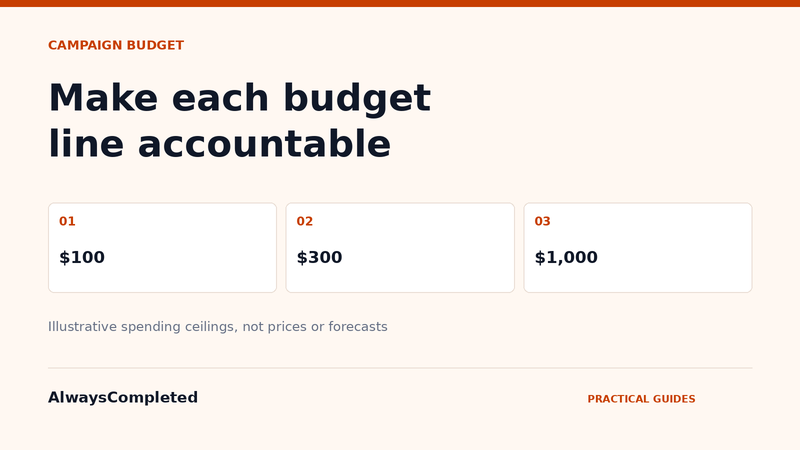
Music Promotion Budget Template: Compare $100, $300 and $1,000 Scenarios
A music promotion budget should tell you what you intend to buy, what you have already paid, what you still owe and how much cash remains available. Start with a cash limit, choose one campaign objective, price the required work and keep a reserve. Then compare the plan with actual spending before committing the next amount.
The examples below use $100, $300 and $1,000 in US dollars. They are original teaching scenarios, not market quotes, recommended platform minimums or predictions of listeners, fans or revenue. Replace every allocation with your current requirements and confirmed costs.
Download the editable music promotion budget (XLSX). It includes the three examples, a Custom case and formulas for totals, remaining cash and paid-versus-plan variance. You can also download the scenario allocations as CSV; that smaller file contains the example amounts without the workbook formulas.
Separate release production from promotion
First identify the money that is genuinely available for promotion. Recording, mixing, mastering and distribution may already have their own budget. If your total pot still has to pay for those items, subtract their confirmed costs before allocating the remainder to promotion.
For example, a fictional artist has $500 available for the whole release and $200 of production and delivery costs still to pay. The promotion limit is $300. Treating the entire $500 as an advertising allowance would commit money already needed elsewhere.
Keep each expense in one place. Cover artwork required to submit the release may sit in production; additional social crops or campaign edits may sit in promotion. The category matters less than making the boundary explicit and avoiding double counting. If you choose to manage everything in one budget, add the relevant costs to the plan and use the full release cash limit consistently.
Bandzoogle’s music marketing budget guide starts from goals and associated expenses, and includes production as well as promotion categories. This worksheet applies that planning approach to a narrower campaign cash budget. It does not attempt to calculate business profit, taxes owed or the value of unpaid working time.
Choose one objective you can review
Write the intended action before comparing offers. “Promote the single” leaves too many possible purchases open. A more useful brief is: “For this release, send interested visitors to a working listening page, record the available outbound-click data, and review the activity within an agreed cash limit.”
Other campaigns may prioritize a mailing-list signup, a ticket page or a specific video. Choose the action that fits your project. State what evidence will be available, who will read it and when. If a provider reports only delivery, do not silently turn that into evidence of new fans or sales.
Also record your time limit. A cash budget can show $0 for an artist-made asset while the work still takes several hours. Keep those hours in your release plan so that a low cash allocation does not create an impossible workload.
List the work before deciding the split
Use three questions to assess every proposed cost:
- Is it necessary for this campaign? A working destination and approved creative may be prerequisites. A second video version may be optional.
- What changes the price? A fixed deliverable, a recurring tool charge and an adjustable media-spend cap need different controls.
- What evidence closes the task? Specify the file, published placement, report or other agreed deliverable you expect to receive.
Build the quote record around the total amount you could owe. Note currency, applicable fees and taxes, what is included, any recurring charge, cancellation terms and who approves extra work. The workbook uses USD throughout and does not convert currencies, so translate any quote into your planning currency using the rate and fees you actually expect to pay before entering it.
Keep purchases tied to the release sequence. CD Baby’s release-plan guide separates preparation, assets and launch work into stages. In your own plan, that means a media purchase can depend on an approved asset and a tested destination; the cash allocation alone does not make the campaign ready to run.
Three illustrative promotion budgets
These amounts are allocation ceilings for a worked example. They do not establish that a supplier will complete a whole task for the amount shown. If a real quote does not fit, change the scope, perform suitable work yourself, rebalance the plan or leave that activity out.
| Activity or reserve | $100 example | $300 example | $1,000 example |
|---|---|---|---|
| Creative assets | $20 | $60 | $200 |
| Paid media | $40 | $120 | $400 |
| Tools / destination | $0 | $15 | $50 |
| Outreach execution | $10 | $35 | $100 |
| Measurement / review | $10 | $25 | $100 |
| Revisions | $10 | $15 | $50 |
| Other | $0 | $0 | $0 |
| Planned activities | $90 | $270 | $900 |
| Reserve retained | $10 | $30 | $100 |
| Total allocation | $100 | $300 | $1,000 |
The reserve is cash you have not assigned to a purchase. The revision line, by contrast, is an allowance for a defined type of work, such as adapting an approved creative file. Do not enter reserve as an invoice or add it to paid spending.
The $100 example: keep the operation small
Use this case to consider a campaign with one destination and one core creative idea. The $0 tools allocation assumes you can use an existing suitable setup without another cash payment. If that is not true, fund the required tool by reducing another line before launching.
The $40 media line is a maximum allocation in this example, not a claim that any particular advertising product accepts that amount. Check the product’s current requirements and the real cost of the work. If the available option does not fit, keeping the cash unspent is a valid outcome.
Small allocations for outreach or review may cover a narrow task, an incremental expense or work you eventually decide to handle yourself. Define the actual task before treating the number as a usable quotation.
The $300 example: make comparisons manageable
This case leaves $270 for activities and $30 in reserve. You could use part of the creative allocation for two clearly different approaches to the same message, then decide how to distribute the media allowance after the materials and destination pass your checks.
For example, one version might demonstrate the performance while another explains the song’s story. Record which version ran, where, when and with what spending. If you compare their reported response, include those conditions; a difference in click totals alone does not explain why one version received more activity.
Do not spread $120 across many channels merely because several options are available. Choose the purchases that support the objective and leave enough time to inspect the evidence. The worksheet gives you permission to change the allocation before you commit it.
The $1,000 example: buy a clearer process
The larger case allows more room for creative preparation, review and revisions. It still has one cash cap and a $100 reserve. A larger budget does not establish an audience outcome, so keep each purchase attached to an approved scope and a review date.
Break work into manageable commitments where the provider’s terms allow it. You might first approve the core asset, then authorize an agreed media phase, and only later decide whether a revision or further phase is justified. If a package requires full payment upfront, record the whole obligation instead of pretending that an internal phase limit changes the contract.
Use the workbook without losing track of commitments
The XLSX file has two sheets. Scenarios contains editable allocations and a blank Custom column. Budget selects one case and tracks what you have paid and still owe. Amber cells with blue text are editable; linked scenario values and formula cells update from them.
- On Budget, choose case 1, 2, 3 or 4. The file opens on case 2, the $300 example.
- On Scenarios, edit the selected case or fill the Custom column. Enter your cash limit, all seven activity amounts and retained reserve. Enter zero for an unused category; leave a cost blank if it is unknown.
- On Budget, enter payments under Paid and confirmed amounts still owed under Unpaid committed. Add a receipt, quotation reference or next check in the evidence column.
- When you pay an outstanding bill, move that amount from unpaid commitments to paid costs. Do not leave the same obligation in both columns.
- Review uncommitted cash and cash beyond reserve before approving new work. If an essential input is missing, relevant results show
n.a.instead of a plausible zero.
Changing the selected case changes the plan, while the paid and unpaid entries stay in place. That lets you compare your current commitments with another allocation. Save a fresh copy for a different campaign, and preserve your approved starting plan before revising it.
The remaining-cash figure is calculated from the amounts you record. It is not connected to a bank account and cannot discover an unentered invoice.
A worked example: total, remaining and variance
Suppose the fictional $300 campaign has the following position partway through its work:
| Activity | Planned | Paid | Unpaid committed |
|---|---|---|---|
| Creative assets | $60 | $60 | $0 |
| Paid media | $120 | $90 | $30 |
| Tools / destination | $15 | $15 | $0 |
| Outreach execution | $35 | $20 | $5 |
| Measurement / review | $25 | $15 | $0 |
| Revisions | $15 | $10 | $0 |
| Other | $0 | $0 | $0 |
| Total activities | $270 | $210 | $35 |
The retained reserve is $30. The calculations are:
- Total committed: $210 paid + 35unpaid = **245**.
- Uncommitted cash: $300 limit − 245totalcommitted = **55**.
- Cash beyond reserve: $55 uncommitted − 30retainedreserve = **25**.
- Paid-minus-plan variance: $210 paid − 270plannedactivities = * * −60**.
- Paid plus outstanding commitments versus plan: $245 − 270 = * * −25**.
The negative paid variance does not mean the campaign has saved $60. It has $35 of bills or commitments still outstanding, and some planned work may not yet have been booked. The $25 beyond reserve may also be needed to finish that work. Review the remaining tasks before treating it as spare money.
If a planned change needs $40, this example has only $25 available beyond the retained reserve. You could reduce another uncommitted activity, explicitly release part of the reserve or decline the change. If you release $15 of reserve, reduce retained reserve by $15 and increase the relevant activity allocation by $15 so the plan still reconciles. Record a payment or commitment only when it actually occurs.
Compare fixed packages and ad spend by scope
A fixed package and a media-spend amount are different kinds of purchase. Put both into the budget at their full confirmed cost, then compare their deliverables, destination, duration, setup work, revision terms and reporting. Do not compare them solely by a headline quantity.
Ask whether media spend is included in the quote or charged separately, and whether a reported activity is the thing you intended to measure. The Spotify promotion comparison guide provides an example of checking service scope before treating different offers as equivalent. A purchased activity is not a promise of editorial attention, lasting fans or income.
Keep measurement and revision decisions on the calendar
Set an early operational check for broken destinations or missing delivery, and a later review for the complete report. Those dates may differ. For Spotify’s own display campaigns, Spotify says results begin appearing after 24 hours, final results are ready two weeks after the campaign ends, and results can be downloaded as CSV. Those reporting rules apply to that specific product; use the appropriate window for any other provider. See Spotify’s display campaign reporting guidance.
Before authorizing more spending, check four things: the destination works, the approved task was delivered, the relevant report is ready, and the additional commitment fits the remaining cash after unfinished work and reserve. If one is unknown, record the missing evidence and a next check rather than raising the budget automatically.
Keep the approved original plan, the current revised plan and the final actuals distinguishable. Add a short reason when you reallocate money: “reduced optional second edit by $15 to fund a required link-page correction” is more useful than silently changing both cells. At the end, settle outstanding amounts, retain the receipts and record what you would fund differently next time.
Turn the budget into a purchasing brief
Choose the task you need help with, obtain its current terms and place the full amount into the worksheet before ordering. The advertising and promotion guide can help you review available scopes. Confirm the specific deliverable and reporting with the current offer, then approve it only if it fits your plan and remaining commitments.
You can leave a line at zero or keep part of the budget unspent. The useful outcome is a campaign you can fund, execute and review with the evidence available.
