LinkedIn Page Post or Direct Sponsored Content: Choose the Asset You Will Promote
Choose the asset you will promote by where the message belongs and what the campaign needs it to do. An existing Company Page post can preserve an established organic publication. Direct Sponsored Content can provide a separately managed ad asset for a specific campaign message. Neither choice removes the need to verify the objective, format, destination and permissions.
Make this decision before approving the final copy. Reusing a post because it already exists can be convenient, but it may not support the intended action. Creating a new ad can solve that problem, but it also creates another version that needs its own owner and evidence trail.
The download contains four original fictional scenarios and a content-lineage map. All assets and references are DEMO; no LinkedIn content was created or edited. Public LinkedIn documentation was reviewed on 26 November 2026.
Decide whether the message belongs on the organic Page
Ask whether the message is useful and accurate for the Page's broader audience over its intended lifespan. An evergreen announcement about a useful public resource may belong there. A narrow regional offer or a temporary campaign variant may be better considered as a separate ad asset.
This is an editorial decision as well as a technical one. The Page's existing readers should not have to interpret a message designed for a different region or an expired offer. Conversely, creating a separate ad should not be used to publish claims that would be difficult to defend in public.
LinkedIn's Direct Sponsored Content guidance explains that these ads are created in Campaign Manager and do not appear as organic Page posts, but can appear in the Page's ad library. Describe them as separately published advertising assets, not as completely hidden content.
Record the desired visibility in the brief. “Not on the organic Page feed” is a specific requirement. “Nobody else can see it” is a promise the workflow does not support.
Check the existing post against the intended campaign
Save the exact Page-post URL and inspect its current media, copy and destination. Then check it against the objective and ad format you intend to use. LinkedIn's existing-content guidance makes reuse dependent on those settings and describes additional conditions for particular formats.
A post's previous organic performance does not establish compatibility. A document post may have a useful resource but not support the new gated action through the same reuse path. A post without an appropriate destination may not fit an objective that requires one.
Record who can edit the post and who can sponsor it. The permission needed to make a content correction can differ from the permission to select it for an ad. If a correction is required, resolve it with the content owner before freezing the campaign version.
Keep the approved message connected to its evidence. The existing credible case-study post guide helps with factual claims; this asset decision does not turn a weak claim into an acceptable one just because it appears in an eligible format.
Use a new ad asset when the required action differs
A new Direct Sponsored Content candidate can provide a separate copy, image or destination version where the actual format supports it. Give that candidate a local version reference and an owner from the start.
Do not assume it supports every feature of a Page post. LinkedIn currently states that Direct Sponsored Content does not support member mentions and directs advertisers who need them to an eligible organic post containing the mentions. It also has format and access requirements. Verify the exact path rather than moving a design between workflows and hoping the fields remain equivalent.
A new asset needs fresh content acceptance. Check whether the regional wording, time-sensitive offer, destination and visual make sense together. Keep any copied facts connected to their source and ensure that the approval applies to the new use.
The decision is complete when the operator can identify the actual asset and the campaign action it supports. “Use the latest creative” is not enough when several similarly named files or posts exist.
Compare four fictional scenarios
| Scenario | Starting evidence | Candidate decision | Condition before approval |
|---|---|---|---|
| Evergreen resource announcement | Existing Page post remains accurate for the wider audience | Reuse the Page post | Verify format/objective and destination |
| Region-specific offer | New copy applies only to one supported market | Consider a new direct ad asset | Verify actual audience, offer availability and route |
| Post with a member mention | Existing Page post contains a relevant approved mention | Consider eligible Page-post reuse | Check mention context, current permissions and compatibility |
| Document needs a different reader action | Existing document was published for organic reading | Review a new Document Ad route | Confirm new versus existing workflow and complete handoff |
These decisions are conditional. The matrix does not claim that a particular post can be sponsored without account inspection, or that the fictional region or offer exists.
The evergreen case favours reuse because the message's public role is already appropriate. The regional case favours a separate candidate because its scope differs from the broader Page publication. The mention case exposes a specific feature constraint. The document case shows why the reader action can be more important than the convenience of reusing a file.
Preserve the content lineage
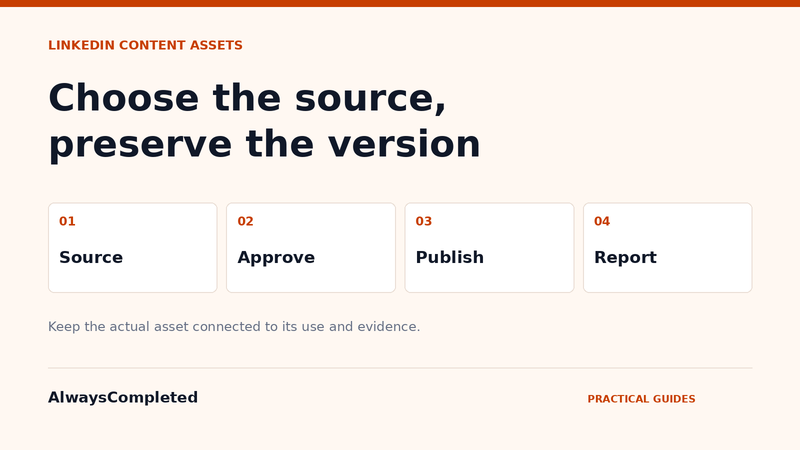
For each candidate, connect five records: source content, approved version, actual published asset, campaign use and reporting evidence. These records can use your own internal references, but distinguish them clearly from the platform identifiers observed after creation.
The source might be an existing Page URL or an original design file. The approved version records what the reviewer accepted. The published asset records the actual Page post or direct ad. The campaign record identifies where it was used and when. The report then cites that actual use rather than a similarly named creative.
This chain is especially useful when one image appears in several campaigns with different copy or destinations. The image filename alone cannot identify which promise a viewer saw. Keep the complete creative context with the asset version.
The downloadable lineage map uses local DEMO labels. It does not invent real LinkedIn IDs or imply that an unpublished candidate already has a public URL.
Give edits a responsible owner
Define what happens when a claim, destination, image or date changes. The person requesting the edit should identify the affected versions, while the content owner decides which approvals need to be revisited. The operator verifies the actual changed asset before the campaign continues.
Avoid editing a shared source blindly because one campaign needs a variation. First determine where that source is reused. A small wording change may alter the meaning of another active campaign or an organic post that serves a different reader.
Keep the old approved version in the record. A version log should explain what changed, why, who approved it and when the new version became active. It should not merely replace “v2” with “final” and discard the earlier evidence.
If the chosen route cannot support the required edit or action, return to the asset decision. A new asset may be appropriate, but it needs its own verification and mapping rather than an assumption that it inherits the old asset's history.
Separate public visibility from campaign results
A Page post, an entry in an ad library and a Campaign Manager report answer different questions. The first can show an organic publication, the second can show advertising content, and the third supplies campaign observations within its selected scope. Save the evidence appropriate to the claim you are making.
Do not describe an ad-library appearance as proof of a particular result, or an organic post total as the isolated outcome of one paid campaign. Use the LinkedIn agency reporting guide to preserve those distinctions when assessing activity and enquiries.
For AlwaysCompleted LinkedIn catalogue services, check the exact accepted destination. The site distinguishes Company Page posts, personal posts and other targets. A new direct ad asset may have a different target or visibility pattern; compatibility with a catalogue listing cannot be assumed. Ask technical support to confirm the actual scope before substituting an advertising asset for the destination requested by a service.
