LinkedIn Matched Audiences: Check Readiness Before You Commit Spend
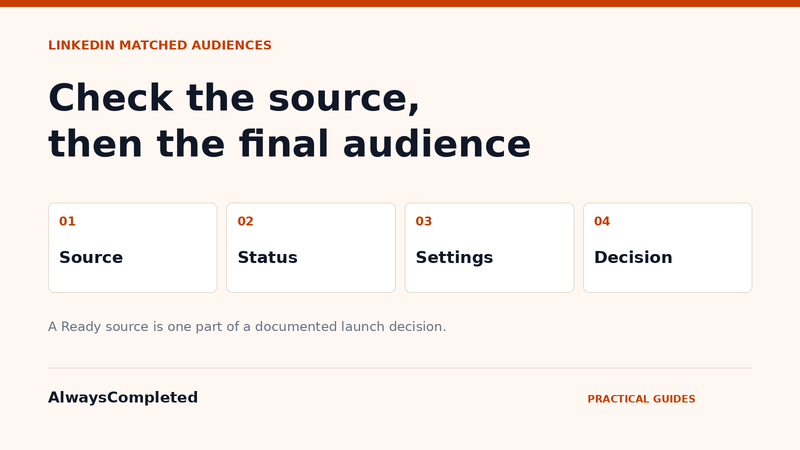
Check a LinkedIn Matched Audience at two levels before committing campaign spend: whether the source segment has finished processing, and whether the final campaign audience is usable after its other settings are applied. A Ready source is useful evidence, but it does not settle every targeting or launch requirement.
Keep a dated readiness record with the source route, observed status, owner and next check. This prevents an upload receipt, a website signal or a familiar audience name from being mistaken for a completed launch decision.
The original download contains a status decision table and three synthetic support tickets. All segments and observations are DEMO. No contact list was uploaded, tracking code installed or private audience inspected. LinkedIn's public documentation was reviewed on 26 November 2026.
Identify the source and its permitted use
Record where the audience comes from before interpreting its status. LinkedIn's Matched Audiences overview separates list uploads, retargeting and connected partner data. Those routes have different preparation and diagnostic questions.
For a list, identify its owner and the basis for using it for this purpose. For a website segment, identify the intended page rule and the person responsible for the relevant implementation. For a partner segment, identify the connection and its maintainer. A filename or a contact count does not answer those questions.
Keep source records separate from matched members. A row in an internal list is not automatically a person available in the resulting advertising audience. Likewise, a site visitor total is not a matched-audience count. Use the labels and actual observations from the chosen route rather than transferring numbers between systems.
The readiness worksheet stores references, not personal records. It gives a reviewer enough context to find authorised evidence without copying contact information into a general project brief.
Read the status as a processing observation
LinkedIn's status definitions distinguish Building, Updating, Ready, Failed, Archived and Expired. Use the actual observed label and time. Avoid rewriting a status in your own report as “campaign ready” unless the remaining campaign checks have also passed.
| Native observation | What the readiness reviewer should establish next |
|---|---|
| Building | When the source was submitted and whether the documented processing window or a reported issue needs attention |
| Updating | Which source revision is being processed and which evidence is current |
| Ready | Whether the completed source fits the final ad-set configuration and purpose |
| Failed | Which source or integration problem is reported and who can correct it |
| Archived | Whether the segment should be reactivated through the route's documented process |
| Expired | Whether the source must be refreshed or rebuilt and remains appropriate to use |
The table's review questions are an original workflow, not new platform states. Link a task to the real problem rather than treating every non-Ready state as a reason to upload again.
Preserve the prior observation when the status changes. A simple sequence of dated records can explain whether the team is still waiting on the same submission or has started a new source revision. Overwriting the original timestamp obscures that distinction.
Treat website signal checks as their own boundary
A website audience has an additional signal question. LinkedIn's status guidance distinguishes a received signal from no signal and directs attention to the relevant URL setup and tag implementation when a signal remains absent.
Record the audience's URL rule and the reported last signal. Confirm that the rule describes the pages you intended to use. A healthy implementation elsewhere on the site does not prove that this particular segment's rule is correct.
Ask the authorised implementation owner to inspect the actual configuration and current route-specific requirements. The download does not install tracking or propose collecting additional data without a defined purpose. It simply gives the owner a clear diagnostic ticket.
A received signal is not the same as a sufficiently built, usable final audience. Keep signal receipt, segment processing and final campaign eligibility in separate fields, with the current requirements checked for the actual route.
Resolve the three DEMO tickets
Ticket A: a list is still Building. The fictional operator has a submission time and a processing status, but no failure message. The next step is to compare the elapsed time with current guidance and inspect the source record. Re-uploading immediately would create a new event without explaining the first one. The owner records a review point and escalates only if the observed evidence warrants it.
Ticket B: website no signal. The fictional segment points at a path that may differ from the real landing page. The implementation owner checks the exact URL rule, the actual page and the relevant signal setup. The ticket does not conclude that there were no visitors; it records that this segment has no observed signal.
Ticket C: Ready source, final size unresolved. The fictional partner segment has processed, but the ad set adds geography, exclusions and other settings that have not been reviewed. The campaign owner checks the final configuration and current availability before accepting the launch. Ready remains the source status while final readiness remains open.
Each ticket includes evidence needed to close it. “Wait,” “fix the tag” or “increase the list” is not accepted as a completed diagnosis without the observation that supports that action.
Review the final audience in the actual campaign context
Record the selected segment, account, mode, geography, exclusions and other relevant constraints. A source that works in one setup may not answer a different campaign's needs. LinkedIn notes that member preferences and regional conditions can affect matching and availability; verify the actual configuration rather than assigning a universal audience minimum to every route.
If a forecast or audience estimate is visible, save it with the exact settings and date. If it is missing, record that absence. Do not substitute the original list size or an estimate from a different ad set.
Ask whether the segment's origin matches the campaign purpose. A successfully processed source can still be a poor fit for the offer. Technical readiness and audience relevance are separate decisions, and the brief needs both before someone uses it to justify spend.
Write a bounded readiness decision
A useful decision states the source version, observed status, final configuration and evidence reviewed. It names the remaining unknowns and the person responsible for them. It can say “source processing complete; final configuration review pending” without pretending that the whole campaign is ready.
Reopen the relevant checks when the source, rule, connection or campaign constraints change. Keep the last approved record for context, but do not present it as a permanent guarantee of availability.
The LinkedIn agency reporting guide covers later results. Audience processing does not establish impressions, qualified leads or sales. If you compare AlwaysCompleted LinkedIn catalogue activity, keep those Page, profile or post metrics separate from a permitted audience seed. Catalogue activity does not by itself establish Matched Audience setup or access to contact data; ask technical support to clarify the exact purchased scope.
