LinkedIn Document Ads: Plan the Preview, Gate and Destination
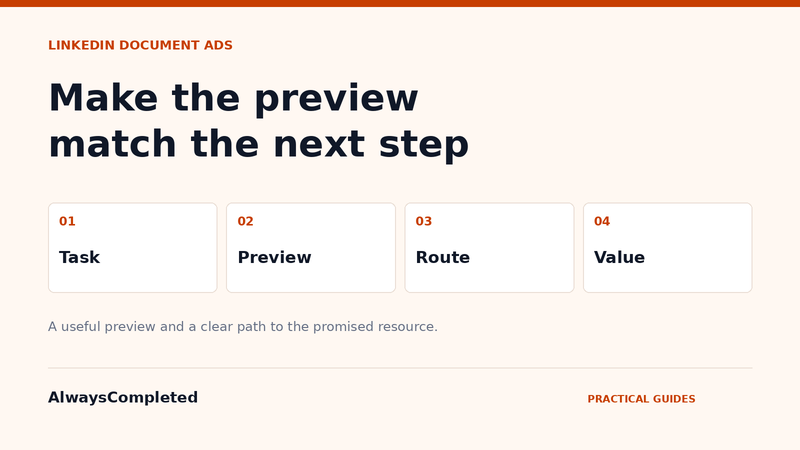
Plan a LinkedIn Document Ad around the reader's next useful action: read the material in the feed, unlock the full document through a form, or visit a website. Then design the preview so it explains the value of that action without hiding every useful idea behind a gate.
Choose the creation route before finishing the document. A new Document Ad and an existing organic document post are not interchangeable inputs for every objective. The brief needs to connect the actual objective, asset source, preview, form or destination and the content the reader receives afterward.
The downloads contain an original preview decision map, a six-page outline for a fictional agency-readiness scorecard and two complete ad-copy scenarios. Everything is DEMO. No PDF was uploaded, form submitted or campaign created. Public LinkedIn documentation was checked on 26 November 2026, with account-specific availability left for the authorised operator to verify.
- Download the preview map, six-page outline and two ad scenarios
- Download the document and handoff QA checklist
Define the value before defining the gate
Describe what the reader can do after using the document. “Learn about our agency” is weaker than “identify which approval decision is missing before a production brief can proceed.” The latter gives the author a concrete scope and gives the reader a reason to continue.
The fictional scorecard in this guide helps a small team review ownership, evidence and a destination before commissioning marketing assets. It does not award a scientifically validated score or promise better campaign performance. Its categories are practical working labels: ready, evidence needed and owner needed.
Choose the next action that fits the value. If the material answers the whole question, a readable document may be sufficient. If the full resource is offered in exchange for a form submission, explain that exchange accurately. If the reader needs an interactive tool or product page, design a website journey and verify that the destination delivers the promised continuation.
Do not make the preview a sequence of empty promotional pages. A reader should be able to assess the document's usefulness before deciding whether to provide information or leave the feed.
Separate a new ad from reuse of a Page post
LinkedIn's new Document Ad instructions describe objective-dependent preview and destination options. Lead generation uses a Lead Gen Form; website visits or website conversions use a destination URL and CTA selection. The instructions also distinguish creating a new ad from browsing existing content.
The existing-content guidance applies different reuse conditions, including objective and media compatibility. Do not assume that an organic PDF post can acquire every new-ad route merely because the document file is the same. Confirm the specific path in the account before writing the final form promise or destination copy.
Record the asset source in the brief: existing Page post URL, previously created ad reference, or new uploaded document. Record who can edit it and which version was approved. If the desired action requires a different workflow, prepare a new candidate with its own approval instead of improvising around an incompatible existing post.
The existing organic document-post guide covers writing and exporting a useful multipage resource. This article adds the paid preview and destination decision, rather than repeating that seven-page storyboard.
Make the first two pages useful on their own
The DEMO outline uses six pages. Pages one and two establish the task and demonstrate a complete small check; later pages extend the exercise and provide the reusable worksheet. Two preview pages are an editorial choice for this fictional document, not a universal best-performing setting.
Page one states the decision: is this brief ready to leave the planning stage? It names three checks and explains what the labels mean. Page two works through ownership using a fictional ambiguous brief and a corrected version. A reader who stops there still learns a method.
Pages three and four address claim evidence and destination readiness. Page five combines the decisions into a worked handoff. Page six is a blank reusable review card with the next action attached to each unresolved item.
This sequence makes the gated value concrete. The full document provides application and a reusable tool, while the preview demonstrates enough of the method to support an informed choice. Do not promise an editable spreadsheet if the delivered asset is only a PDF.
Keep the ad copy, preview and confirmation aligned
Write the introduction and headline from the actual document. The lead-form DEMO says that the reader will receive a six-page readiness scorecard and a reusable review card. Its proposed native action is to unlock the full document, subject to actual account configuration.
The website-route DEMO says the preview introduces a readiness method and the destination offers the full working resource. The fictional destination is a placeholder until a real page exists and is verified. A button label is not an excuse to send the reader to a general homepage with no matching resource.
Keep the confirmation promise equally specific. If a form says that a document is available immediately, the next screen and access route should provide it. If someone will contact the reader, state the actual process and responsible team. Do not quietly convert a download request into an unrelated sales promise.
Use an authorised test to verify any real lead handoff. The LinkedIn Lead Gen Form QA guide provides a separate acceptance record for fields, test flags and receiving data. A completed document brief does not prove that the form or CRM integration works.
Check the file as a document and as an ad asset
LinkedIn's Document Ad specifications require PDF for the lead-generation route, explain that document links become clickable after download and call for consistent PDF page sizes and flattened layers where applicable. Recheck the current file and text limits before export rather than relying on an old template.
The downloadable QA list separates technical acceptance from content acceptance. Confirm that every page is legible, that the page order matches the preview plan and that the final file contains the promised worksheet. Then inspect the ad text, preview selection and actual destination in the chosen workflow.
Test links in the downloaded file, not just in the source document editor. A hyperlink that looks correct on a design canvas can still point to an old address. Keep important instructions understandable without requiring the reader to click a link inside the in-feed preview.
The supplied six-page outline is an editable planning artifact, not a falsely labelled platform-ready PDF. A real designed document needs its own export and visual checks on the intended screen sizes before upload.
Review the complete reader journey
Follow the journey from the advertisement's promise through the preview and chosen action to the delivered value. Ask a reviewer who did not write the copy to explain what they expect at each step. A mismatch often becomes obvious when the reviewer has to state the promise in their own words.
Keep a short record of the final document version, page count, preview choice, objective, form or destination reference and reviewer. If the file changes, check whether the preview still ends at a sensible point. If the form or destination changes, verify that the confirmation still delivers the same resource.
Measure later behaviour using the actual platform definitions and the relevant report. A document impression, download, form submission and qualified enquiry are separate events. The brief should not promise a number of reads or leads before a real campaign supplies evidence.
When comparing AlwaysCompleted LinkedIn catalogue activity, identify the accepted Page or post target and the metric in the specific listing. A post-view order does not establish Document Ad creation, gated access or lead delivery. Ask technical support about catalogue scope, and assign native ad production, form testing and destination ownership explicitly to the people performing those tasks.
